
Gift: オリジナル3Dモデル「黑见」Kuroki v1.17
-
-
-
-
-
-
-
-
-
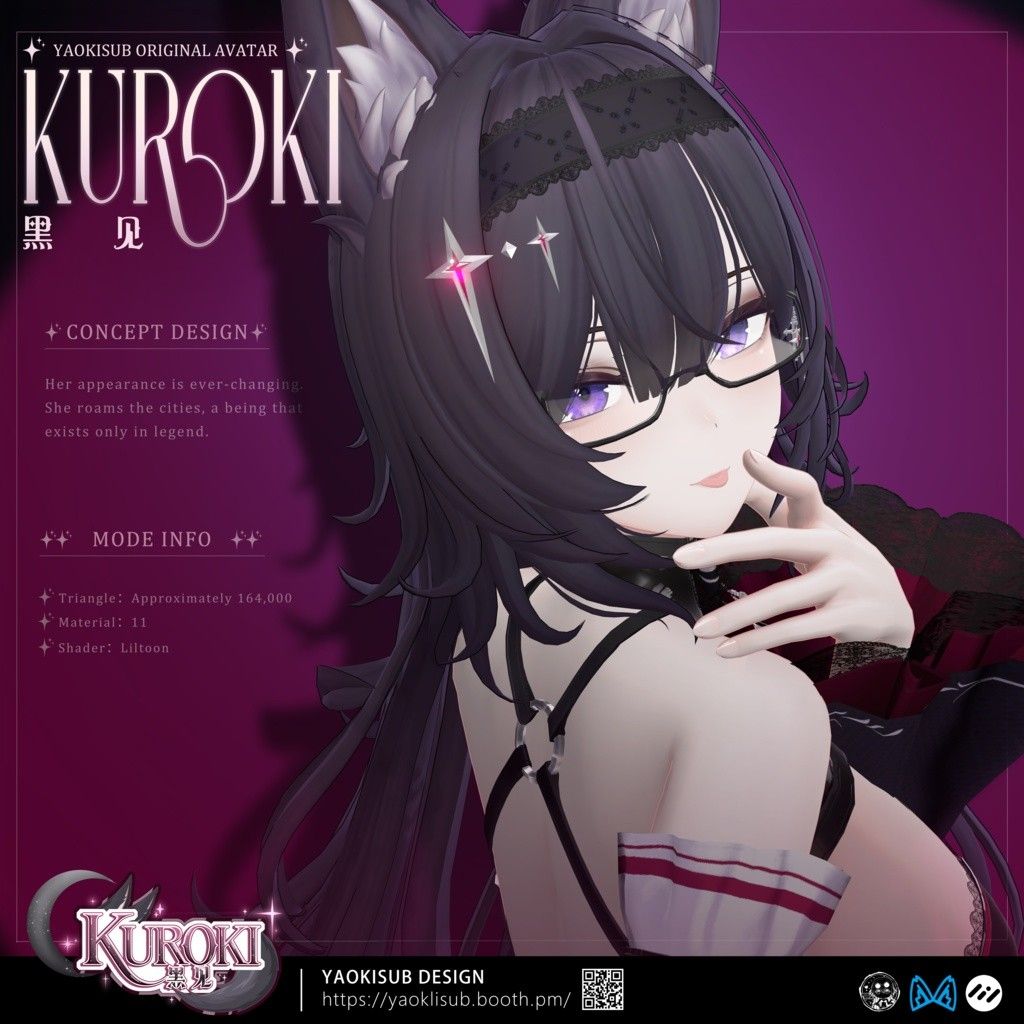
Here you all go! Let me know if the link is down!
Ping me if there's an update as wellBooth Link | Download HERE - Pixeldrain
Mochi Fitter drop from NanaS - Thank you!
Triturbo Face Tracking - Download HERE - Pixeldrain
** UPD: Kuroki v1.17 uploaded / NSFW updated to v1.17 / FT Updated to v1.2
@sweets 1.11 Link Update!


ㅤㅤㅤㅤ ㅤㅤㅤㅤㅤㅤㅤㅤ ㅤㅤㅤㅤㅤ ㅤㅤㅤㅤㅤㅤㅤ⋆⭒˚。✧˖°¸¸♬·¯·♪·¯·♫¸¸⋆⭒˚。✧˖°
ㅤㅤㅤㅤㅤㅤ ㅤㅤㅤㅤㅤ𝒜𝓁𝓌𝒶𝓎𝓈 𝑜𝓃 𝓉𝒽𝑒 𝓁𝑜𝑜𝓀𝑜𝓊𝓉 𝒻𝑜𝓇 𝒫𝑒𝒶𝓀𝒶𝒷𝑜𝓌𝑜 𝒶𝓋𝒾𝓈 + 𝒶𝓈𝓈𝑒𝓉𝓈 𝒶𝓃𝒹 𝒦𝓊𝓇𝑜𝓀𝒾 𝒜𝓈𝓈𝑒𝓉𝓈!
ㅤㅤㅤㅤㅤㅤㅤㅤ ㅤㅤㅤㅤㅤ ㅤㅤㅤㅤㅤㅤㅤㅤ ㅤㅤㅤㅤㅤ#𝓈𝓉𝑜𝓅𝓊𝓈𝒾𝓃𝑔𝑔𝑜𝓃𝓈𝑜
ㅤㅤㅤㅤㅤㅤㅤㅤㅤㅤㅤ ㅤㅤㅤㅤㅤㅤㅤㅤ ㅤㅤㅤㅤㅤ⋆⭒˚。✧˖°¸¸♫·¯·♪¸♩·¯·♬¸¸⋆⭒˚。✧˖°
ㅤㅤㅤㅤ ㅤㅤㅤㅤㅤㅤㅤㅤ ㅤㅤㅤ
-
-
-
-
-
-
That's actually so funny. I havent been on in some time and I dont look into drama(im not on socials so im always in the dark). I noticed kuroki was a new base on ploror, clicked to see more, and the post was taken down. I said these exact words "Ope--it's down? I bet you it got copyrighted or some shit from the creator of milltina." I saw that it was leaked here and so I yoinked it, booted up kuroki into unity, and I could already see how much it resembled milltinas base. The hands and the back gave it away big time before I even saw her visemes were suuuuper close to being the same as mills in blender lol. That's why as a creator myself, i'd NEVER sell something that wasn't mine(without rights) or made from me by my own talents/skill. The truth will always surface one way or another if you play that game.
-
-
tbf at this point as someone who doesnt pay4 it, i think i got no word on the drama, mans gotta eat, and i gotta make´em pretty
-
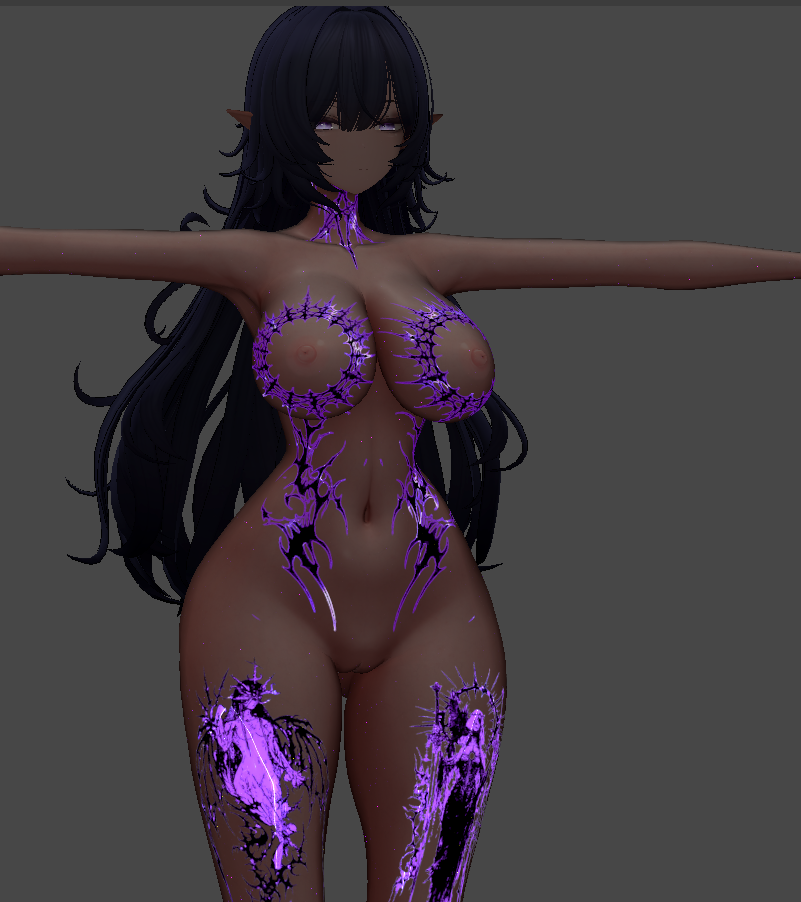
@Crises woahhh nice tattoos, love the effect :0
@Baphometscurse ty, its workable, did the switch to poi pro 11 tho (the base looks too toon for my taste hehe)

-
tbf at this point as someone who doesnt pay4 it, i think i got no word on the drama, mans gotta eat, and i gotta make´em pretty
-
@Crises Hey quick question how you add the glowing tatoes? normally I just put black normal tattoes but im kinda interested to know how people add those glowing tattoes in liltoon shaders. Most of it I see just for poiyoimi. Thanks
@Kingston64GB depends what u want, in this case i made the normal tattoo fully black, kept the original which had white parts, made a stroke around it in white(use layer effects in PS around 1-5px), put it in a black background just so only the white parts would show (thats your mask) and did 2 of those 1 being only the strokes (emission) and the only one the strokes and the white parts of the tattoo (matcap) once u have everything, u go to liltoon, go emission activate, put on the mask u made and play with the settings, for the other one u need to find a matcap u like (theres a lot of free as well as paying one u can find here) turn it on put the matcap and then put the other mask u made and play with the settings. hope that helped u buddy



Hello! It looks like you're interested in this conversation, but you don't have an account yet.
Getting fed up of having to scroll through the same posts each visit? When you register for an account, you'll always come back to exactly where you were before, and choose to be notified of new replies (either via email, or push notification). You'll also be able to save bookmarks and upvote posts to show your appreciation to other community members.
With your input, this post could be even better 💗
Register Login