Skip to content
  • Categories
  • Recent
  • Tags
  • Popular
Skins
  • Light
  • Brite
  • Cerulean
  • Cosmo
  • Flatly
  • Journal
  • Litera
  • Lumen
  • Lux
  • Materia
  • Minty
  • Morph
  • Pulse
  • Sandstone
  • Simplex
  • Sketchy
  • Spacelab
  • United
  • Yeti
  • Zephyr
  • Dark
  • Cyborg
  • Darkly
  • Quartz
  • Slate
  • Solar
  • Superhero
  • Vapor

  • Default (Zephyr)
  • No Skin
Collapse
RipperStore Logo
  1. Home
  2. Assets
  3. Looking for...
  4. Furry Avatars
  5. DBFN edit Newest version

DBFN edit Newest version

Scheduled Pinned Locked Moved Unsolved Furry Avatars
furrysolvednova beastgift
21 Posts 7 Posters 1.0k Views 10 Watching
  • Oldest to Newest
  • Newest to Oldest
  • Most Votes
Reply
  • Reply as topic
Log in to reply
This topic has been deleted. Only users with topic management privileges can see it.
  • WolfdigoW Wolfdigo

    @Pupzhurr Looked like this before 1c8b1b2e-fbed-4ea9-a9e7-a53e9d584729-image.jpeg

    PupzhurrP
    PupzhurrP
    Pupzhurr
    wrote on last edited by
    #10

    @Wolfdigo no i do not im sorry. im guessing they used a different texture

    1+ meh pleze :3

    E 1 Reply Last reply
    0
    • PupzhurrP Pupzhurr

      @Wolfdigo no i do not im sorry. im guessing they used a different texture

      E
      E
      esau_winchester
      wrote on last edited by
      #11

      @Pupzhurr That's the DFN.
      Basically, Death created two edits.

      The DFN (based on the KFN)—the one in the image—is the DFN because of the hands it has.

      And here's the DBFN.

      PupzhurrP 1 Reply Last reply
      0
      • PupzhurrP Pupzhurr

        https://www.swisstransfer.com/d/4383d914-d59a-477c-aae5-17ab3415b2fe

        flamableyellowF
        flamableyellowF
        flamableyellow
        wrote on last edited by
        #12

        @Pupzhurr looks like everythings just broken..?

        ~<3 ARF! w<! ~
        ~! Rexouium enthusiast~!!

        PupzhurrP 1 Reply Last reply
        0
        • flamableyellowF flamableyellow

          @Pupzhurr looks like everythings just broken..?

          PupzhurrP
          PupzhurrP
          Pupzhurr
          wrote on last edited by
          #13

          @flamableyellow did you upload it right? it shouldn’t be broken

          1+ meh pleze :3

          PupzhurrP 1 Reply Last reply
          1
          • E esau_winchester

            @Pupzhurr That's the DFN.
            Basically, Death created two edits.

            The DFN (based on the KFN)—the one in the image—is the DFN because of the hands it has.

            And here's the DBFN.

            PupzhurrP
            PupzhurrP
            Pupzhurr
            wrote on last edited by Pupzhurr
            #14

            @esau_winchester this is the DBFN version. when i posted this in another form nobody said it wasn't the wrong model Screenshot 2026-08-24 143639.png
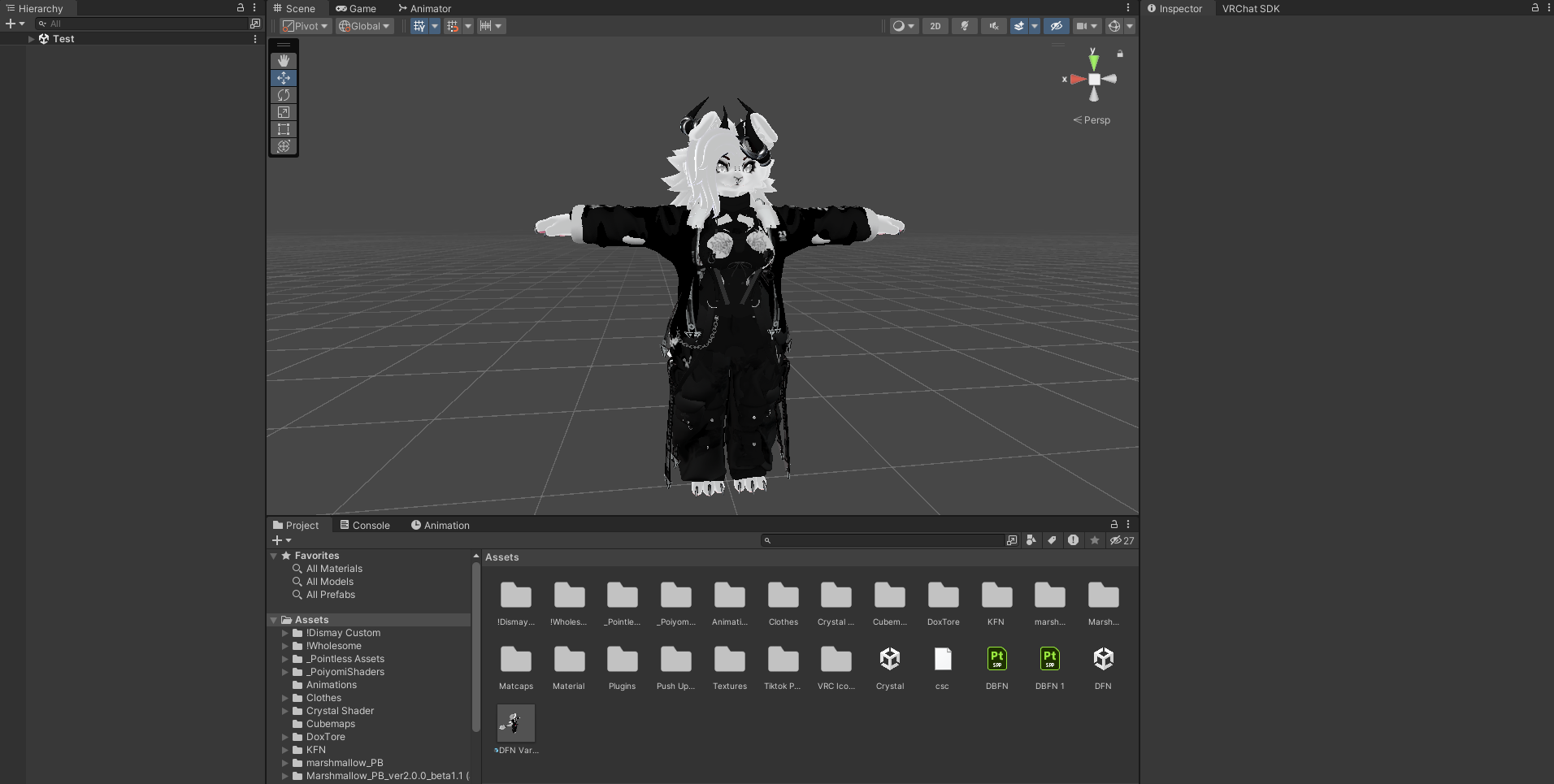
            also this is my first time doing this so please be patient with me!! here's the other form! nobody had any problems with it so idk whats going on https://forum.ripper.store/post/2154663

            1+ meh pleze :3

            1 Reply Last reply
            0
            • PupzhurrP Pupzhurr

              @flamableyellow did you upload it right? it shouldn’t be broken

              PupzhurrP
              PupzhurrP
              Pupzhurr
              wrote on last edited by
              #15

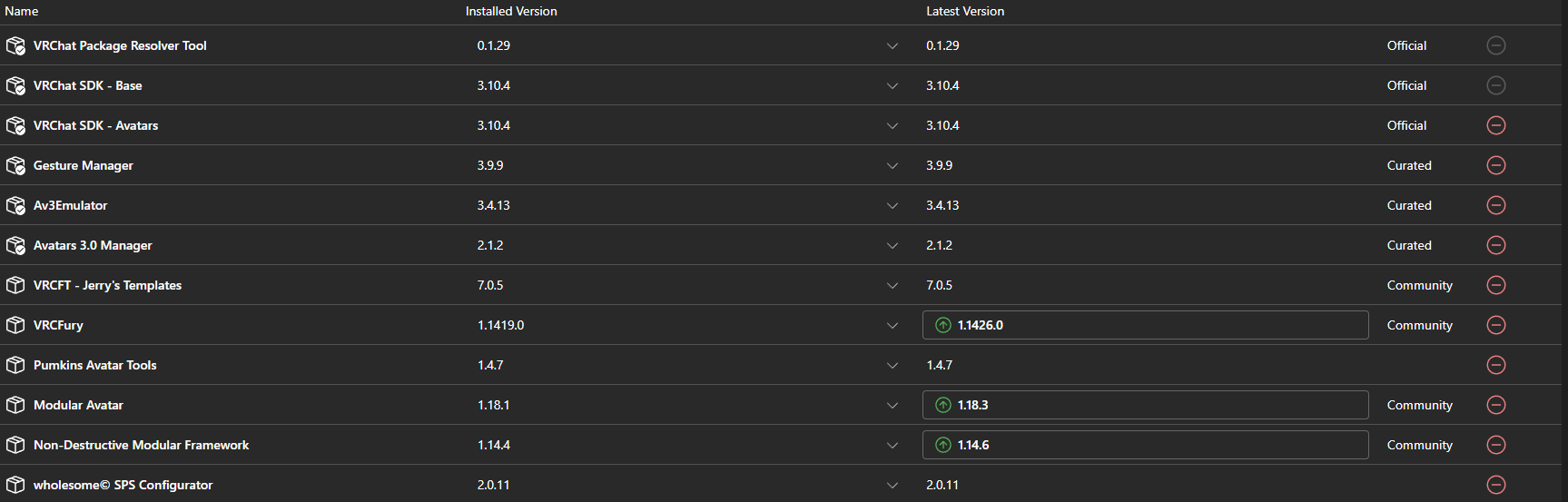
              Instead of trying to create it into an new project press the arrow on the side and push add existing project. Make sure to have the folder DBFN extracted or it won't allow you to add it as an existing project. If you did it right when you click on the manage project it should look something like this. Screenshot 2026-08-24 143022.png
              1+ meh pleze :3

              PupzhurrP 1 Reply Last reply
              0
              • PupzhurrP Pupzhurr

                Instead of trying to create it into an new project press the arrow on the side and push add existing project. Make sure to have the folder DBFN extracted or it won't allow you to add it as an existing project. If you did it right when you click on the manage project it should look something like this. Screenshot 2026-08-24 143022.png

                PupzhurrP
                PupzhurrP
                Pupzhurr
                wrote on last edited by
                #16

                oh yeah you will have to add gogo loco to it

                1+ meh pleze :3

                mawfiesM 1 Reply Last reply
                0
                • PupzhurrP Pupzhurr

                  oh yeah you will have to add gogo loco to it

                  mawfiesM
                  mawfiesM
                  mawfies
                  wrote last edited by
                  #17

                  @Pupzhurr do you have a new link?

                  D 1 Reply Last reply
                  0
                  • mawfiesM mawfies

                    @Pupzhurr do you have a new link?

                    D
                    D
                    DAEDRICswat
                    wrote last edited by
                    #18

                    @mawfies link still work for me

                    1 Reply Last reply
                    0
                    • PupzhurrP
                      PupzhurrP
                      Pupzhurr
                      wrote last edited by
                      #19

                      https://www.swisstransfer.com/dl/01a06eb0-d76a-7337-a0b5-8a157b563f47

                      1+ meh pleze :3

                      mawfiesM 1 Reply Last reply
                      0
                      • PupzhurrP Pupzhurr

                        https://www.swisstransfer.com/dl/01a06eb0-d76a-7337-a0b5-8a157b563f47

                        mawfiesM
                        mawfiesM
                        mawfies
                        wrote last edited by
                        #20

                        @Pupzhurr thank you sm

                        PupzhurrP 1 Reply Last reply
                        0
                        • mawfiesM mawfies

                          @Pupzhurr thank you sm

                          PupzhurrP
                          PupzhurrP
                          Pupzhurr
                          wrote last edited by
                          #21

                          @mawfies OFCC!!

                          1+ meh pleze :3

                          1 Reply Last reply
                          0

                          Hello! It looks like you're interested in this conversation, but you don't have an account yet.

                          Getting fed up of having to scroll through the same posts each visit? When you register for an account, you'll always come back to exactly where you were before, and choose to be notified of new replies (either via email, or push notification). You'll also be able to save bookmarks and upvote posts to show your appreciation to other community members.

                          With your input, this post could be even better 💗

                          Register Login
                          Reply
                          • Reply as topic
                          Log in to reply
                          • Oldest to Newest
                          • Newest to Oldest
                          • Most Votes


                          • Login

                          • Login or register to search.
                          • First post
                            Last post
                          0
                          • Categories
                          • Recent
                          • Tags
                          • Popular