
【GIFT】:VRC想定アバター『K02(ケーツー)』
-
-
@knownnewt what are you talking about? It's there. You might need to use a different browser.
-
-
-
-
-
Bump for the Mochifitter profile
https://booth.pm/en/items/8712459 -
ありがとう
 ️
️ -
@SailorMoon Thank you Sailor Moon!

-
@SailorMoon Can someone explain how mochi fitter works? I'm stupid.
 Like what does it do?
 -
-
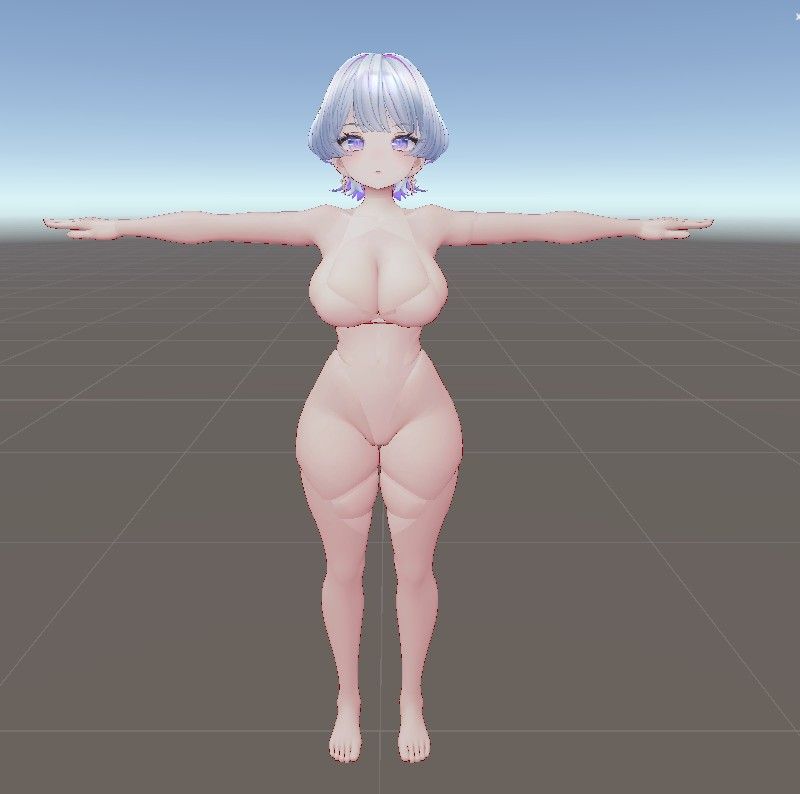
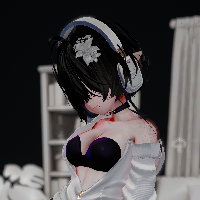
I did my best to make a "naked" edit.
-
The creator apologized for the wait and said they are preparing an update for K02 to include a base body—without clothing—for full customization; now we just have to be patient.
-
Bump for these two:
https://booth.pm/en/items/8702570
https://booth.pm/en/items/8678640 -
@SailorMoon How do you use it? Please and thank you!
-
-
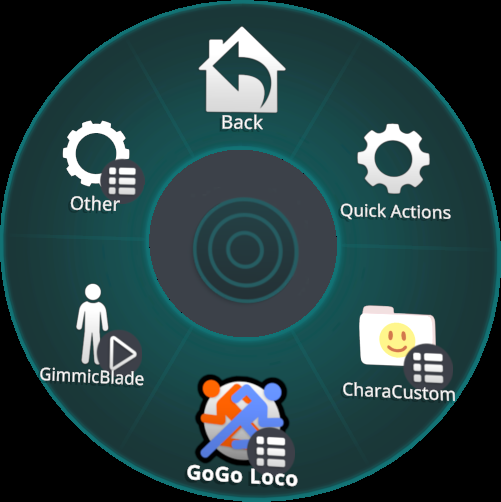
Place the prefab at the very bottom of the avatar, or at least after the gogoloco prefab.
(It will ask you to replace some matcaps and hue shift maps. You can just take down the check mark on them. But there's no need really, since i did not edit original textures at all.) -
@SailorMoon Can someone explain how mochi fitter works? I'm stupid.
Like what does it do?@witchbish It's supposed to be in "Tools" but it isnt showing up for me either. Idk whats going on...
-
@SailorMoon Can someone explain how mochi fitter works? I'm stupid.
Like what does it do?@witchbish You first need to actually install Mochifitter (you can find it here), then you install the profile that was linked on this thread. In Tools -> MochiFitter, you can open a window that will allow you to pick a Target Avatar ("K02_es" will be listed alongside Beryl, Kikyo, Manuka and Shinano if you installed the profile). Then, you can basically put any prefab in the "Outfit to Convert" slot - in this case, by default, it will accept any prefab destined for Beyl, Kikyo, Manuka or Shinano, and by selecting "Execute Retargeting" at the bottom you'll have it start adapting that prefab to her!
it's used to convert outfits meant for other avatars into outfits that are shaped for the body of whatever target you select, basically. So you can have a Shinano outfit, and with k02's profile you can convert that into an outfit shaped like her body!
-
@witchbish You first need to actually install Mochifitter (you can find it here), then you install the profile that was linked on this thread. In Tools -> MochiFitter, you can open a window that will allow you to pick a Target Avatar ("K02_es" will be listed alongside Beryl, Kikyo, Manuka and Shinano if you installed the profile). Then, you can basically put any prefab in the "Outfit to Convert" slot - in this case, by default, it will accept any prefab destined for Beyl, Kikyo, Manuka or Shinano, and by selecting "Execute Retargeting" at the bottom you'll have it start adapting that prefab to her!
it's used to convert outfits meant for other avatars into outfits that are shaped for the body of whatever target you select, basically. So you can have a Shinano outfit, and with k02's profile you can convert that into an outfit shaped like her body!
@DarkSky Thank you sweet angel!











Hello! It looks like you're interested in this conversation, but you don't have an account yet.
Getting fed up of having to scroll through the same posts each visit? When you register for an account, you'll always come back to exactly where you were before, and choose to be notified of new replies (either via email, or push notification). You'll also be able to save bookmarks and upvote posts to show your appreciation to other community members.
With your input, this post could be even better 💗
Register Login