
Looking to have a public avatar ripped - Airi
-
@lordukasx done, pretty sure everything survived the ripping process and I fixed what I could. Something might be broken tho, I didn't do extensive testing but looks fine
-
-
@terew thank you! Though it's failing to upload due to a lot of errors, is there a specific way to upload ripped ones and this is an error on my part, or is something wrong here?
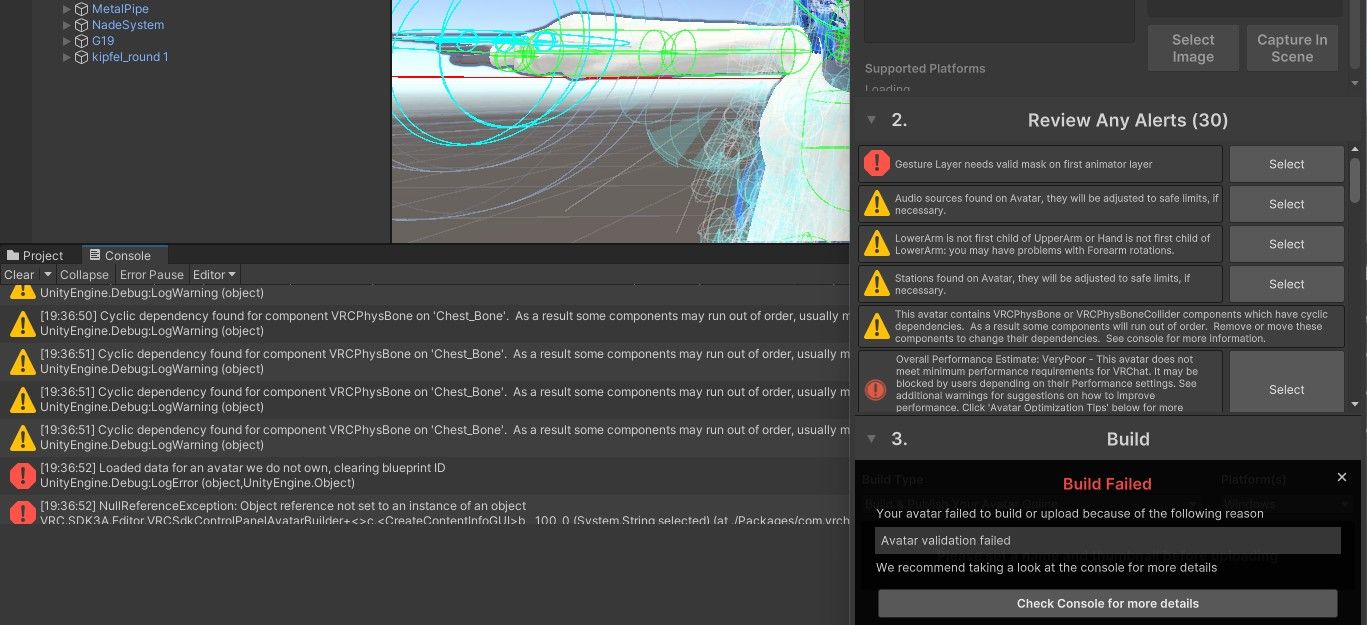
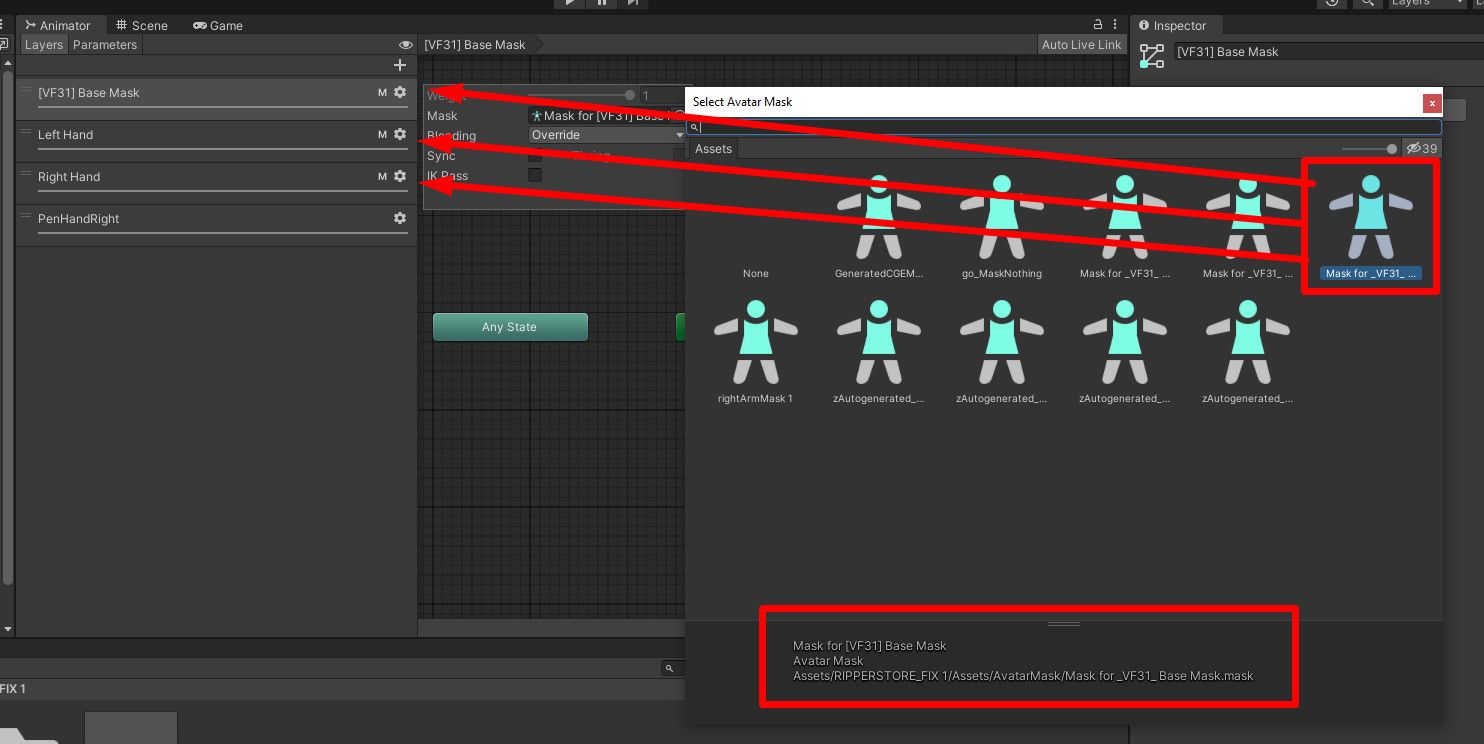
@lordukasx damn I forgot to do this, it's an easy fix just go to your Animator tab and place a VF31 Base Mask on Base Mask, Left and Right hand and it's gonna work
-
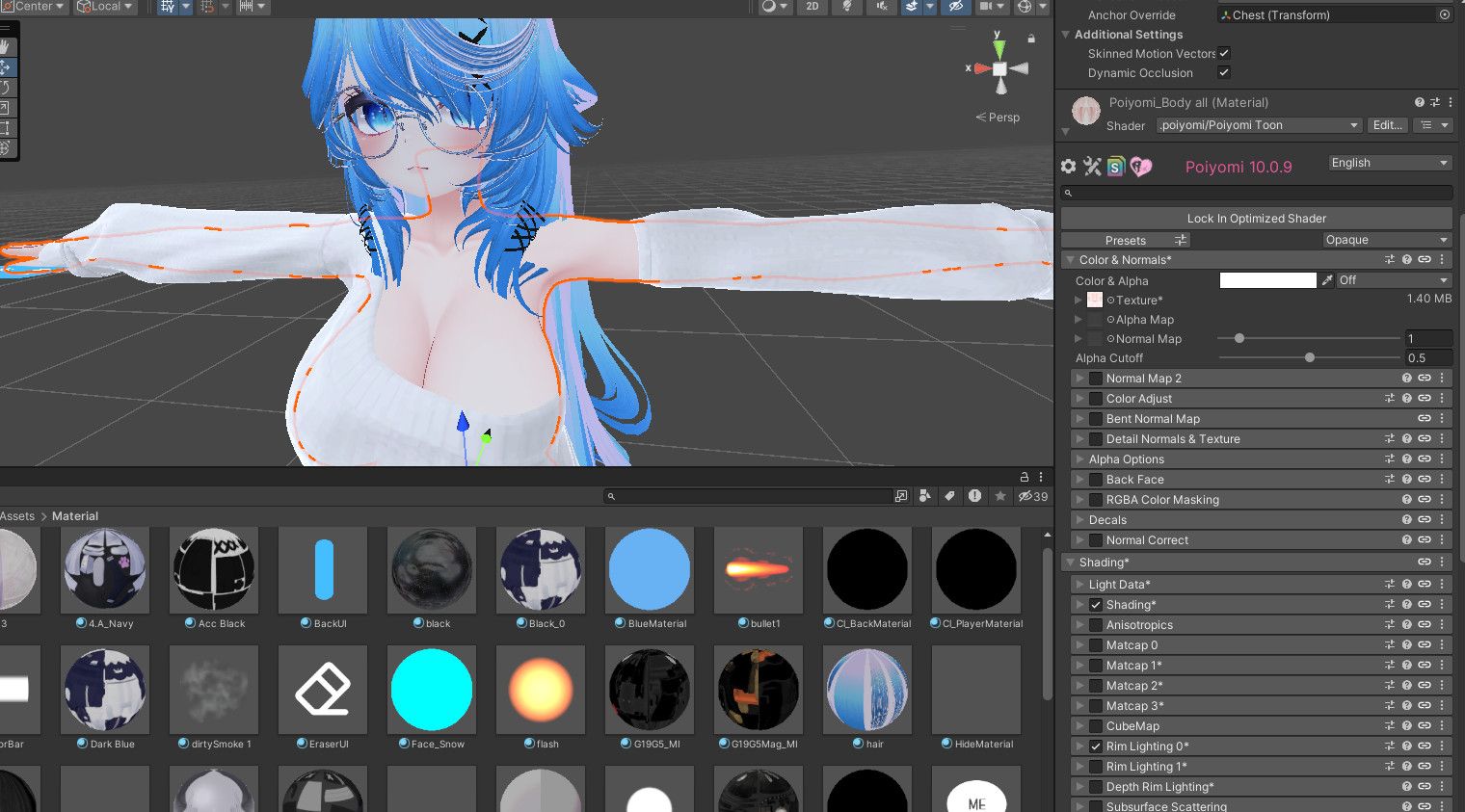
@terew thank you it successfully uploaded! The last problem I have is that the skin and face color doesn't correctly work with poiyomi shaders at least. It works when I select the "standard" shader but they're way darker than the original. I'm a complete begginer at this, any chance there's an easy way to fix the color to the original?
-
@terew thank you it successfully uploaded! The last problem I have is that the skin and face color doesn't correctly work with poiyomi shaders at least. It works when I select the "standard" shader but they're way darker than the original. I'm a complete begginer at this, any chance there's an easy way to fix the color to the original?
@lordukasx that's probably because I switched everything to LilToon, you might wanna switch to Poiyomi Toon or something (maybe Poiyomi Pro) if it's intended to be used, I'm not really sure what your exact problem is
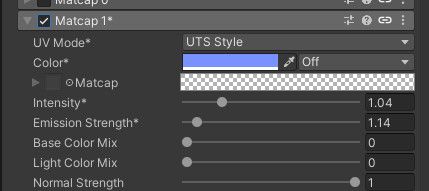
Also you might want to turn off Matcap 1 cuz it makes the whole body blue by default when it's turned on, it looks fine on my end when I turn it off (default white skin)
-
-
-
@terew can you rip a public avatar too? Thanks in advance!
https://vrchat.com/home/avatar/avtr_04b7b9cf-aee8-4a54-8bc5-d7fbceecce88@MaGGsuTa pretty sure everything is fixed but you might want to play around with some materials if the shaders don't look right to you (especially the semi-transparent arm and the helmet)
🌙 I WILL MAKE THE PROJECT MOON ASSETS FREE FOR EVERYONE
EASY AVI OPTIMIZATION GUIDE BY ME: CLICK!
My Project Moon avi cosplay tutorial: CLICK!
Please @ tag me if there's an update/link is broken/you have a suggestion about a Project Moon related item that I should share
Giving back to the community that allowed me to build numerous fantastic avatars for free
-
@MaGGsuTa pretty sure everything is fixed but you might want to play around with some materials if the shaders don't look right to you (especially the semi-transparent arm and the helmet)
-
@terew yo thank so much bro! All things is working rly pretty fine, but there`s have a question about one texture glitch on a above boots (white overlapping thing), r u know how to fix this? (On Blender or right in unity)?
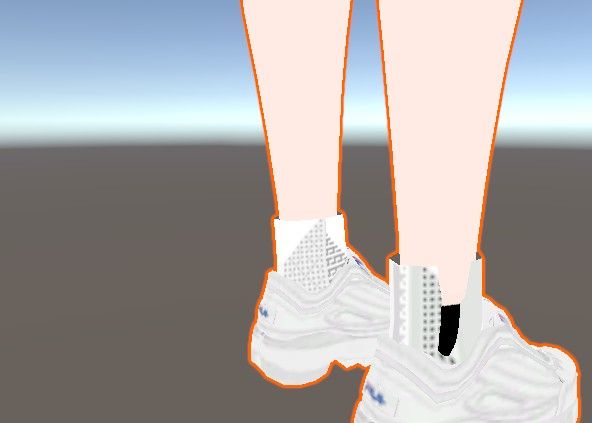
@MaGGsuTa
Set the rendering mode of "combined_image_645843883" material to "Cutout" and set the Cutoff in Base Setting to like ~0.02
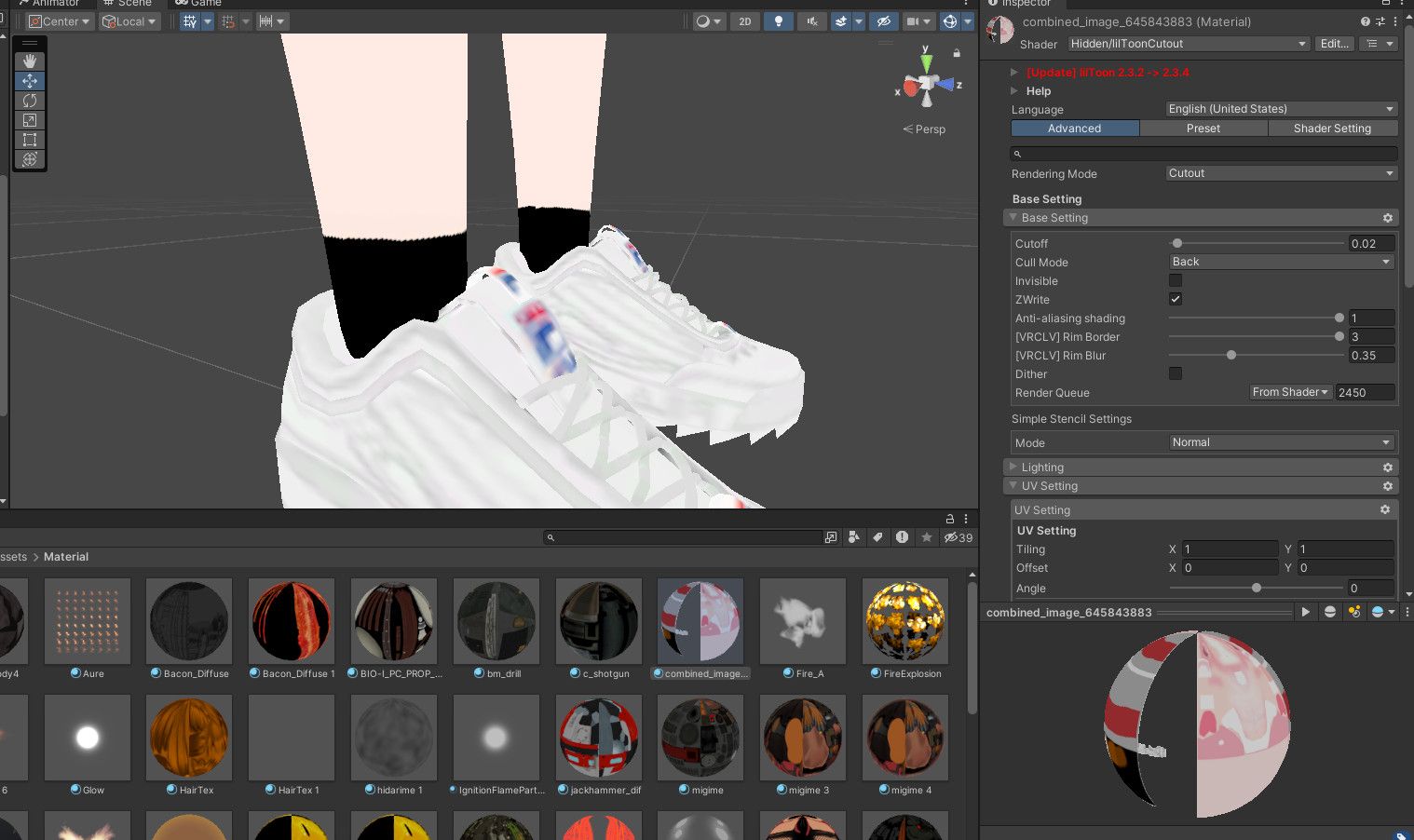
🌙 I WILL MAKE THE PROJECT MOON ASSETS FREE FOR EVERYONE
EASY AVI OPTIMIZATION GUIDE BY ME: CLICK!
My Project Moon avi cosplay tutorial: CLICK!
Please @ tag me if there's an update/link is broken/you have a suggestion about a Project Moon related item that I should share
Giving back to the community that allowed me to build numerous fantastic avatars for free
-
@MaGGsuTa
Set the rendering mode of "combined_image_645843883" material to "Cutout" and set the Cutoff in Base Setting to like ~0.02
-
@MaGGsuTa
Set the rendering mode of "combined_image_645843883" material to "Cutout" and set the Cutoff in Base Setting to like ~0.02
-
@terew Houston we have a problem with emotions - in original avatar they works fine, but in this - screenshots. idk how to fix it, you know?
P.S. in vrchat this rip-avatar have same problem with emotion
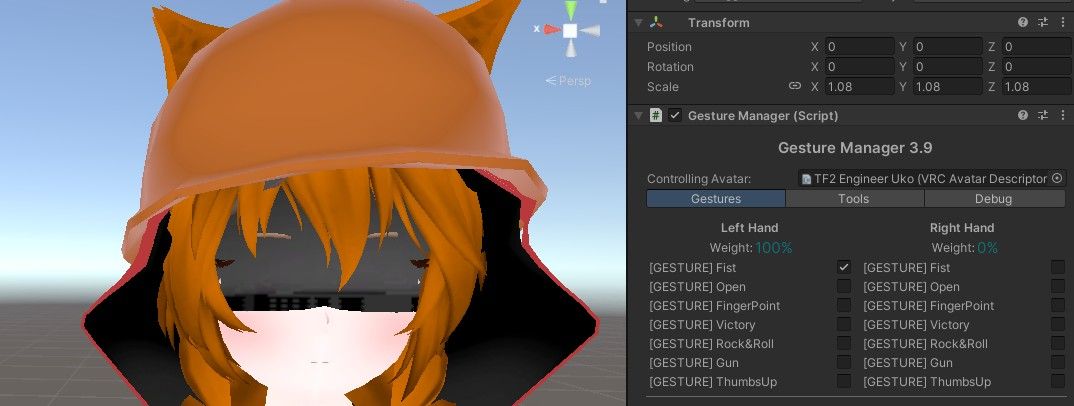
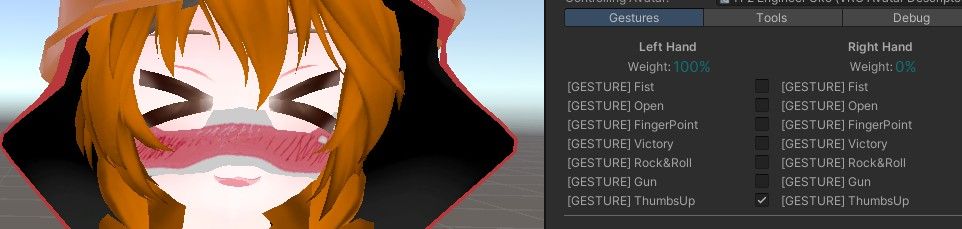
@MaGGsuTa
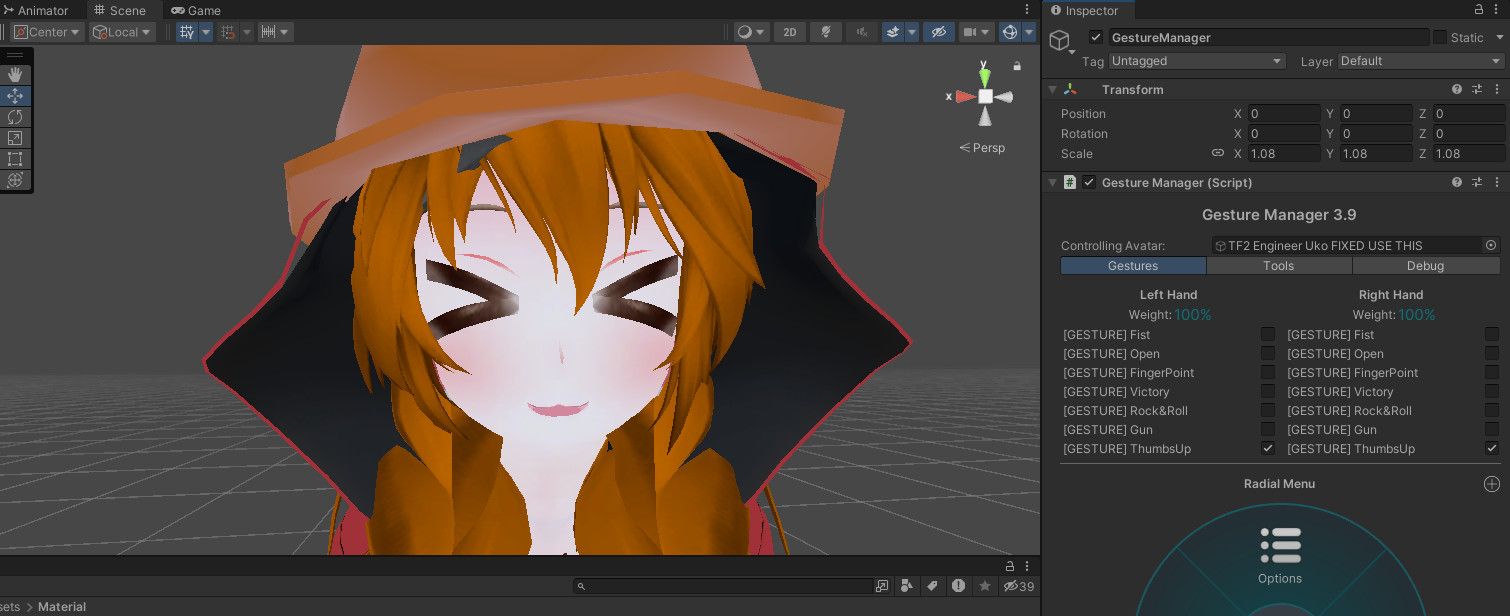
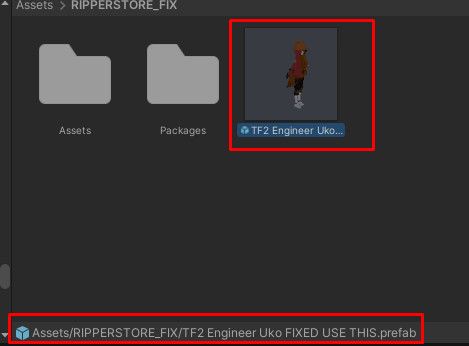
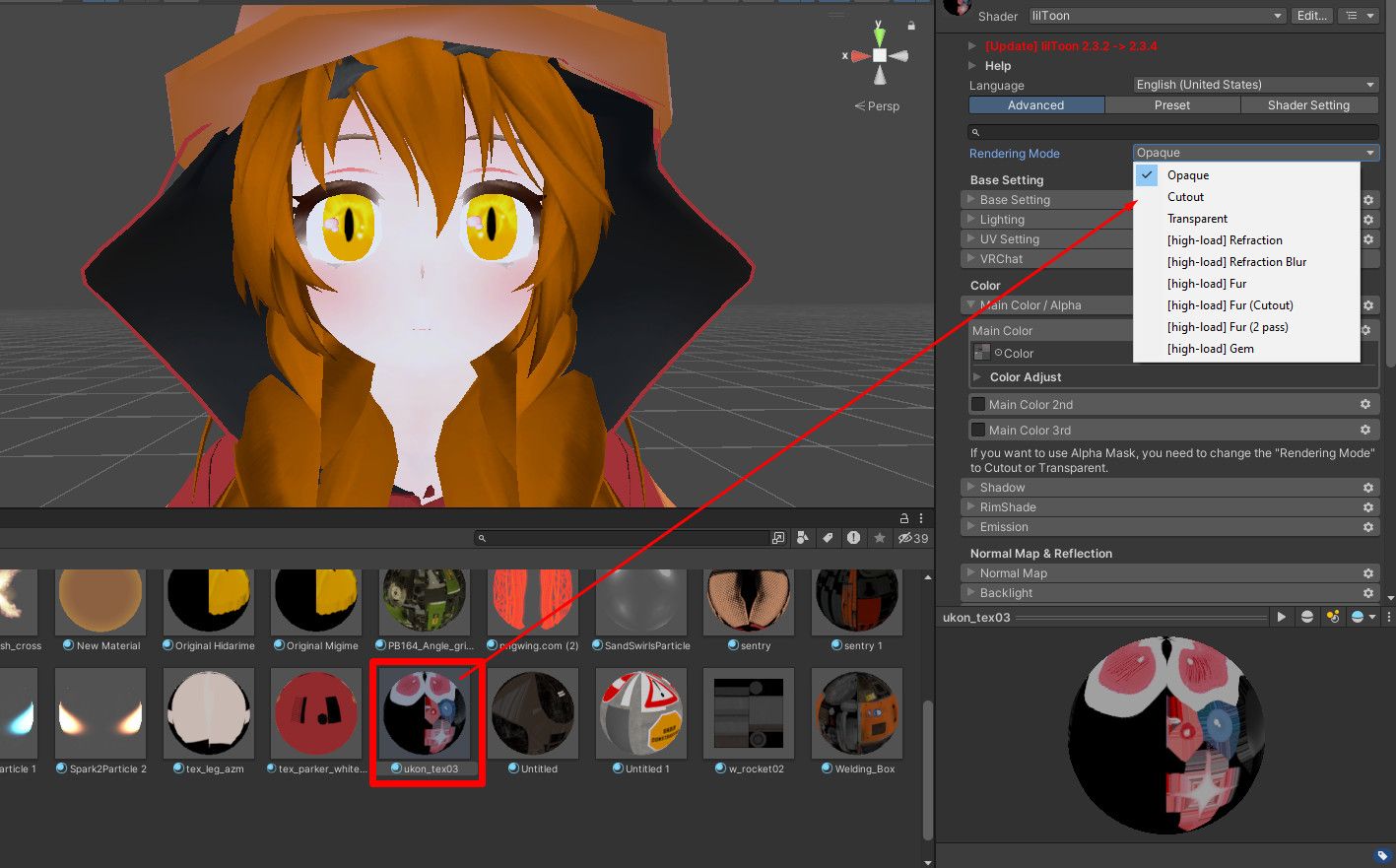
Weird cuz it works fine on my end, make sure you're using the fixed prefab + maybe try swapping the Rendering Mode of the expressions material from Opaque to Cutout (it's ukon_tex03.mat) cuz it's most likely a material issue
🌙 I WILL MAKE THE PROJECT MOON ASSETS FREE FOR EVERYONE
EASY AVI OPTIMIZATION GUIDE BY ME: CLICK!
My Project Moon avi cosplay tutorial: CLICK!
Please @ tag me if there's an update/link is broken/you have a suggestion about a Project Moon related item that I should share
Giving back to the community that allowed me to build numerous fantastic avatars for free
-
@MaGGsuTa
Weird cuz it works fine on my end, make sure you're using the fixed prefab + maybe try swapping the Rendering Mode of the expressions material from Opaque to Cutout (it's ukon_tex03.mat) cuz it's most likely a material issue
-



 If I notice anything and can't find a solution, I'll write
Hello! It looks like you're interested in this conversation, but you don't have an account yet.
Getting fed up of having to scroll through the same posts each visit? When you register for an account, you'll always come back to exactly where you were before, and choose to be notified of new replies (either via email, or push notification). You'll also be able to save bookmarks and upvote posts to show your appreciation to other community members.
With your input, this post could be even better 💗
Register Login