
✔ (FOUND by sillypuppyk) Viola by Mint
-
@sillypuppyk ripped or real??
@yuck sorry i fell asleep! but this avi was purchased not ripped
-
-
looks like you may need to delete that project and re-extract the zip.
be sure to add existing project in vcc as all dependencies needed are included. this folder uploaded without issues and should for you as well.
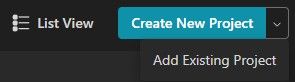
@Seroquel that's what i did and that is what I got?
-
@sillypuppyk So i tried uploading her and it says that the uncompressed size is 850mb so i cannot upload her since she is over 500mb?
@Yeehaw999 i didnt have this issue at all when uploading her, did you do everything correctly?
-
@Yeehaw999 i didnt have this issue at all when uploading her, did you do everything correctly?
-
@sillypuppyk what did you do cuz im having issues?
@Idonthaveanass i extracted the folder using WINRAR, added existing project, then opened it and uploaded. if your still having issues even though you did that i can upload her for you.
-
@Idonthaveanass i extracted the folder using WINRAR, added existing project, then opened it and uploaded. if your still having issues even though you did that i can upload her for you.
@sillypuppyk may i ask if you can upload her for me too? i keep getting ,,failed to upload file''
-
@Idonthaveanass i extracted the folder using WINRAR, added existing project, then opened it and uploaded. if your still having issues even though you did that i can upload her for you.
@sillypuppyk may i ask if there is any chance you can upload her for me too?
-
-
-
-
-
ALR GUYS- for those of you having errors. Here you go.
DELETE the download from your files, delete the project from creator companion.
REDOWNLOAD the file from here.
Extract to whatever folder (i use my downloads folder)
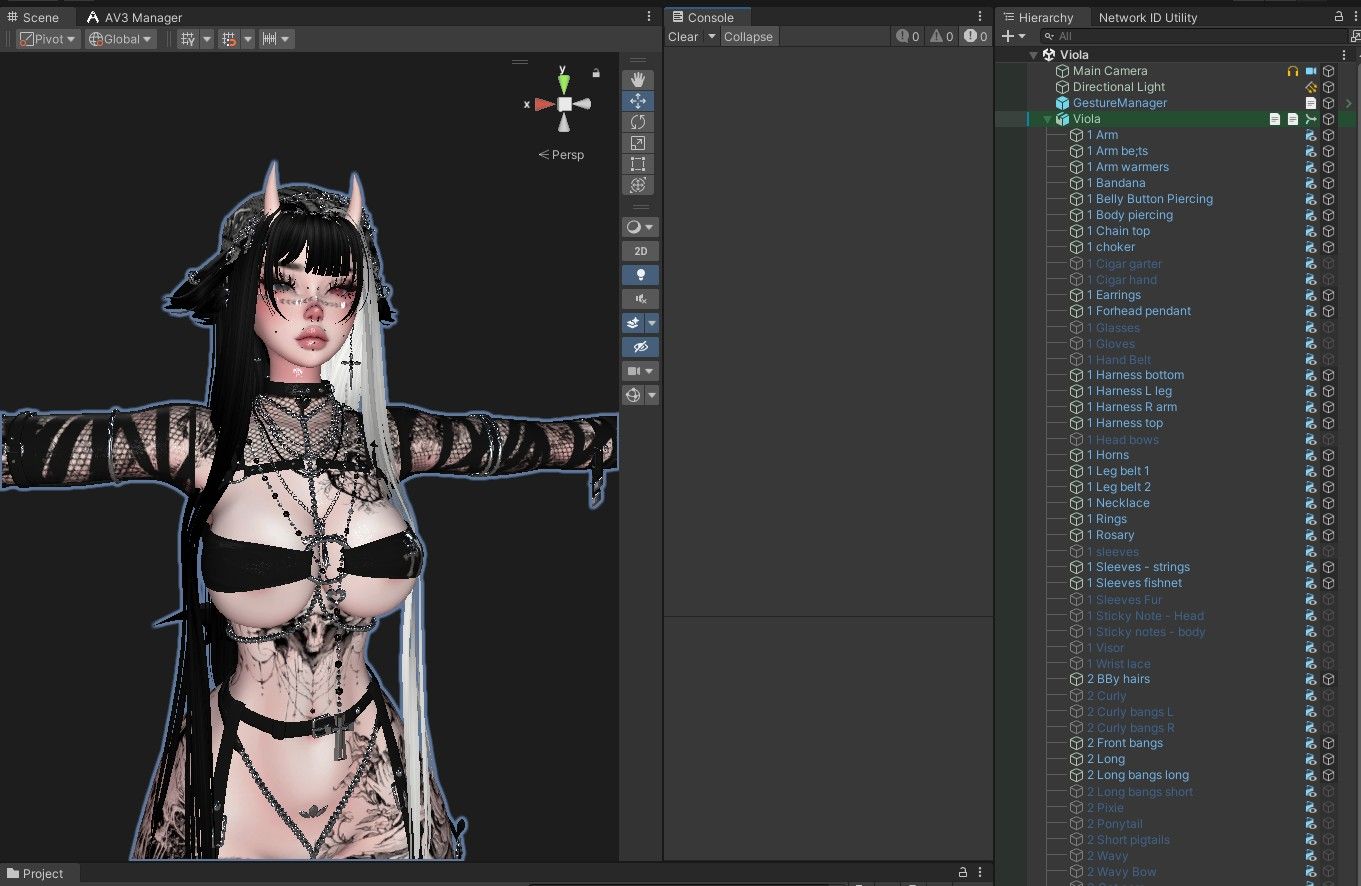
Put it into creator companion and open the project.DO NOT OPEN GESTURE MANAGER (for some reason that has been messing with my pro files. Even if it's not the issue, don't open it.
UPLOAD as soon as you get it into unity.Deleting everything and reinstalling and uploading immediately worked for me! No errors or anything.
-
Clearly people are not reading or comprehending stuff properly.
This ain't a .unitypackage file! Don't treat it like something you have to drag and drop onto an existing project.
Import it as an "Existing Project"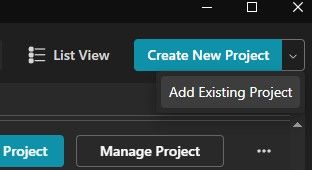
There is no reason to tweak or do anything with any plugins on the project manager. It simply works.
-
Clearly people are not reading or comprehending stuff properly.
This ain't a .unitypackage file! Don't treat it like something you have to drag and drop onto an existing project.
Import it as an "Existing Project"There is no reason to tweak or do anything with any plugins on the project manager. It simply works.
-
Clearly people are not reading or comprehending stuff properly.
This ain't a .unitypackage file! Don't treat it like something you have to drag and drop onto an existing project.
Import it as an "Existing Project"There is no reason to tweak or do anything with any plugins on the project manager. It simply works.
@blapanda unfortunately it's not because people don't know how to import the package. Sometimes Mints avatars do this on upload. I've had it happen with 3 of her avi's. Just best to redownload the files and put it back in and immediately upload. but yes thank you for pointing this out for those unfamiliar with the pro files!!

-
-
@nanno link is still valid
-
-


 Download Link (pixeldrain.com)








Hello! It looks like you're interested in this conversation, but you don't have an account yet.
Getting fed up of having to scroll through the same posts each visit? When you register for an account, you'll always come back to exactly where you were before, and choose to be notified of new replies (either via email, or push notification). You'll also be able to save bookmarks and upvote posts to show your appreciation to other community members.
With your input, this post could be even better 💗
Register Login