
Kris Dreemur by Nuke84
-
It's finally here!!!
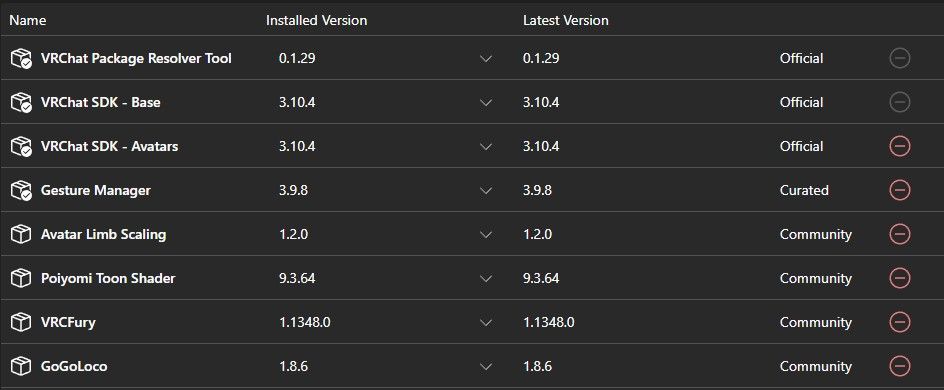
(Everything that is needed for the avatar)And, here's the unitypackage!
 Download Link (workupload.com)
There's a dark fountain asset in the package too, but I made two versions of the avatar with and without the fountain to choose from.NSFW, and SFW packages are there, you'll have to add your own SPS to the avatar...
And both dark world, and light world are separate avatars, for optimization purposes, they got a lot vertices.Anyway, hope ya'll have fun with it! Tell me if there's anything else you'd like me to add and I'll try!
@Sebastian minor issue with the rigging
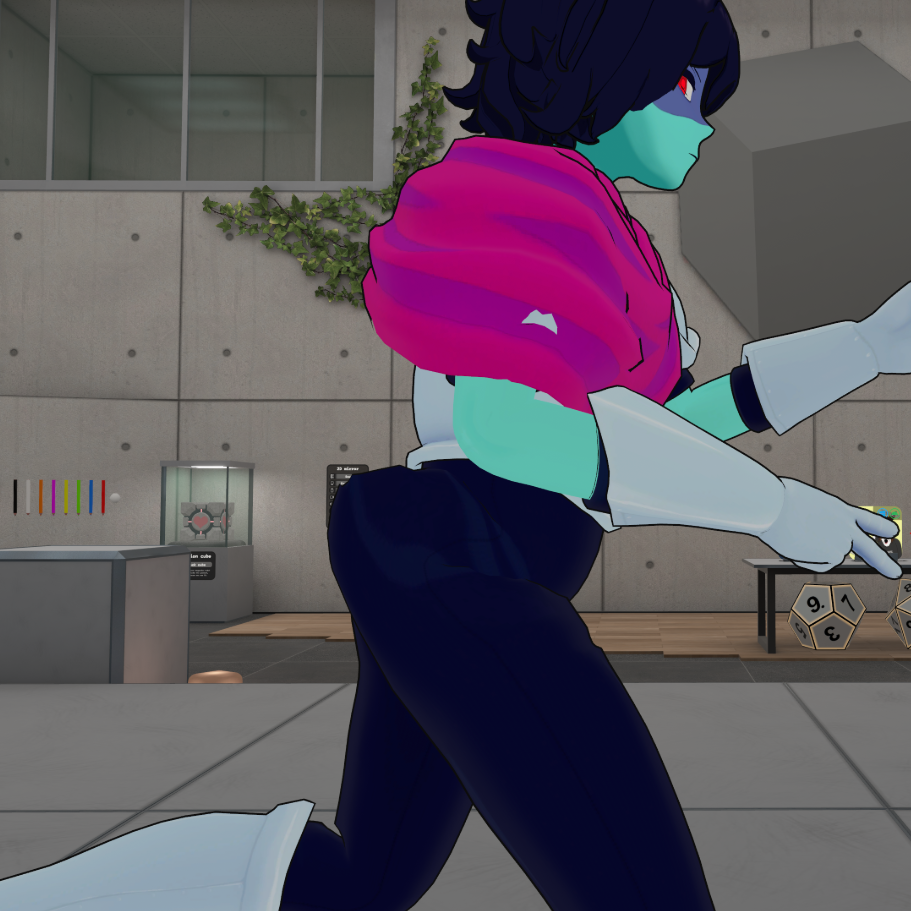
happens with light world version too, Swaping the spine out for the second spine bone fixes this if anyone else has this issue
-
Visualization of what to do
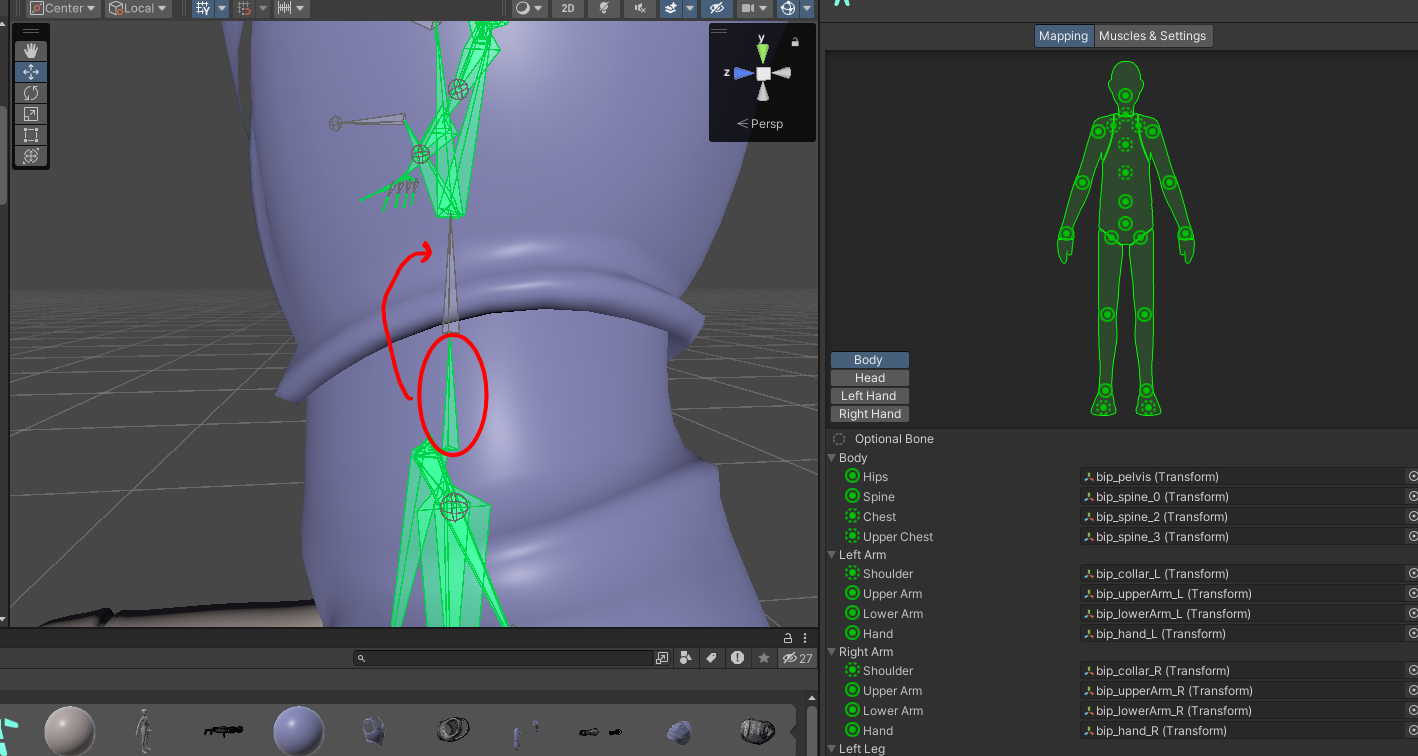
-
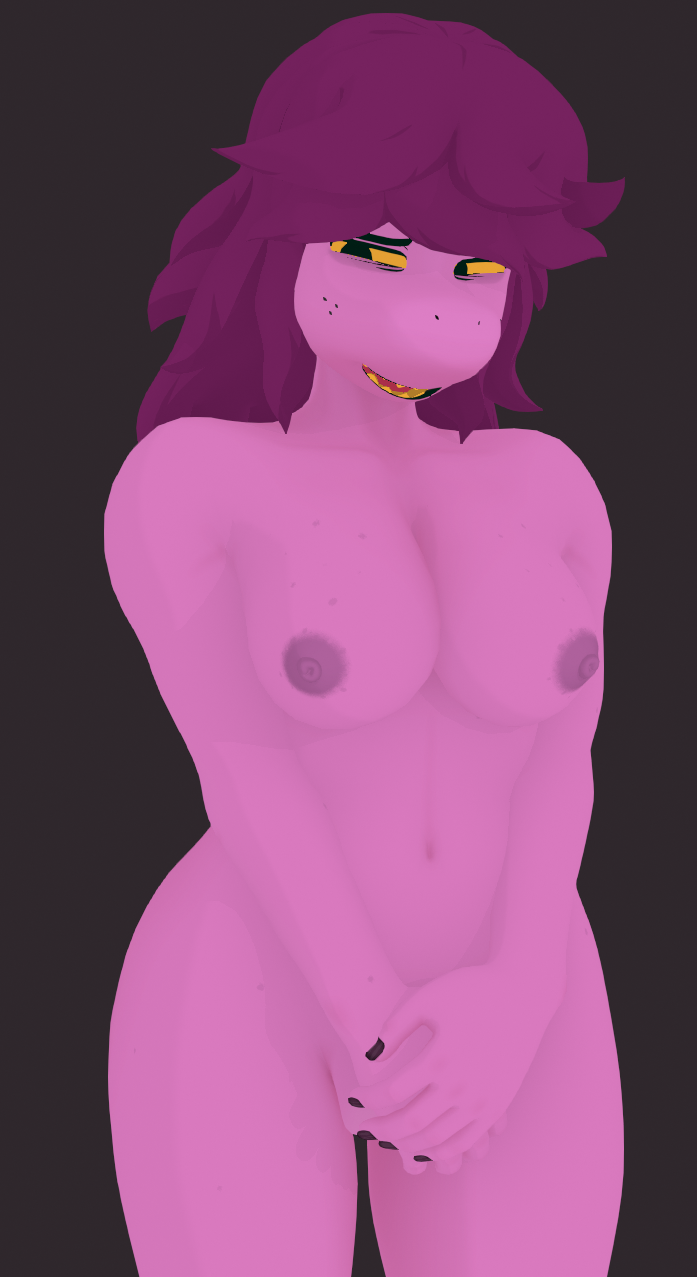
@Meowskulls67 I’m hyped to see Susie in Nuke84’s style

-
Visualization of what to do
-
Visualization of what to do
@Meowskulls67 if you where able to fix it can i get your file
-
@Meowskulls67 I’ll throw out an update for that when I can
@Sebastian another minor thing id recommend is to remove the toe bones. Kris's shoe looks weird while the walk, taking off the bones makes it stop being an issue. Other than that it's amazing, the toggles are really well put together
-
@Meowskulls67 Yoooo I can't wait for this one to come out, I really want an NSFW Susie that's not CryptiaCurves.
-
-
Is it possible to put both the light and dark world forms together as one avi and toggle between both looks? I've seen a lot of avatars with that function and I'd like to know how to do that
-
Is it possible to put both the light and dark world forms together as one avi and toggle between both looks? I've seen a lot of avatars with that function and I'd like to know how to do that
@TheDirtyDozen I’ll make a version don’t worry

-
-
bump
-
@Meowskulls67 bump for sussie
-
It's finally here!!!
(Everything that is needed for the avatar)And, here's the unitypackage!
Download Link (workupload.com)
There's a dark fountain asset in the package too, but I made two versions of the avatar with and without the fountain to choose from.NSFW, and SFW packages are there, you'll have to add your own SPS to the avatar...
And both dark world, and light world are separate avatars, for optimization purposes, they got a lot vertices.Anyway, hope ya'll have fun with it! Tell me if there's anything else you'd like me to add and I'll try!
@Sebastian THANKS !!!
-
@sebastian uhhh. how do i "merge" the quest and pc avi together so they make one?
-
@sebastian uhhh. how do i "merge" the quest and pc avi together so they make one?
@LostGirl1225 Uhh, you're supposed to upload the quest and pc versions separately so the avatar can be seen between their prospective platforms?
-
@LostGirl1225 Uhh, you're supposed to upload the quest and pc versions separately so the avatar can be seen between their prospective platforms?
This post is deleted! -
@LostGirl1225 Uhh, you're supposed to upload the quest and pc versions separately so the avatar can be seen between their prospective platforms?
@Sebastian no like i mean, when i want to upload the quest vertion it just makes a whole new avatar
-
@Sebastian no like i mean, when i want to upload the quest vertion it just makes a whole new avatar
@LostGirl1225 So to put both avatars together, you'll need to create a new project for the quest version in Unity, sign into the VRC SDK, change the build target in the SDK from Windows to Android. Then after that, select which avatar you plan to upload for your quest build, go to your inspector and scroll down to the pipeline manager. Go back to your PC build and repeat this step, and then copy the blueprint ID. Go back to your quest build and then paste the blueprint ID into the pipeline manager. All of your info from the PC build will be synced up to the quest build the next time you go to the SDK to fill anything in. MAKE SURE YOUR PC BUILD HAS BEEN UPLOADED FIRST BEFORE DOING ANY OF THIS!
Insert random stim here.
-
@LostGirl1225 So to put both avatars together, you'll need to create a new project for the quest version in Unity, sign into the VRC SDK, change the build target in the SDK from Windows to Android. Then after that, select which avatar you plan to upload for your quest build, go to your inspector and scroll down to the pipeline manager. Go back to your PC build and repeat this step, and then copy the blueprint ID. Go back to your quest build and then paste the blueprint ID into the pipeline manager. All of your info from the PC build will be synced up to the quest build the next time you go to the SDK to fill anything in. MAKE SURE YOUR PC BUILD HAS BEEN UPLOADED FIRST BEFORE DOING ANY OF THIS!
@TheDirtyDozen kk thx !!!!





Hello! It looks like you're interested in this conversation, but you don't have an account yet.
Getting fed up of having to scroll through the same posts each visit? When you register for an account, you'll always come back to exactly where you were before, and choose to be notified of new replies (either via email, or push notification). You'll also be able to save bookmarks and upvote posts to show your appreciation to other community members.
With your input, this post could be even better 💗
Register Login