
FIXED FNC Frenni NightClub Pack 1 [+QUEST PORT]
-
The link work for me-
THIS IT TO GET TO THE TOP WHERE THE LINK IS :
https://forum.ripper.store/topic/102439/fixed-fnc-frenni-nightclub-pack-1-quest-port -
-
for people who want the right link, go to the very TOP of the post. There's a link there that's always constantly updated. Ya know, the GIANT BOLDED letters that say link.
-
for people who want the right link, go to the very TOP of the post. There's a link there that's always constantly updated. Ya know, the GIANT BOLDED letters that say link.
@NotHereLol Thanks you-
-
@Fedoudou Idk what the problem is because the link works-
-
-
this seems to just happen with her default outfit
-
-
so, i was checking type 0, her pc side is all good but her quest side does this when i turn on the nsfw top
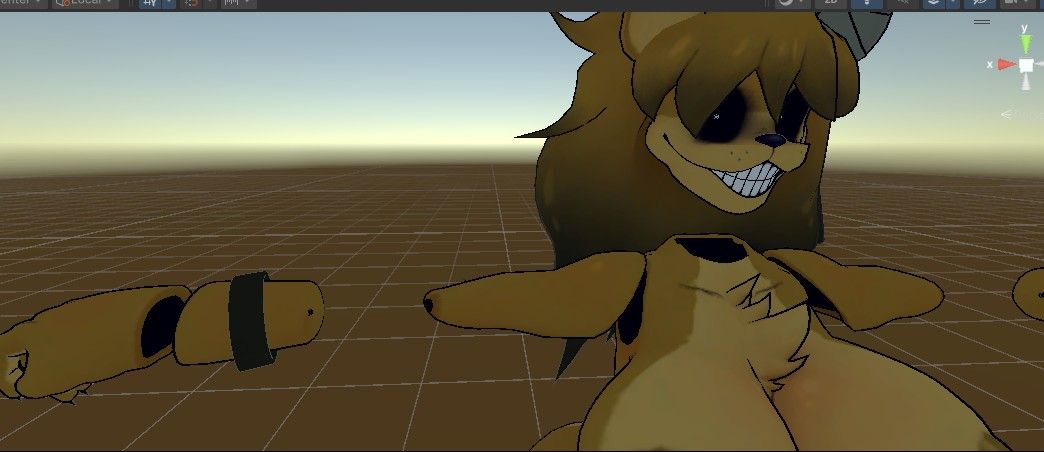
-
@StolasGoetia It's fixed now- Download it above
@Fire_90 thank youu
-
so sorry again another issue
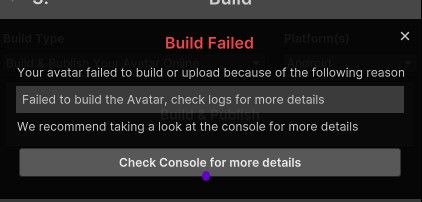
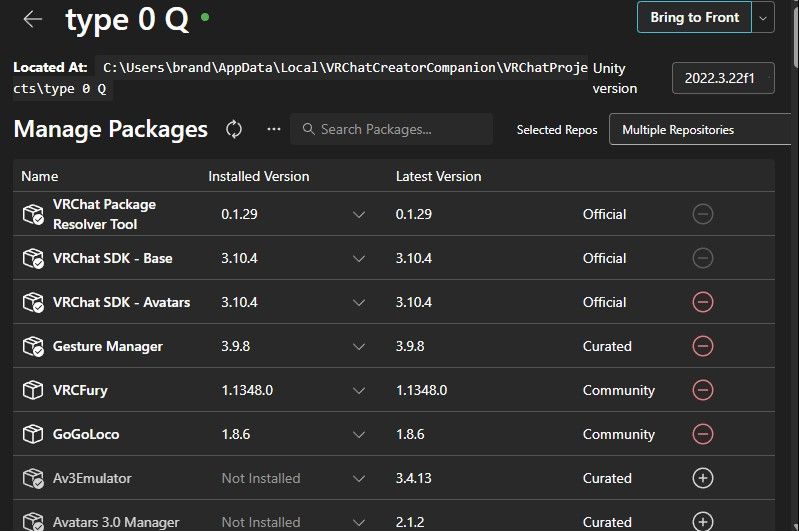
this is the packages i have
-
so sorry again another issue
this is the packages i have
-
@StolasGoetia I don't know enough to help you-
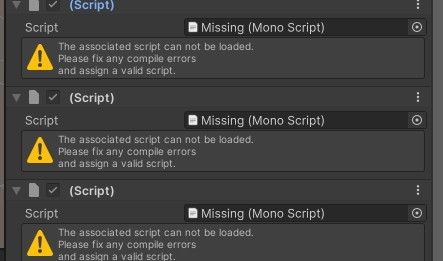
Where does the missing scripts are ?
Did you try to remove them and upload ?@Fire_90 i did remove them and it says the same thing about not being able to upload it
-
so sorry back again, Chiku's quest version is also having the same issue, which is very weird
-
-
Still not enough to help... I don't have the message in logs- You didn't say where the missing script where-
I can help but I can't do magic-@Fire_90 when i click on the avatar's name in the hierarchy and scroll down in the inspector, its there
-
@Fire_90 i did remove them and it says the same thing about not being able to upload it
@StolasGoetia Ah So I see you have the same problem, but heres the solutions I got while doing this.
-
Remove any scripts (like the one in the screenshots you've shown) Sometimes they can be sneaky and hide in different places.
-
be sure to check with the avatars ID and that its properly set.
I remember wanting to absolutely tear my hair out cause of those script errors but once I did that, it fixed and uploaded. If anything I'd just check the avatar to see if unity fucked anything up. Happens alot more than ya think lol
-
-
Here what you're missing :
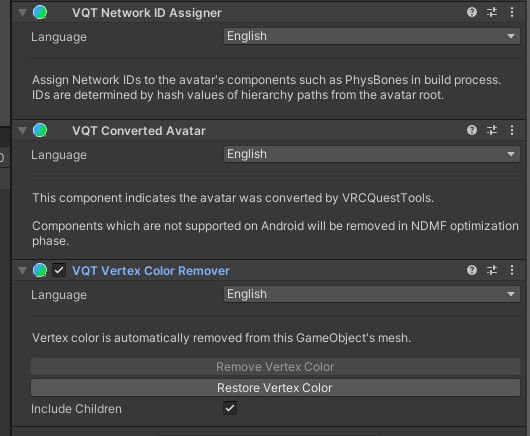
You need to have the package VRCQuestTools.
https://kurotu.github.io/VRCQuestTools/

And you can remove missing scripts automatically here :
BUT YOU NEED VRCQuestTools
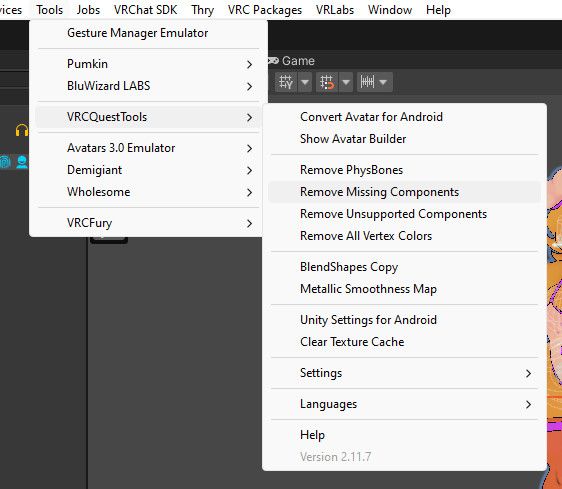
-
@fire_90 on quest side I realised that the lighting is malfunctioning, Frenni's clothes are reacting to lights but not the body/fur. I know it’s a malfunction because that this doesn’t occur with the rest of the girls, hopefully you can do something about it
-
@fire_90 on quest side I realised that the lighting is malfunctioning, Frenni's clothes are reacting to lights but not the body/fur. I know it’s a malfunction because that this doesn’t occur with the rest of the girls, hopefully you can do something about it



Hello! It looks like you're interested in this conversation, but you don't have an account yet.
Getting fed up of having to scroll through the same posts each visit? When you register for an account, you'll always come back to exactly where you were before, and choose to be notified of new replies (either via email, or push notification). You'll also be able to save bookmarks and upvote posts to show your appreciation to other community members.
With your input, this post could be even better 💗
Register Login