Skip to content
  • Categories
  • Recent
  • Tags
  • Popular
Skins
  • Light
  • Brite
  • Cerulean
  • Cosmo
  • Flatly
  • Journal
  • Litera
  • Lumen
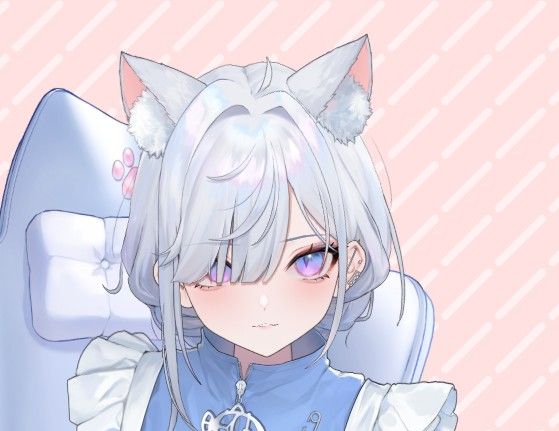
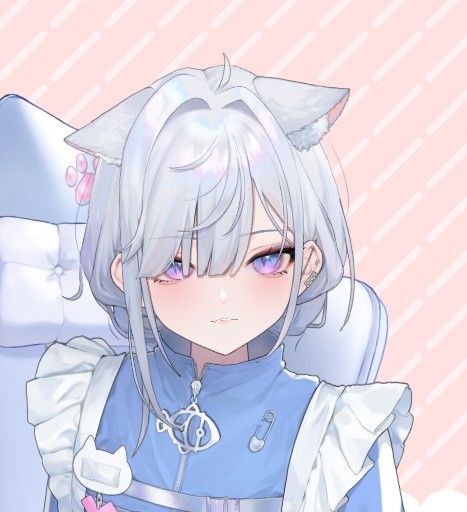
  • Lux
  • Materia
  • Minty
  • Morph
  • Pulse
  • Sandstone
  • Simplex
  • Sketchy
  • Spacelab
  • United
  • Yeti
  • Zephyr
  • Dark
  • Cyborg
  • Darkly
  • Quartz
  • Slate
  • Solar
  • Superhero
  • Vapor

  • Default (Zephyr)
  • No Skin
Collapse
RipperStore Logo
  1. Home
  2. Assets
  3. Gifts / Downloads
  4. GIFT - Full Version【live2dモデル】NO.2(VtubeStudio対応)

GIFT - Full Version【live2dモデル】NO.2(VtubeStudio対応)

Scheduled Pinned Locked Moved Gifts / Downloads
live2dvtuberpremadecustomizablebooth model
30 Posts 18 Posters 5.1k Views 15 Watching
  • Oldest to Newest
  • Newest to Oldest
  • Most Votes
Reply
  • Reply as topic
Log in to reply
This topic has been deleted. Only users with topic management privileges can see it.
  • anasuianakissA
    anasuianakissA
    anasuianakiss
    wrote on last edited by anasuianakiss
    #1

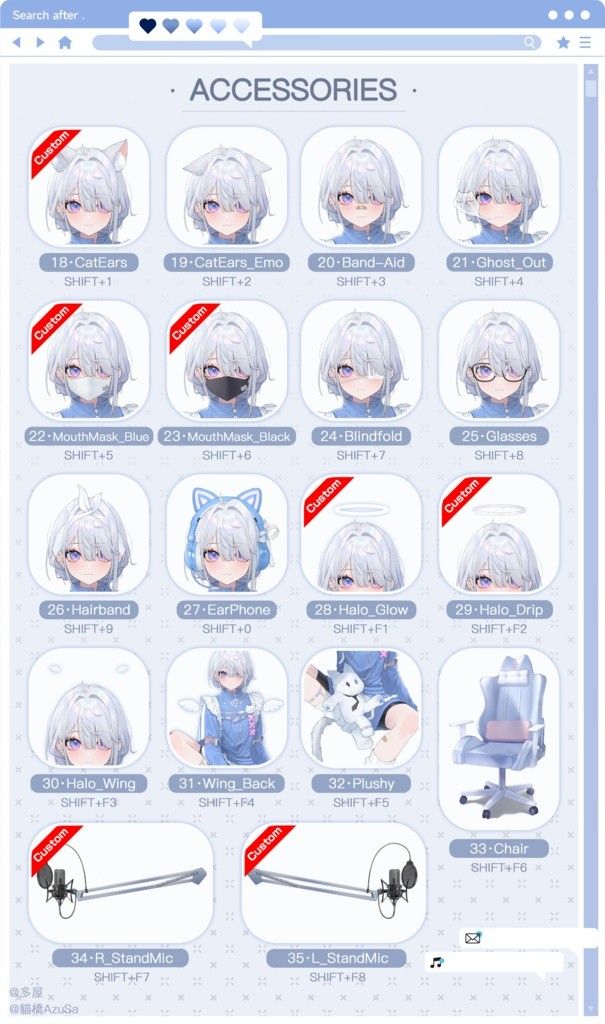
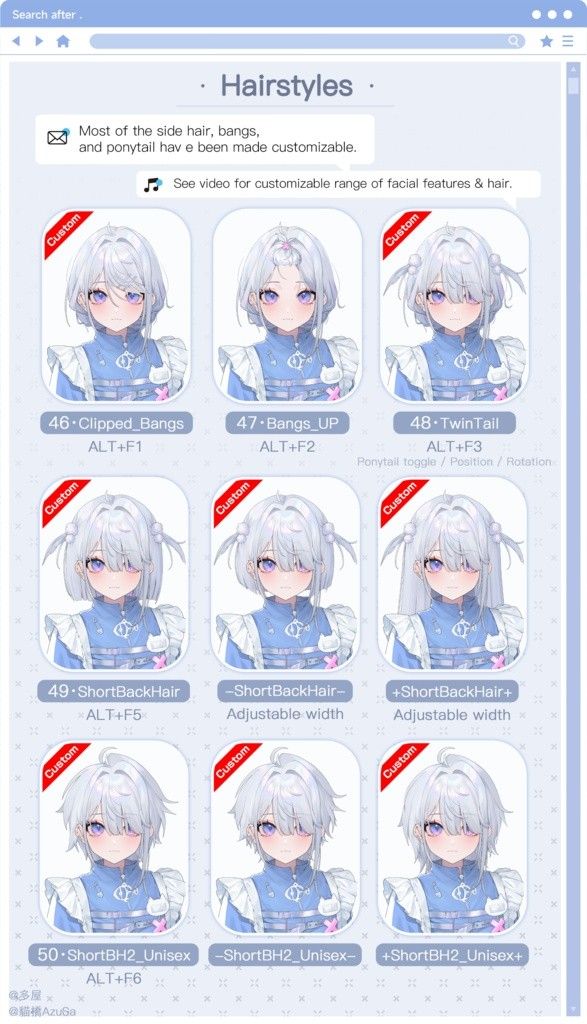
    Decided to buy this model during the sale and saw many requests for it, enjoy..!!!!

    OG: https://nekohashiazusa.booth.pm/items/8467448

    DL: [register or login to view this hidden content]

    In there are all 3 language versions handed out after purchase, CN, JP and EN.

    DL password: kisskiss

    💋

    d56b4e3c-02da-4a02-b763-77ea99abc19c-image.jpeg
    401ef310-4ce6-4cbb-810c-afe371c2e574-image.jpeg
    62740939-7a54-4f65-847f-222dc4b37630-image.jpeg

    If something's up, DM me on discord
    Same @ as here.

    Support artists whenever you can

    1 Reply Last reply
    💜
    32
    • anasuianakissA anasuianakiss referenced this topic on
    • anasuianakissA anasuianakiss referenced this topic on
    • anasuianakissA anasuianakiss referenced this topic on
    • tappleT
      tappleT
      tapple
      wrote on last edited by
      #2

      Thanks for sharing!!!

      1 Reply Last reply
      💕
      3
      • LycorislilyL
        LycorislilyL
        Lycorislily
        wrote on last edited by
        #3

        Yipeee!! thank you!!

        1 Reply Last reply
        💕
        1
        • KettlecherryK
          KettlecherryK
          Kettlecherry
          wrote on last edited by
          #4

          Thank you!!

          1 Reply Last reply
          1
          • F
            F
            FriendlyFisch
            wrote on last edited by
            #5

            TWINNN you're the goat! Thank you!

            1 Reply Last reply
            1
            • hauntedheartsH
              hauntedheartsH
              hauntedhearts
              wrote on last edited by
              #6

              thank you!!

              ࣪ ִֶ˖˙✧°trade list link ⋆。˚
              dm me if you want to trade!

              1 Reply Last reply
              1
              • princessabbyP
                princessabbyP
                princessabby
                wrote on last edited by
                #7

                Thank you soo much~

                1 Reply Last reply
                1
                • poutynyanP
                  poutynyanP
                  poutynyan
                  wrote on last edited by
                  #8

                  ahhh thank you so much !! wanted to try her out so bad ❤

                  1 Reply Last reply
                  1
                  • R
                    R
                    RDEDGE
                    wrote on last edited by
                    #9

                    thank you!!!!

                    1 Reply Last reply
                    1
                    • poutynyanP
                      poutynyanP
                      poutynyan
                      wrote on last edited by
                      #10

                      idk if this is just a me thing but i can't seem to get the emo cat ears to work and the watermark also doesn't fully go away?

                      anasuianakissA 1 Reply Last reply
                      1
                      • A
                        A
                        Amalyrie
                        wrote on last edited by
                        #11

                        TYSM AAA!! I also can't seem to get those ears or the watermark to disappear, however im having an issue where the long hair option is blurry? Idk if anyone else has had this issue yet!

                        er0nekoE hauntedheartsH StellawhiteS 3 Replies Last reply
                        1
                        • A Amalyrie

                          TYSM AAA!! I also can't seem to get those ears or the watermark to disappear, however im having an issue where the long hair option is blurry? Idk if anyone else has had this issue yet!

                          er0nekoE
                          er0nekoE
                          er0neko
                          wrote on last edited by
                          #12

                          @Amalyrie artist posted that the watermark isn't removable at all

                          1 Reply Last reply
                          1
                          • A Amalyrie

                            TYSM AAA!! I also can't seem to get those ears or the watermark to disappear, however im having an issue where the long hair option is blurry? Idk if anyone else has had this issue yet!

                            hauntedheartsH
                            hauntedheartsH
                            hauntedhearts
                            wrote on last edited by
                            #13

                            @Amalyrie if you're using the head version you can erase the shirt on texture 4 and it should get rid of the watermark! but im not sure if its possible on the full model because it also seems to be hidden under the shirt and linked to the face

                            ࣪ ִֶ˖˙✧°trade list link ⋆。˚
                            dm me if you want to trade!

                            1 Reply Last reply
                            2
                            • poutynyanP poutynyan

                              idk if this is just a me thing but i can't seem to get the emo cat ears to work and the watermark also doesn't fully go away?

                              anasuianakissA
                              anasuianakissA
                              anasuianakiss
                              wrote on last edited by
                              #14

                              @poutynyan The "emo cat ears" option is just a toggle to make the cat ears emote with your face! Meaning if you make an angry face the cat ears will move down too
                              If something's up, DM me on discord
                              Same @ as here.

                              Support artists whenever you can

                              anasuianakissA 1 Reply Last reply
                              1
                              • anasuianakissA anasuianakiss

                                @poutynyan The "emo cat ears" option is just a toggle to make the cat ears emote with your face! Meaning if you make an angry face the cat ears will move down too

                                anasuianakissA
                                anasuianakissA
                                anasuianakiss
                                wrote on last edited by anasuianakiss
                                #15

                                76acf996-2d65-4b46-b1e4-9bcde8ad0a53-image.jpeg 4cbef4c5-f828-43a3-bee5-02cc740aad3a-image.jpeg

                                Frowning with normal cat ear toggle vs frowning with emoting cat ear toggle

                                not frowning will have the cat ears still upright even with the emoting cat ear toggle

                                If something's up, DM me on discord
                                Same @ as here.

                                Support artists whenever you can

                                1 Reply Last reply
                                0
                                • rukiaR
                                  rukiaR
                                  rukia
                                  wrote on last edited by
                                  #16

                                  thank you!!! I've seen people changing the eye color and I can't figure out how it's done... could anyone help? 😭

                                  S 1 Reply Last reply
                                  1
                                  • rukiaR rukia

                                    thank you!!! I've seen people changing the eye color and I can't figure out how it's done... could anyone help? 😭

                                    S
                                    S
                                    sakurasleepy
                                    wrote on last edited by
                                    #17

                                    @rukia NO.2.256> texture_04, top left corner you’ll see the eye texture, the rest of the details for the eyes is in the png file texture_12

                                    rukiaR 1 Reply Last reply
                                    2
                                    • S sakurasleepy

                                      @rukia NO.2.256> texture_04, top left corner you’ll see the eye texture, the rest of the details for the eyes is in the png file texture_12

                                      rukiaR
                                      rukiaR
                                      rukia
                                      wrote on last edited by
                                      #18

                                      @sakurasleepy thank you so much!!! you're a lifesaver <33

                                      1 Reply Last reply
                                      1
                                      • A Amalyrie

                                        TYSM AAA!! I also can't seem to get those ears or the watermark to disappear, however im having an issue where the long hair option is blurry? Idk if anyone else has had this issue yet!

                                        StellawhiteS
                                        StellawhiteS
                                        Stellawhite
                                        wrote on last edited by
                                        #19

                                        @Amalyrie you can hide water mark by pressing their key combination
                                        Watermark: tab+N1+N2
                                        Usage tips: tab+N1+N2
                                        You can also find the tutorial i just gave you in the instructions image version folder in the watermark info picture
                                        Pretty easy u don't need to hide art mesh or anything :3

                                        3epy_kitt3n3 1 Reply Last reply
                                        0
                                        • anasuianakissA
                                          anasuianakissA
                                          anasuianakiss
                                          wrote on last edited by
                                          #20

                                          That doesnt fully remove it, it moves the watermark above the model. The watermark itself is bound to the face texture of the model so it cant be removed.

                                          If something's up, DM me on discord
                                          Same @ as here.

                                          Support artists whenever you can

                                          1 Reply Last reply
                                          2
                                          • E everlunes_ referenced this topic on

                                          Hello! It looks like you're interested in this conversation, but you don't have an account yet.

                                          Getting fed up of having to scroll through the same posts each visit? When you register for an account, you'll always come back to exactly where you were before, and choose to be notified of new replies (either via email, or push notification). You'll also be able to save bookmarks and upvote posts to show your appreciation to other community members.

                                          With your input, this post could be even better 💗

                                          Register Login
                                          Reply
                                          • Reply as topic
                                          Log in to reply
                                          • Oldest to Newest
                                          • Newest to Oldest
                                          • Most Votes


                                          • Login

                                          • Login or register to search.
                                          • First post
                                            Last post
                                          0
                                          • Categories
                                          • Recent
                                          • Tags
                                          • Popular