Skip to content
  • Categories
  • Recent
  • Tags
  • Popular
Skins
  • Light
  • Brite
  • Cerulean
  • Cosmo
  • Flatly
  • Journal
  • Litera
  • Lumen
  • Lux
  • Materia
  • Minty
  • Morph
  • Pulse
  • Sandstone
  • Simplex
  • Sketchy
  • Spacelab
  • United
  • Yeti
  • Zephyr
  • Dark
  • Cyborg
  • Darkly
  • Quartz
  • Slate
  • Solar
  • Superhero
  • Vapor

  • Default (Zephyr)
  • No Skin
Collapse
RipperStore Logo
  1. Home
  2. Assets
  3. Looking for...
  4. Uncategorized
  5. RIPPED CRYPTIA AVATARS MEGATHREAD + EXTRA

RIPPED CRYPTIA AVATARS MEGATHREAD + EXTRA

Scheduled Pinned Locked Moved Uncategorized
nsfw
8.2k Posts 596 Posters 1.8m Views 531 Watching
  • Oldest to Newest
  • Newest to Oldest
  • Most Votes
Reply
  • Reply as topic
Log in to reply
This topic has been deleted. Only users with topic management privileges can see it.
  • greasywhatG
    greasywhatG
    greasywhat
    wrote on last edited by
    #6461

    need help. when I use a fbx of new bonfie and put the expressions and parameters on her, her clothes don't take off like how there supposed to. they go off but also clips through the body

    1 Reply Last reply
    0
    • max_mogege83M max_mogege83

      some photos of the fexa's i have uploaded @gwesslyn thank u for the nickit and surge textures! credits for them!
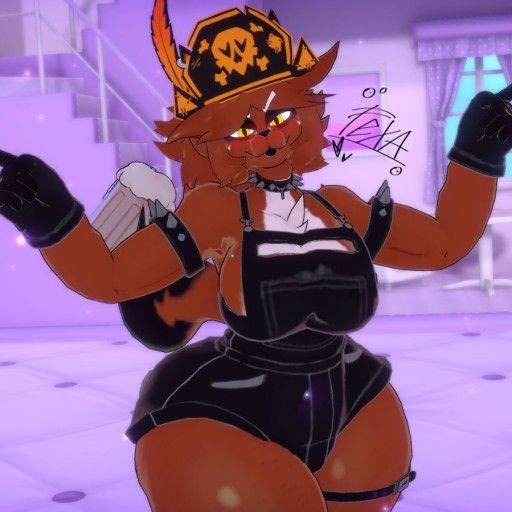
      fa1ff6e9-168b-47b8-a478-38aea13c04dc-image.jpeg

      c0d156c7-7104-4c04-b487-1756215efe4c-image.jpeg

      full pic here:

      1381_sin_titulo_20260601155012.png

      1381_sin_titulo_20260601154852.png

      A
      A
      Anonomus
      wrote on last edited by
      #6462

      @max_mogege83 how in the hell did you retexture the pony tail im bashin my head in trying to figure this out

      bennywormB 1 Reply Last reply
      0
      • A Anonomus

        @max_mogege83 how in the hell did you retexture the pony tail im bashin my head in trying to figure this out

        bennywormB
        bennywormB
        bennyworm
        wrote on last edited by bennyworm
        #6463

        @Anonomus Here is how I change the color of textures! You will need:

        1.Fexas body texture

        2.Fexas pony texture

        3.IBIS paint!
        IBIS PAINT:

        1. In your Unity scene, grab the fexa pony texture and the body texture and somehow get them to your phone(If it’s not on your phone and your pc, you can skip that step) I just like to send them to myself on discord!

        2.Once you get them on your phone, open up your body texture for Fexa first and then hold down the color of her body, make sure you get the exact hex code as you want to copy it.

        3.Once you have the hex code of the body, open up your hair texture, then add a layer, then go to the selection layer and make the whole image in that blue selection, from there go to the layer you just created!

        1. In the layer you created, where you see the black box at the bottom, open it, now you’ll see the color wheel, from there you will see the #0000, hit that and past that hex code from Fexas body color into there

        5.Now, just like with the blue, cover everything with the new color, you can do this by just making your brush reallly big and covering the whole image!

        6.From there, open up your layers section and next to where it says,”Normal” near the bottom, there is an arrow pointing upwards, hit that arrow and scroll down until you see,”Color” or,”Hue”(personally I like color!) and tada! Your hair matches Fexas skin tone!

        Extra: Feel free to play around with it if you don’t think it matches, or if you want to look at the other options for it!

        Tell me your favorite Jack Stauber songs, good conversation starter

        EmpressMangoE SʟᴜᴍʙᴇʀʀS 2 Replies Last reply
        3
        • EmpressMangoE
          EmpressMangoE
          EmpressMango
          wrote on last edited by
          #6464

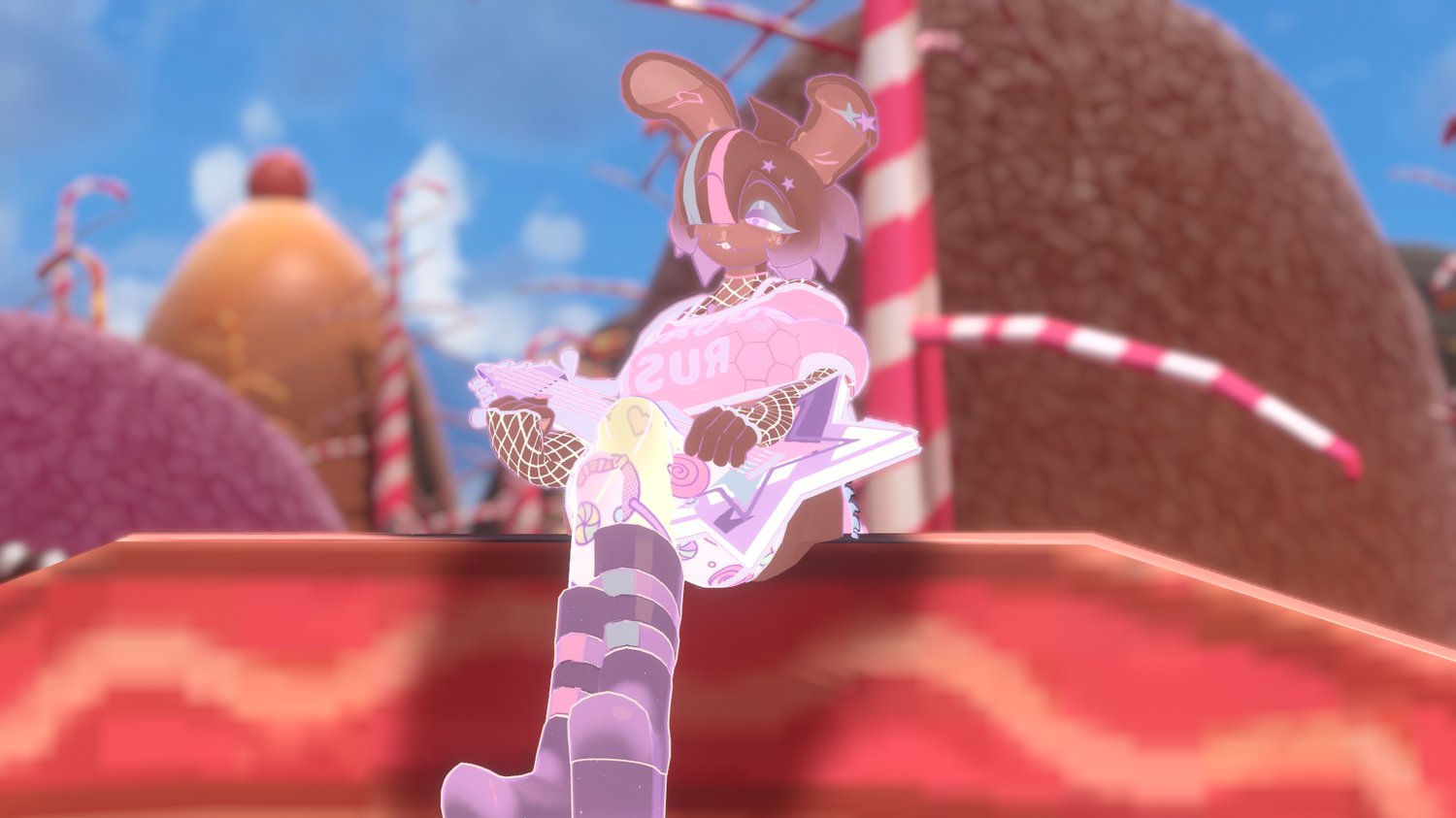
          https://payhip.com/cdn-cgi/image/format=auto,width=1500/https://pe56d.s3.amazonaws.com/o_1jntovrve1i8n16o0c0smm8fp81g.png

          Here are the Sugar Rush Bonfie Textures!!! (You can thank @cʜɪᴋᴜ-tʜᴇ-cʜɪᴄᴋ for the purchase!)

          [register or login to view this hidden content]

          Feelin..bleh

          SʟᴜᴍʙᴇʀʀS espE WhiffleBallBatW PLOOFP 4 Replies Last reply
          6
          • bennywormB bennyworm

            @Anonomus Here is how I change the color of textures! You will need:

            1.Fexas body texture

            2.Fexas pony texture

            3.IBIS paint!
            IBIS PAINT:

            1. In your Unity scene, grab the fexa pony texture and the body texture and somehow get them to your phone(If it’s not on your phone and your pc, you can skip that step) I just like to send them to myself on discord!

            2.Once you get them on your phone, open up your body texture for Fexa first and then hold down the color of her body, make sure you get the exact hex code as you want to copy it.

            3.Once you have the hex code of the body, open up your hair texture, then add a layer, then go to the selection layer and make the whole image in that blue selection, from there go to the layer you just created!

            1. In the layer you created, where you see the black box at the bottom, open it, now you’ll see the color wheel, from there you will see the #0000, hit that and past that hex code from Fexas body color into there

            5.Now, just like with the blue, cover everything with the new color, you can do this by just making your brush reallly big and covering the whole image!

            6.From there, open up your layers section and next to where it says,”Normal” near the bottom, there is an arrow pointing upwards, hit that arrow and scroll down until you see,”Color” or,”Hue”(personally I like color!) and tada! Your hair matches Fexas skin tone!

            Extra: Feel free to play around with it if you don’t think it matches, or if you want to look at the other options for it!

            EmpressMangoE
            EmpressMangoE
            EmpressMango
            wrote on last edited by
            #6465

            @bennyworm That is actually super helpful! Thank you Benny!

            Feelin..bleh

            1 Reply Last reply
            0
            • EmpressMangoE EmpressMango

              https://payhip.com/cdn-cgi/image/format=auto,width=1500/https://pe56d.s3.amazonaws.com/o_1jntovrve1i8n16o0c0smm8fp81g.png

              Here are the Sugar Rush Bonfie Textures!!! (You can thank @cʜɪᴋᴜ-tʜᴇ-cʜɪᴄᴋ for the purchase!)

              [register or login to view this hidden content]

              SʟᴜᴍʙᴇʀʀS
              SʟᴜᴍʙᴇʀʀS
              Sʟᴜᴍʙᴇʀʀ
              wrote on last edited by
              #6466

              @EmpressMango No problem Enjoy everybody!!

              Oʜ sᴡᴇᴇᴛ sᴘᴀʀᴋ!

              1 Reply Last reply
              3
              • bennywormB bennyworm

                @Anonomus Here is how I change the color of textures! You will need:

                1.Fexas body texture

                2.Fexas pony texture

                3.IBIS paint!
                IBIS PAINT:

                1. In your Unity scene, grab the fexa pony texture and the body texture and somehow get them to your phone(If it’s not on your phone and your pc, you can skip that step) I just like to send them to myself on discord!

                2.Once you get them on your phone, open up your body texture for Fexa first and then hold down the color of her body, make sure you get the exact hex code as you want to copy it.

                3.Once you have the hex code of the body, open up your hair texture, then add a layer, then go to the selection layer and make the whole image in that blue selection, from there go to the layer you just created!

                1. In the layer you created, where you see the black box at the bottom, open it, now you’ll see the color wheel, from there you will see the #0000, hit that and past that hex code from Fexas body color into there

                5.Now, just like with the blue, cover everything with the new color, you can do this by just making your brush reallly big and covering the whole image!

                6.From there, open up your layers section and next to where it says,”Normal” near the bottom, there is an arrow pointing upwards, hit that arrow and scroll down until you see,”Color” or,”Hue”(personally I like color!) and tada! Your hair matches Fexas skin tone!

                Extra: Feel free to play around with it if you don’t think it matches, or if you want to look at the other options for it!

                SʟᴜᴍʙᴇʀʀS
                SʟᴜᴍʙᴇʀʀS
                Sʟᴜᴍʙᴇʀʀ
                wrote on last edited by
                #6467

                @bennyworm thanks for the help!

                Oʜ sᴡᴇᴇᴛ sᴘᴀʀᴋ!

                1 Reply Last reply
                0
                • MonsterMan007M
                  MonsterMan007M
                  MonsterMan007
                  wrote on last edited by
                  #6468

                  would be sweet to get a retexture of the ponytail asset to match the dobermen texture made by the same creature

                  1 Reply Last reply
                  -1
                  • EmpressMangoE EmpressMango

                    https://payhip.com/cdn-cgi/image/format=auto,width=1500/https://pe56d.s3.amazonaws.com/o_1jntovrve1i8n16o0c0smm8fp81g.png

                    Here are the Sugar Rush Bonfie Textures!!! (You can thank @cʜɪᴋᴜ-tʜᴇ-cʜɪᴄᴋ for the purchase!)

                    [register or login to view this hidden content]

                    espE
                    espE
                    esp
                    wrote on last edited by
                    #6469

                    @EmpressMango FINALLY

                    1 Reply Last reply
                    0
                    • espE
                      espE
                      esp
                      wrote on last edited by
                      #6470

                      I HAVE BEEN WAITING MONTHS FOR THESE

                      1 Reply Last reply
                      0
                      • SomethingmouseS
                        SomethingmouseS
                        Somethingmouse
                        wrote on last edited by
                        #6471

                        I feel like an idiot trying to get this fexa hair to work. I've gotten the textures already, but I've obviously done something wrong because the Hair and tail that I've downloaded simply don't move with the rest of the avatar.

                        1 Reply Last reply
                        0
                        • EmpressMangoE EmpressMango

                          https://payhip.com/cdn-cgi/image/format=auto,width=1500/https://pe56d.s3.amazonaws.com/o_1jntovrve1i8n16o0c0smm8fp81g.png

                          Here are the Sugar Rush Bonfie Textures!!! (You can thank @cʜɪᴋᴜ-tʜᴇ-cʜɪᴄᴋ for the purchase!)

                          [register or login to view this hidden content]

                          WhiffleBallBatW
                          WhiffleBallBatW
                          WhiffleBallBat
                          wrote on last edited by
                          #6472

                          @EmpressMango every time i see this particular texture set, it wigs me out a lil bc its very scarily similar to a commission i did a couple months back (its not my comm, i double checked) but it is so friggin cute nonetheless

                          Here for a good time, not a long time.

                          EmpressMangoE 1 Reply Last reply
                          0
                          • jennystaJ
                            jennystaJ
                            jennysta
                            wrote on last edited by
                            #6473

                            what one is better??
                            _ bonfie gothic [D__bonfie gothic_bonfie gothic.blend] - Blender 5.0.1 6_7_2026 11_57_46 PM.png
                            _ bonfie gothic [D__bonfie gothic_bonfie gothic.blend] - Blender 5.0.1 6_7_2026 11_56_50 PM.png
                            _ bonfie gothic [D__bonfie gothic_bonfie gothic.blend] - Blender 5.0.1 6_7_2026 11_56_35 PM.png
                            _ bonfie gothic [D__bonfie gothic_bonfie gothic.blend] - Blender 5.0.1 6_7_2026 11_56_05 PM.png

                            1 Reply Last reply
                            0
                            • EmpressMangoE EmpressMango

                              https://payhip.com/cdn-cgi/image/format=auto,width=1500/https://pe56d.s3.amazonaws.com/o_1jntovrve1i8n16o0c0smm8fp81g.png

                              Here are the Sugar Rush Bonfie Textures!!! (You can thank @cʜɪᴋᴜ-tʜᴇ-cʜɪᴄᴋ for the purchase!)

                              [register or login to view this hidden content]

                              PLOOFP
                              PLOOFP
                              PLOOF
                              wrote on last edited by
                              #6474
                              This post is deleted!
                              1 Reply Last reply
                              0
                              • jennystaJ
                                jennystaJ
                                jennysta
                                wrote on last edited by jennysta
                                #6475

                                Also i made her a little thick

                                _ bonfie gothic [D__bonfie gothic_bonfie gothic.blend] - Blender 5.0.1 6_8_2026 12_37_58 AM.png

                                Friend_5F 1 Reply Last reply
                                3
                                • I
                                  I
                                  idkprobafart
                                  wrote on last edited by
                                  #6476

                                  צילום מסך 2026-04-06 042816.png ill ask again cuz idk do anyone this EXACT edit of mama frenni/honey

                                  PLOOFP 1 Reply Last reply
                                  1
                                  • jennystaJ jennysta

                                    Also i made her a little thick

                                    _ bonfie gothic [D__bonfie gothic_bonfie gothic.blend] - Blender 5.0.1 6_8_2026 12_37_58 AM.png

                                    Friend_5F
                                    Friend_5F
                                    Friend_5
                                    wrote on last edited by
                                    #6477

                                    @jennysta Hmm, hey, I have a question: how can I combine clothing with an FNC model in Blender?

                                    ~I only like getting textures from Fnc and 3D models~

                                    jennystaJ 1 Reply Last reply
                                    0
                                    • WhiffleBallBatW WhiffleBallBat

                                      @EmpressMango every time i see this particular texture set, it wigs me out a lil bc its very scarily similar to a commission i did a couple months back (its not my comm, i double checked) but it is so friggin cute nonetheless

                                      EmpressMangoE
                                      EmpressMangoE
                                      EmpressMango
                                      wrote on last edited by
                                      #6478

                                      @WhiffleBallBat That’s kind of funny but also a little bit daunting lol

                                      Feelin..bleh

                                      1 Reply Last reply
                                      1
                                      • Y
                                        Y
                                        Yokujin
                                        wrote on last edited by
                                        #6479

                                        not exactly from cryptia but can be used for the dick model (at least for the legacy ones), so...

                                        does anyone have this item?
                                        https://ko-fi.com/s/2b4c423619

                                        1 Reply Last reply
                                        0
                                        • I idkprobafart

                                          צילום מסך 2026-04-06 042816.png ill ask again cuz idk do anyone this EXACT edit of mama frenni/honey

                                          PLOOFP
                                          PLOOFP
                                          PLOOF
                                          wrote on last edited by
                                          #6480

                                          @idkprobafart yes can upload in abit
                                          I 1 Reply Last reply
                                          0

                                          Hello! It looks like you're interested in this conversation, but you don't have an account yet.

                                          Getting fed up of having to scroll through the same posts each visit? When you register for an account, you'll always come back to exactly where you were before, and choose to be notified of new replies (either via email, or push notification). You'll also be able to save bookmarks and upvote posts to show your appreciation to other community members.

                                          With your input, this post could be even better 💗

                                          Register Login
                                          Reply
                                          • Reply as topic
                                          Log in to reply
                                          • Oldest to Newest
                                          • Newest to Oldest
                                          • Most Votes


                                          • Login

                                          • Login or register to search.
                                          • First post
                                            Last post
                                          0
                                          • Categories
                                          • Recent
                                          • Tags
                                          • Popular