Skip to content
  • Categories
  • Recent
  • Tags
  • Popular
Skins
  • Light
  • Brite
  • Cerulean
  • Cosmo
  • Flatly
  • Journal
  • Litera
  • Lumen
  • Lux
  • Materia
  • Minty
  • Morph
  • Pulse
  • Sandstone
  • Simplex
  • Sketchy
  • Spacelab
  • United
  • Yeti
  • Zephyr
  • Dark
  • Cyborg
  • Darkly
  • Quartz
  • Slate
  • Solar
  • Superhero
  • Vapor

  • Default (Zephyr)
  • No Skin
Collapse
RipperStore Logo
  1. Home
  2. Assets
  3. Looking for...
  4. Uncategorized
  5. NEED Help Identifying Kipfel assets.

NEED Help Identifying Kipfel assets.

Scheduled Pinned Locked Moved Unsolved Uncategorized
identify
3 Posts 2 Posters 326 Views
  • Oldest to Newest
  • Newest to Oldest
  • Most Votes
Reply
  • Reply as topic
Log in to reply
This topic has been deleted. Only users with topic management privileges can see it.
  • Pretend LikeP
    Pretend LikeP
    Pretend Like
    wrote on last edited by
    #1

    Hey YOU yes can you read this first

    I just want some help in knowing if the Kipfel is using assets From booth that I can buy

    Or

    Its just a Unity thing that i just need to screw with to get

    Eye texture
    Hair colour texture
    Clothing colour texture

    anything would be nice to know thanks! and links would be tooooo!!!!! 🙂

    alt text

    If you want parts just ask?
    Im happy to Provide you parts if I have them Available, If not help you find a Person that does!
    Gatekeeping parts, Thats not what I do here.

    IF A LINK NEEDS TO BE UPLOADED AGAIN OR UPDATED PING ME OKAY I SWEAR I'M NOT LOOKING THROUGH ALL MY POST TO SEE WHOS ASKING ME

    1 Reply Last reply
    0
    • asddd3A
      asddd3A
      asddd3
      wrote on last edited by asddd3
      #2

      For the Hair texture colour: TL;DR Its the default kipfel hair and texture, just colour adjusted in photoshop and/or unity. (Idk for photoshop but for Unity: After selecting the hair/body root, scroll down on the inspector menu on the right and youll see the texture/meshes which you can adjust the colours of, they got the blue by adjusting the hues/values/saturation/gamma. Also would need to separately adjust the outline colour too (within the same colour menu, just a bit down))

      1 Reply Last reply
      1
      • asddd3A
        asddd3A
        asddd3
        wrote on last edited by asddd3
        #3

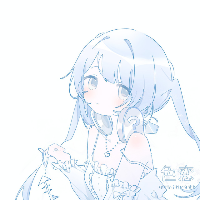
        Sorry if this isnt the exact stuff, I honestly couldn't find the exact textures for everything but did find stuff thats like very close. (Hopefully someone else knows the real textures)

        Similar cardigan: https://atelier-kotone.booth.pm/items/6656342 (could adjust colours in inspector) (also the white/cream undershirt in your image is default kipfel)
        Similar skirt texture: https://booth.pm/ja/items/6613000
        Barely similar (but not really) eye texture: https://booth.pm/ja/items/6987039
        1 Reply Last reply
        1

        Hello! It looks like you're interested in this conversation, but you don't have an account yet.

        Getting fed up of having to scroll through the same posts each visit? When you register for an account, you'll always come back to exactly where you were before, and choose to be notified of new replies (either via email, or push notification). You'll also be able to save bookmarks and upvote posts to show your appreciation to other community members.

        With your input, this post could be even better 💗

        Register Login
        Reply
        • Reply as topic
        Log in to reply
        • Oldest to Newest
        • Newest to Oldest
        • Most Votes


        • Login

        • Login or register to search.
        • First post
          Last post
        0
        • Categories
        • Recent
        • Tags
        • Popular