
Iron Mouse
-
@1MeowMix1 i check it sps already add it work right,
but have no wholesome dependencies 1.0.27 ,i cant find it@mike666 You dont need it
-
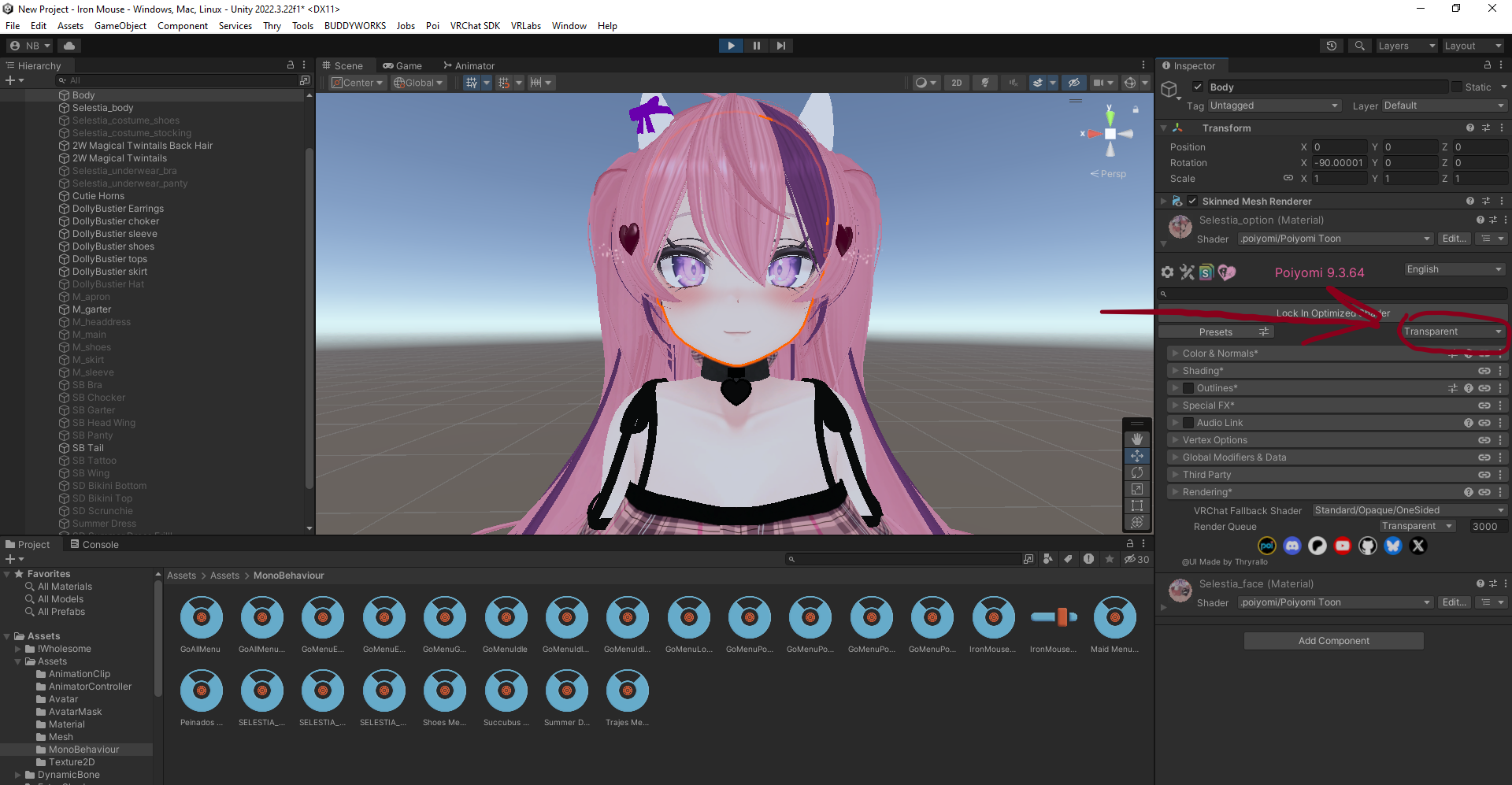
@Hetsune Just find the material that that is and set it to cut-out or transparent. I didn't see this on the model so I didn't change it
If your going to post in my thread, please read the rules.
My commissions page :)
https://forum.ripper.store/topic/111870/milk-drinker-s-commissions -
-
@Hetsune Just find the material that that is and set it to cut-out or transparent. I didn't see this on the model so I didn't change it
@Milk-Drinker how can i set this? im new in unity
-
-
-
A little late to this, but it keep saying Avatar Validation Failed. Is there something I'm missing?
-
Those aren't needed. They were just left over accidentally. The file for the ACTUAL Avatar will be in the assets folder. You also have to manually replace the Avatar's Gesture or just make new ones entirely cause it's kinda broken. The gestures hand animations are locked onto the right hand only for some reason, so I had to find a package that would allow me to edit the avatar's gesture easily. Good Luck with uploading it to your account man.
-
-
Those aren't needed. They were just left over accidentally. The file for the ACTUAL Avatar will be in the assets folder. You also have to manually replace the Avatar's Gesture or just make new ones entirely cause it's kinda broken. The gestures hand animations are locked onto the right hand only for some reason, so I had to find a package that would allow me to edit the avatar's gesture easily. Good Luck with uploading it to your account man.
@TacoTrash i am not that skilled with fixing avatars when it comes to hand gestures and animations
-
Y'know, now that she's in the Fortnite Itemshop, you could perhaps get the official model/s and port it/them to vrc >w>
-
I'm trying to fix most of the issues this avatar has but I haven't gotten a lot of experiences so I will try my best to fix it
-
I fixed the blush all u need to do is change Opaque to Transparent
-
-
-
Updated News on the avatar fixed the blush, gogoloco, textures, and lastly SPS. Soon going to fix the hand gestures and making a quest version and maybe adding a speical toggles
-
@Striker08 I'm on it don't worried
@K0maruPlay Noice : D
-
It's going to be a bit because I have some friends helping me with some of the other things I'm trying to add
-
-
Another request done!
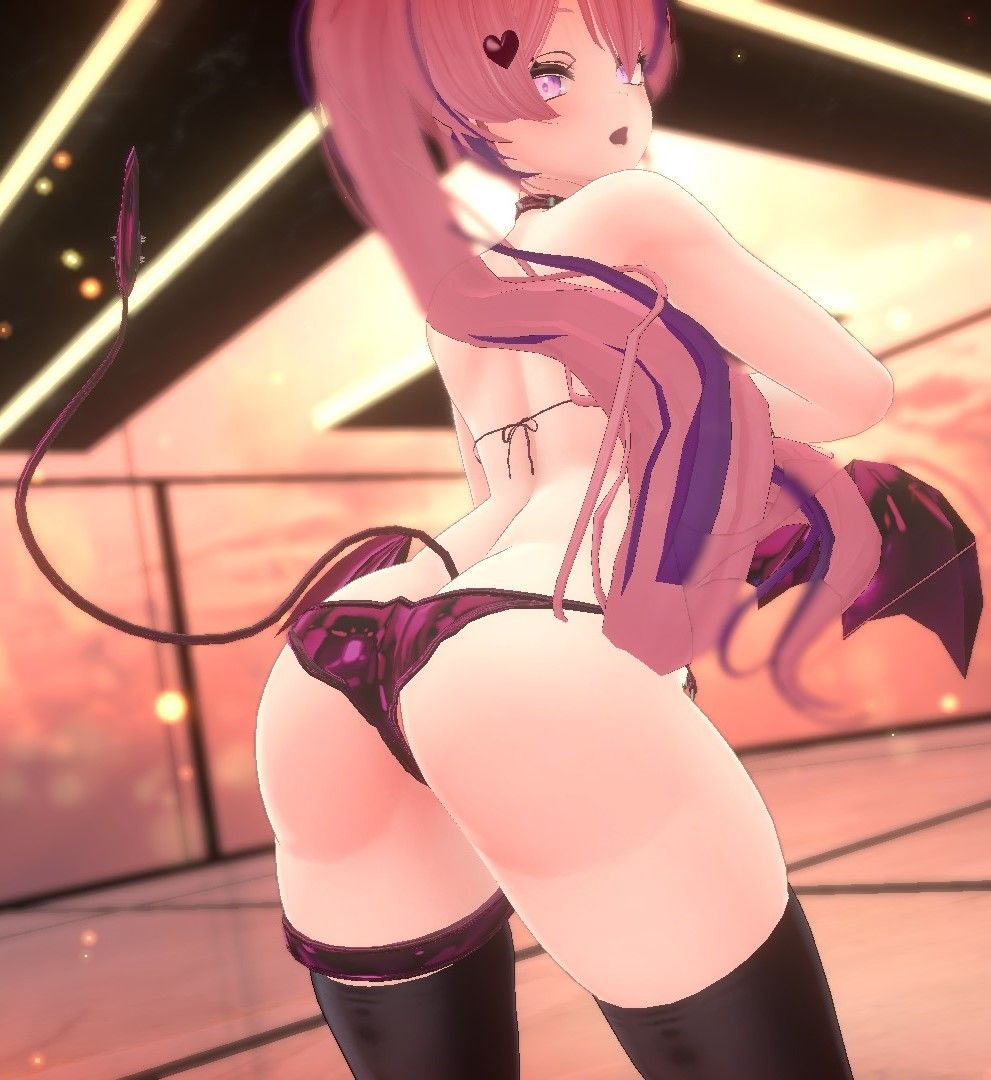
If you have any other me dm me if you want them private or request here --------> https://forum.ripper.store/topic/47497/doing-vrca-to-unity-fixes/36
Here's what you need
 ( Update liltoon)
@Milk-Drinker blush and the tattoo is broken they need to be transparent anyone know how to fix tattoo cause to fix blush just need to set to transparent but tattoo uses different shaders im not used to / familiar with

 :c
:c



 Download Link (workupload.com)
Hello! It looks like you're interested in this conversation, but you don't have an account yet.
Getting fed up of having to scroll through the same posts each visit? When you register for an account, you'll always come back to exactly where you were before, and choose to be notified of new replies (either via email, or push notification). You'll also be able to save bookmarks and upvote posts to show your appreciation to other community members.
With your input, this post could be even better 💗
Register Login