
GIFT: live2d cubism 5.2+ crack
-
@Wawant srry I forgot about this hahaha
Here it is for anyone who wants to see it or download it. I've explained it step by step so no one gets confused.
I don't know how long MEGA will keep it, but here it is for anyone who wants it. (You can see it without download)To resolve other questions like the ones above, it says 7 days, but that will continue.
And as for updating, well, yes, you repeat the steps, and if it works, fantastic. @erinya @vampnyan@Sebax no, ya no. Lo resolvi pero muchisimas gracias!

-
-
@Wawant srry I forgot about this hahaha
Here it is for anyone who wants to see it or download it. I've explained it step by step so no one gets confused.
I don't know how long MEGA will keep it, but here it is for anyone who wants it. (You can see it without download)To resolve other questions like the ones above, it says 7 days, but that will continue.
And as for updating, well, yes, you repeat the steps, and if it works, fantastic. @erinya @vampnyan -
-
-
-
-
-
hello everyone! there is a way to crack the live2d cubism program but its only for 5.0 version, since we're now on 5.2, i've been looking around for a way to crack it. fortunately, very recently, someone did managed to find a way to crack it and shared the method! but since the og guide is kinda outdated and the file required to use for the crack was taken down, i'm updating the guide and sharing it here!
keep in mind this is specifically made for 5.2+ version, idk if this will work for older (before 5.0) and future version (before and when 6.0 releases)...
consider upvoting this post to increase my rep pls ^^
live2d cubism 5.2+ crack guide:
-
download/update l2d cubism from the official website, you can use either the latest release version (currently 5.2.02) or the beta version (currently 5.2.03 beta2), i'm using the release version
-
setup the program
-
download this rlm1603.zip zipped folder
-
extract the zipped folder which contains a .jar file called rlm1603.jar
-
you must rename the .jar file by adding whatever word you want! for example, you can add "_mod" or "_crack" at the end so it's called "rlm1603_mod.jar" (i will be using this as example) or "rlm1603_crack.jar" instead, this will be crucial in a later step
-
find your "live2d cubism" folder in your "program files" (C:\Program Files\Live2D Cubism 5.2), go to "apps" folder, and then "lib" folder (C:\Program Files\Live2D Cubism 5.2\app\lib)
-
move your renamed "rlm1603.jar" file (aka rlm1603_mod.jar) into the "lib" folder, you may need to provide administrator permission (important note: in the "lib" folder, there's already a "rlm1603.jar" file inside which is from live2d cubism, but you must not replace/delete it!!!)
-
return to the "live2d cubism" folder (C:\Program Files\Live2D Cubism 5.2) and look at these four .bat files (CubismEditor5.bat, CubismEditor5_d3d.bat, CubismViewer5.bat, & CubismViewer5_d3d.bat [not including ProxyConfig.bat!!!])
-
for each of these .bat files, right-click them to edit them in notepad
-
ctrl+f and search "rlm", you will see it highlighted with "rlm1603.jar", rename it to whatever you had named in step 5 (for example, rlm1603_mod.jar) and repeat this for each .bat files (you might not be able to save the edited files, so just save them somewhere else then drag them back to the "live2d cubism" folder to replace them, you may need to provide administrator permission again)
note: idk if some of you are being blind, but i clearly stated that you may need to provide administrator permission for certain things when you're moving files & saving the .bat files elsewhere and moving them back to replace the unedited .bat files... also i will make a vid tutorial on this soon for visual learners
finally, the editor should work now!
fyi, you will get a popup saying about online use authentication, but you don't have to worry, you can use it just fine while online!
also in future updates (like 5.3+), as long as live2d cubism's .jar file is "rlm1603.jar", this guide may still be able to work! if not, then we will have to wait for an updated crack ver of the .jar file! but you cannot reuse the four edited .bat files as the files inside 5.2 will be different in future updates, so just redo the final step!
@hironoflan Works flawlessly, thank you so much! I had to actually open my eyes and read with some actual understanding lol
-
-
@Wawant srry I forgot about this hahaha
Here it is for anyone who wants to see it or download it. I've explained it step by step so no one gets confused.
I don't know how long MEGA will keep it, but here it is for anyone who wants it. (You can see it without download)To resolve other questions like the ones above, it says 7 days, but that will continue.
And as for updating, well, yes, you repeat the steps, and if it works, fantastic. @erinya @vampnyan -
Hello @hironoflan I tried downloading rlm1603.zip zipped folder but it says site cannot be reached. TvT
Is there anyway to get the file? -
@hironoflan Works flawlessly, thank you so much! I had to actually open my eyes and read with some actual understanding lol
-
@mxmiii Hallo i dont know if it is rude to ask here but can you send the rlm1603.zip zipped folder here? When i try to click on the link provided above it doesn't work.
-
thanks sir
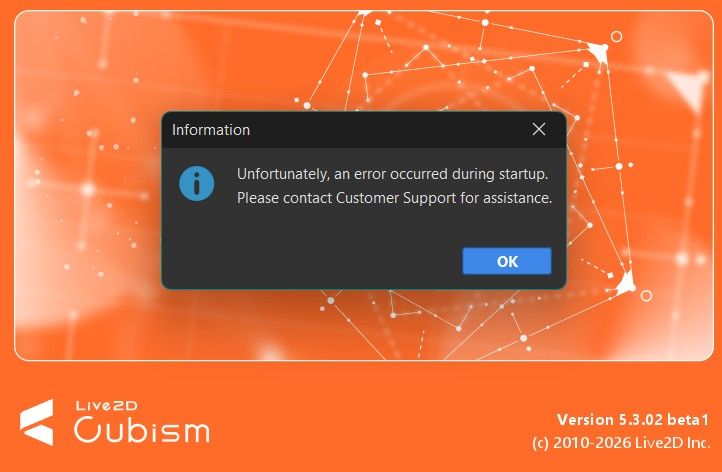
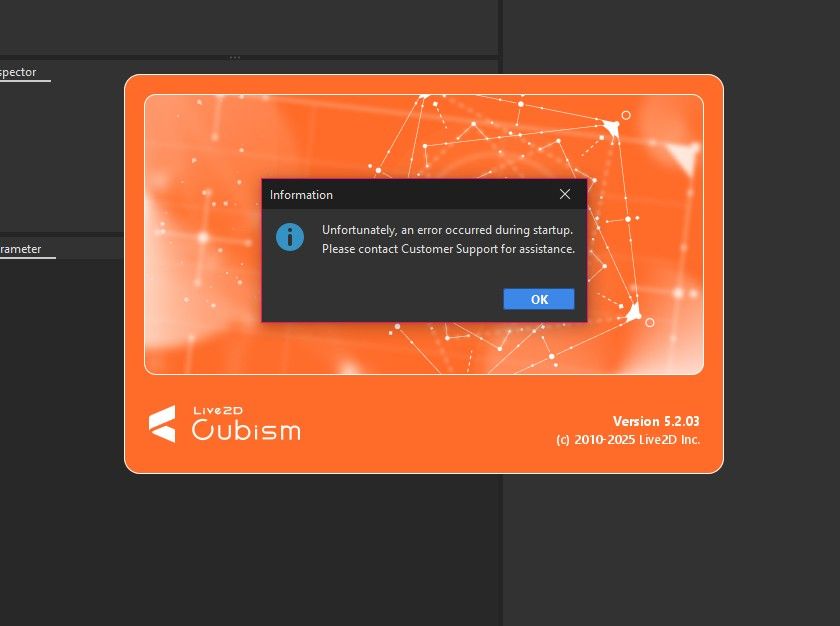
Someone pls help me, no matter what i do, i've already assigned myself as admin, I've saved all the .bat files, i've triple-checked the name of the files, i haven't deleted the OG rlm, it keeps giving me this error, i can work but it won't let me save my progress.
-
Someone pls help me, no matter what i do, i've already assigned myself as admin, I've saved all the .bat files, i've triple-checked the name of the files, i haven't deleted the OG rlm, it keeps giving me this error, i can work but it won't let me save my progress.
-
@Wawant srry I forgot about this hahaha
Here it is for anyone who wants to see it or download it. I've explained it step by step so no one gets confused.
I don't know how long MEGA will keep it, but here it is for anyone who wants it. (You can see it without download)To resolve other questions like the ones above, it says 7 days, but that will continue.
And as for updating, well, yes, you repeat the steps, and if it works, fantastic. @erinya @vampnyanThis post is deleted! -
Worked! Thankiu

-
hello everyone! there is a way to crack the live2d cubism program but its only for 5.0 version, since we're now on 5.2, i've been looking around for a way to crack it. fortunately, very recently, someone did managed to find a way to crack it and shared the method! but since the og guide is kinda outdated and the file required to use for the crack was taken down, i'm updating the guide and sharing it here!
keep in mind this is specifically made for 5.2+ version, idk if this will work for older (before 5.0) and future version (before and when 6.0 releases)...
consider upvoting this post to increase my rep pls ^^
live2d cubism 5.2+ crack guide:
-
download/update l2d cubism from the official website, you can use either the latest release version (currently 5.2.02) or the beta version (currently 5.2.03 beta2), i'm using the release version
-
setup the program
-
download this rlm1603.zip zipped folder
-
extract the zipped folder which contains a .jar file called rlm1603.jar
-
you must rename the .jar file by adding whatever word you want! for example, you can add "_mod" or "_crack" at the end so it's called "rlm1603_mod.jar" (i will be using this as example) or "rlm1603_crack.jar" instead, this will be crucial in a later step
-
find your "live2d cubism" folder in your "program files" (C:\Program Files\Live2D Cubism 5.2), go to "apps" folder, and then "lib" folder (C:\Program Files\Live2D Cubism 5.2\app\lib)
-
move your renamed "rlm1603.jar" file (aka rlm1603_mod.jar) into the "lib" folder, you may need to provide administrator permission (important note: in the "lib" folder, there's already a "rlm1603.jar" file inside which is from live2d cubism, but you must not replace/delete it!!!)
-
return to the "live2d cubism" folder (C:\Program Files\Live2D Cubism 5.2) and look at these four .bat files (CubismEditor5.bat, CubismEditor5_d3d.bat, CubismViewer5.bat, & CubismViewer5_d3d.bat [not including ProxyConfig.bat!!!])
-
for each of these .bat files, right-click them to edit them in notepad
-
ctrl+f and search "rlm", you will see it highlighted with "rlm1603.jar", rename it to whatever you had named in step 5 (for example, rlm1603_mod.jar) and repeat this for each .bat files (you might not be able to save the edited files, so just save them somewhere else then drag them back to the "live2d cubism" folder to replace them, you may need to provide administrator permission again)
note: idk if some of you are being blind, but i clearly stated that you may need to provide administrator permission for certain things when you're moving files & saving the .bat files elsewhere and moving them back to replace the unedited .bat files... also i will make a vid tutorial on this soon for visual learners
finally, the editor should work now!
fyi, you will get a popup saying about online use authentication, but you don't have to worry, you can use it just fine while online!
also in future updates (like 5.3+), as long as live2d cubism's .jar file is "rlm1603.jar", this guide may still be able to work! if not, then we will have to wait for an updated crack ver of the .jar file! but you cannot reuse the four edited .bat files as the files inside 5.2 will be different in future updates, so just redo the final step!
@hironoflan I think they cracked down on it.. any cracked versions of 5.0 or later no longer work

-
-
@Wawant srry I forgot about this hahaha
Here it is for anyone who wants to see it or download it. I've explained it step by step so no one gets confused.
I don't know how long MEGA will keep it, but here it is for anyone who wants it. (You can see it without download)To resolve other questions like the ones above, it says 7 days, but that will continue.
And as for updating, well, yes, you repeat the steps, and if it works, fantastic. @erinya @vampnyan -
thank you sm! Instructions are so easy to follow
 Download Link (mega.nz)








Hello! It looks like you're interested in this conversation, but you don't have an account yet.
Getting fed up of having to scroll through the same posts each visit? When you register for an account, you'll always come back to exactly where you were before, and choose to be notified of new replies (either via email, or push notification). You'll also be able to save bookmarks and upvote posts to show your appreciation to other community members.
With your input, this post could be even better 💗
Register Login