Skip to content
  • Categories
  • Recent
  • Tags
  • Popular
Skins
  • Light
  • Brite
  • Cerulean
  • Cosmo
  • Flatly
  • Journal
  • Litera
  • Lumen
  • Lux
  • Materia
  • Minty
  • Morph
  • Pulse
  • Sandstone
  • Simplex
  • Sketchy
  • Spacelab
  • United
  • Yeti
  • Zephyr
  • Dark
  • Cyborg
  • Darkly
  • Quartz
  • Slate
  • Solar
  • Superhero
  • Vapor

  • Default (Zephyr)
  • No Skin
Collapse
RipperStore Logo
  1. Home
  2. Assets
  3. General Assets
  4. 【VRChat用】翼 Wings

【VRChat用】翼 Wings

Scheduled Pinned Locked Moved General Assets
10 Posts 5 Posters 3.6k Views 7 Watching
  • Oldest to Newest
  • Newest to Oldest
  • Most Votes
Reply
  • Reply as topic
Log in to reply
This topic has been deleted. Only users with topic management privileges can see it.
  • Mako_koM
    Mako_koM
    Mako_ko
    wrote on last edited by Mako_ko
    #1

    https://youtu.be/GnHciyWp6M8

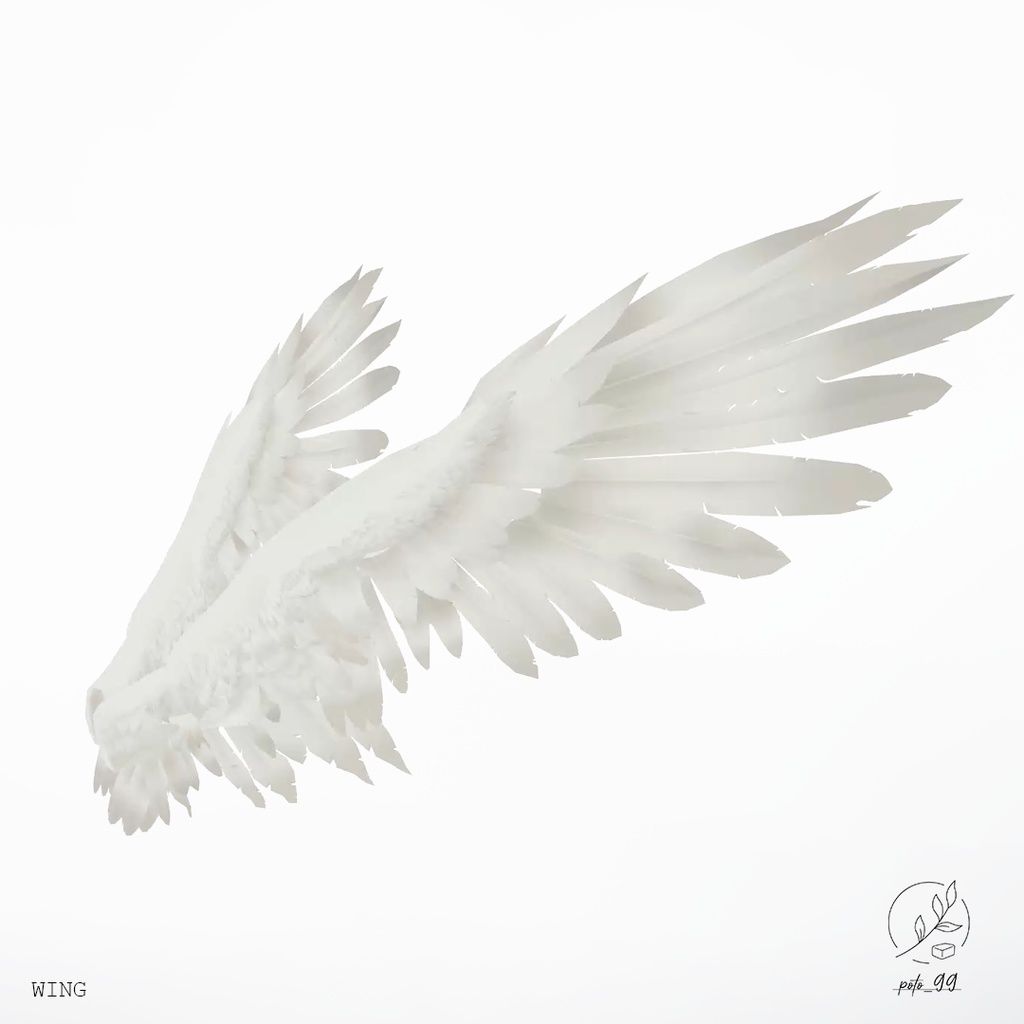
    1d5cd23e-ecd5-4537-8a7b-9b447292ca70-5c27efdc-e7d2-42d3-8c5d-f7da6bb1d17f_base_resized.jpg

    [register or login to view this hidden content] || BOOTH

    PS: I bought this relatively early in my avatar creation journey, so I didn't know how to attach it at first. Here's a step-by-step on how to do it!

    1. Drag and drop the wings onto the avatar hierarchy. You will want to drag the spine from the armature to the wings' parent constraint.
    2. Use Av3 to merge Wing_baseFX (in Wing_admin) with your avatar's main FX. Don't forget to do the same with the wing parameters and your avatar's parameters!!
    3. Add the wing menu to your avatar menu, and you should be done!

    Anything for Meiyun, Ragussiel, Neviathan, and Rurune.

    1 Reply Last reply
    ❤
    7
    • pantsustealerP
      pantsustealerP
      pantsustealer
      wrote on last edited by
      #2

      not sure if you intended to share the file but just in case you did there is only a youtube and booth link

      lime, chocolat, lapwing, yoyogi ૮꒰ ˶• ༝ •˶꒱ა ♡

      Mako_koM 1 Reply Last reply
      0
      • avatarofcornA
        avatarofcornA
        avatarofcorn
        wrote on last edited by
        #3

        They likely forgot to add the link.

        [register or login to view this hidden content]

        1 Reply Last reply
        1
        • pantsustealerP pantsustealer

          not sure if you intended to share the file but just in case you did there is only a youtube and booth link

          Mako_koM
          Mako_koM
          Mako_ko
          wrote on last edited by
          #4

          @pantsustealer said in 【VRChat用】翼 Wings:

          not sure if you intended to share the file but just in case you did there is only a youtube and booth link

          AHH I pasted the wrong link!!

          Well, someone already shared theirs, but I still updated the link!

          Anything for Meiyun, Ragussiel, Neviathan, and Rurune.

          1 Reply Last reply
          ❤
          0
          • itchiiduckiiI
            itchiiduckiiI
            itchiiduckii
            wrote on last edited by
            #5

            Im still having trouble setting up the wings on my model? The toggles don't seem to work for me

            1 Reply Last reply
            0
            • GreenySauce01G
              GreenySauce01G
              GreenySauce01
              wrote on last edited by
              #6

              Hello @mako_ko
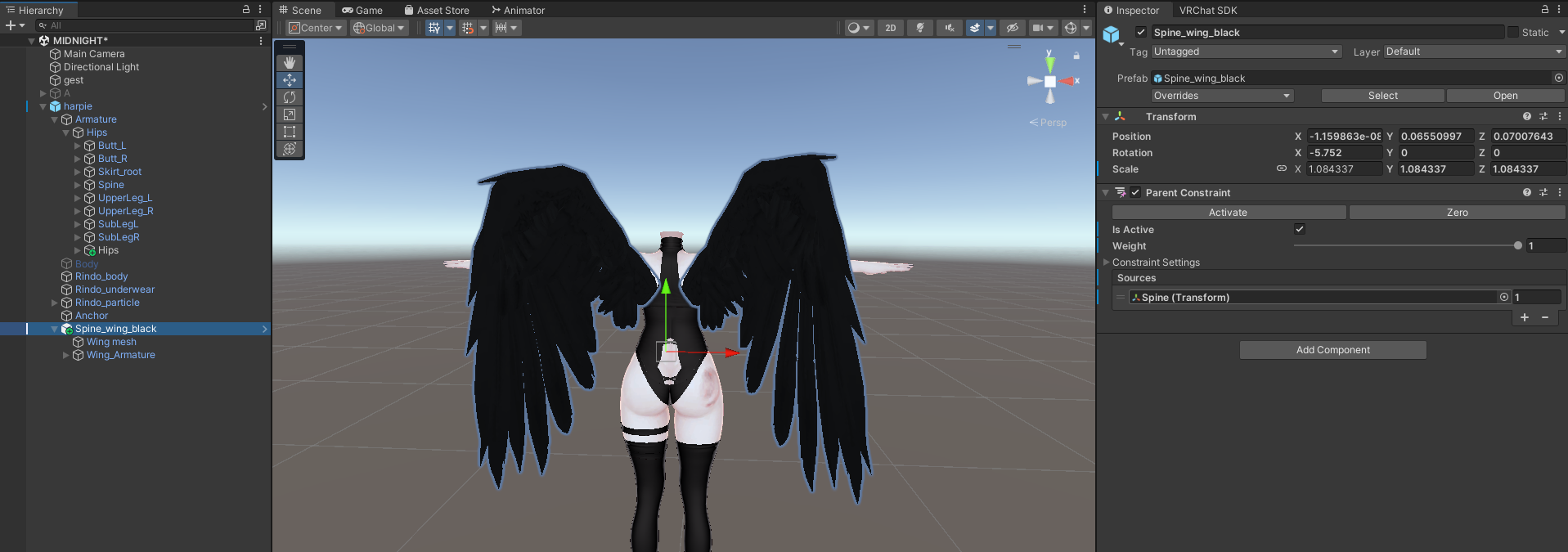
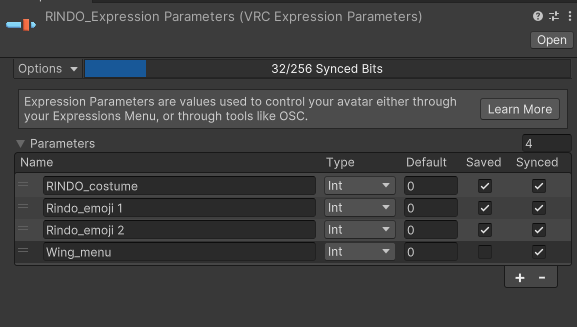
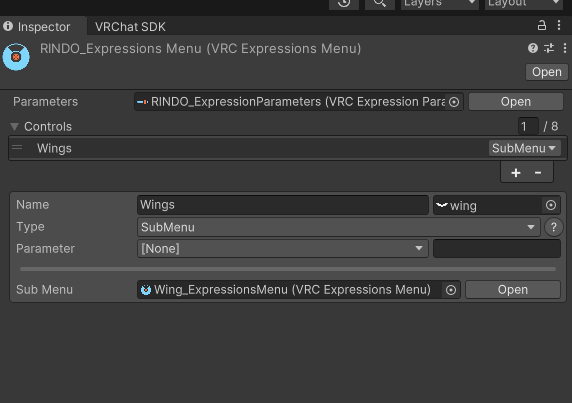
              Idk how you did it, but I followed your steps, but for some reason the wings is stiff and unmoving!

              Care to help me elaborate on what did I do wrong?
              So far i followed your every steps, here is the pictures:
              cd31e614-90e5-4b8a-99be-ec7370a8d644-image.png

              4a7fe305-9faf-4f99-8f24-32ccffe4425d-image.png

              f432c6a0-b450-400c-8edf-168c9a08fe8e-image.png

              Greened up, and Sauced to perfection!

              Mako_koM 1 Reply Last reply
              0
              • GreenySauce01G GreenySauce01

                Hello @mako_ko
                Idk how you did it, but I followed your steps, but for some reason the wings is stiff and unmoving!

                Care to help me elaborate on what did I do wrong?
                So far i followed your every steps, here is the pictures:
                cd31e614-90e5-4b8a-99be-ec7370a8d644-image.png

                4a7fe305-9faf-4f99-8f24-32ccffe4425d-image.png

                f432c6a0-b450-400c-8edf-168c9a08fe8e-image.png

                Mako_koM
                Mako_koM
                Mako_ko
                wrote on last edited by
                #7

                @GreenySauce01 I am sorry, I do not use these wings anymore. I simply just used AV3 manager plugin to merge the parameters and FX. I can see you have merged the parameters, but did you merge the FX with your avatar's FX?

                Anything for Meiyun, Ragussiel, Neviathan, and Rurune.

                GreenySauce01G 1 Reply Last reply
                1
                • Mako_koM Mako_ko

                  @GreenySauce01 I am sorry, I do not use these wings anymore. I simply just used AV3 manager plugin to merge the parameters and FX. I can see you have merged the parameters, but did you merge the FX with your avatar's FX?

                  GreenySauce01G
                  GreenySauce01G
                  GreenySauce01
                  wrote on last edited by
                  #8

                  @Mako_ko Of course
                  I did everything step by step, But it appears the wings model just dont work anymore, or the new SDK broke it

                  do you perhaps have a similar wings model like this you can share?

                  Greened up, and Sauced to perfection!

                  Mako_koM 1 Reply Last reply
                  0
                  • GreenySauce01G GreenySauce01

                    @Mako_ko Of course
                    I did everything step by step, But it appears the wings model just dont work anymore, or the new SDK broke it

                    do you perhaps have a similar wings model like this you can share?

                    Mako_koM
                    Mako_koM
                    Mako_ko
                    wrote on last edited by
                    #9

                    @GreenySauce01 These are the wings I use now:

                    https://wagamin.booth.pm/items/6330767

                    Some tools, like VRCFury gogoloco, used to break its animations upon testing. My solution was to use MA gogoloco and ignore any messages about mixed write defaults.

                    I do not share things much anymore, mostly because they get shared already. Why post a new link when there is already one laying around? Here is a post with a download link. It seems to be outdated however. The issue described in the paragraph above has been fixed by now in the latest version. If you could, please consider supporting the artist!!

                    Anything for Meiyun, Ragussiel, Neviathan, and Rurune.

                    1 Reply Last reply
                    👍
                    1
                    • GreenySauce01G
                      GreenySauce01G
                      GreenySauce01
                      wrote on last edited by
                      #10

                      yeah, Of course!
                      thanks a million ❤

                      Greened up, and Sauced to perfection!

                      1 Reply Last reply
                      0

                      Hello! It looks like you're interested in this conversation, but you don't have an account yet.

                      Getting fed up of having to scroll through the same posts each visit? When you register for an account, you'll always come back to exactly where you were before, and choose to be notified of new replies (either via email, or push notification). You'll also be able to save bookmarks and upvote posts to show your appreciation to other community members.

                      With your input, this post could be even better 💗

                      Register Login
                      Reply
                      • Reply as topic
                      Log in to reply
                      • Oldest to Newest
                      • Newest to Oldest
                      • Most Votes


                      • Login

                      • Login or register to search.
                      • First post
                        Last post
                      0
                      • Categories
                      • Recent
                      • Tags
                      • Popular