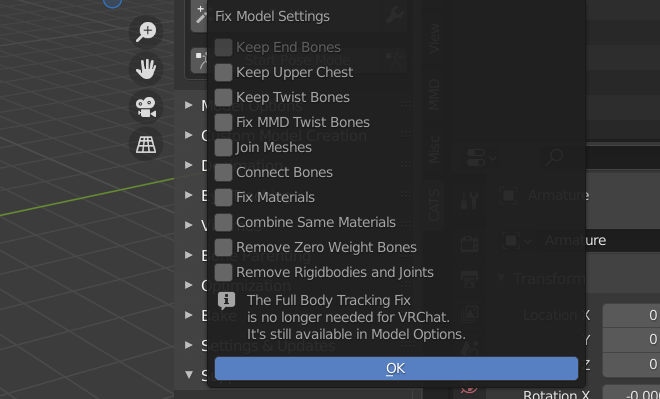
Usually clicking on the fix model button will make it better.
@Aloice21 Really? That usually breaks everything for me.
So first make sure you uncheck every box from the fix model button then click on it.
So first make sure you uncheck every box from the fix model button then click on it.
@Aloice21 Will update when i give this a try!
So first make sure you uncheck every box from the fix model button then click on it.
@Aloice21 Breast bones are still a little fucked and her fingers it seems.
@Aloice21 Breast bones are still a little fucked and her fingers it seems.
@Goth Ohh then I'm not sure how to fix it :< I had this issue with some hairstyles but usually that button would fix it. Hope you'll find a way.
@Goth Ohh then I'm not sure how to fix it :< I had this issue with some hairstyles but usually that button would fix it. Hope you'll find a way.
@Aloice21 Thanks for your help though!
i usually manually go through every bone to fix it when i come across this xD
i usually manually go through every bone to fix it when i come across this xD
@bender441 Would love an explanation of how you do such as i'm quite new to blender and only know how to UV Map.
painstakingly move every bone back to it's correct place xD
painstakingly move every bone back to it's correct place xD
@bender441 Yeah i think i'll stick to Rindo- Lmfao.
System moved this topic from on
Hello! It looks like you're interested in this conversation, but you don't have an account yet.
Getting fed up of having to scroll through the same posts each visit? When you register for an account, you'll always come back to exactly where you were before, and choose to be notified of new replies (either via email, or push notification). You'll also be able to save bookmarks and upvote posts to show your appreciation to other community members.
With your input, this post could be even better 💗
Register
Login



 (Bump)