
LF: Buff Loona Legacy & V2
-
hollay mollay
-
@blp20567 I can self-correct it
-
-
@blp20567 I can self-correct it
@kitune2323 actually its not just the visemes itself its also a weird on off expression thing that my friend deleted which allowed my mouth to move, but for some reason on other peoples end my mouth moves when i talk but it stays a gaped open when i dont talk
-
Legend.
-
@blp20567 I have uploaded over 400 avatars to VRC so far, so I think I can probably solve it.
-
@blp20567 I have uploaded over 400 avatars to VRC so far, so I think I can probably solve it.
@kitune2323 noice
-
@blp20567 I have uploaded over 400 avatars to VRC so far, so I think I can probably solve it.
@kitune2323 could i send it in dms
-
@blp20567 I have uploaded over 400 avatars to VRC so far, so I think I can probably solve it.
Keep us posted guys. ^^
-
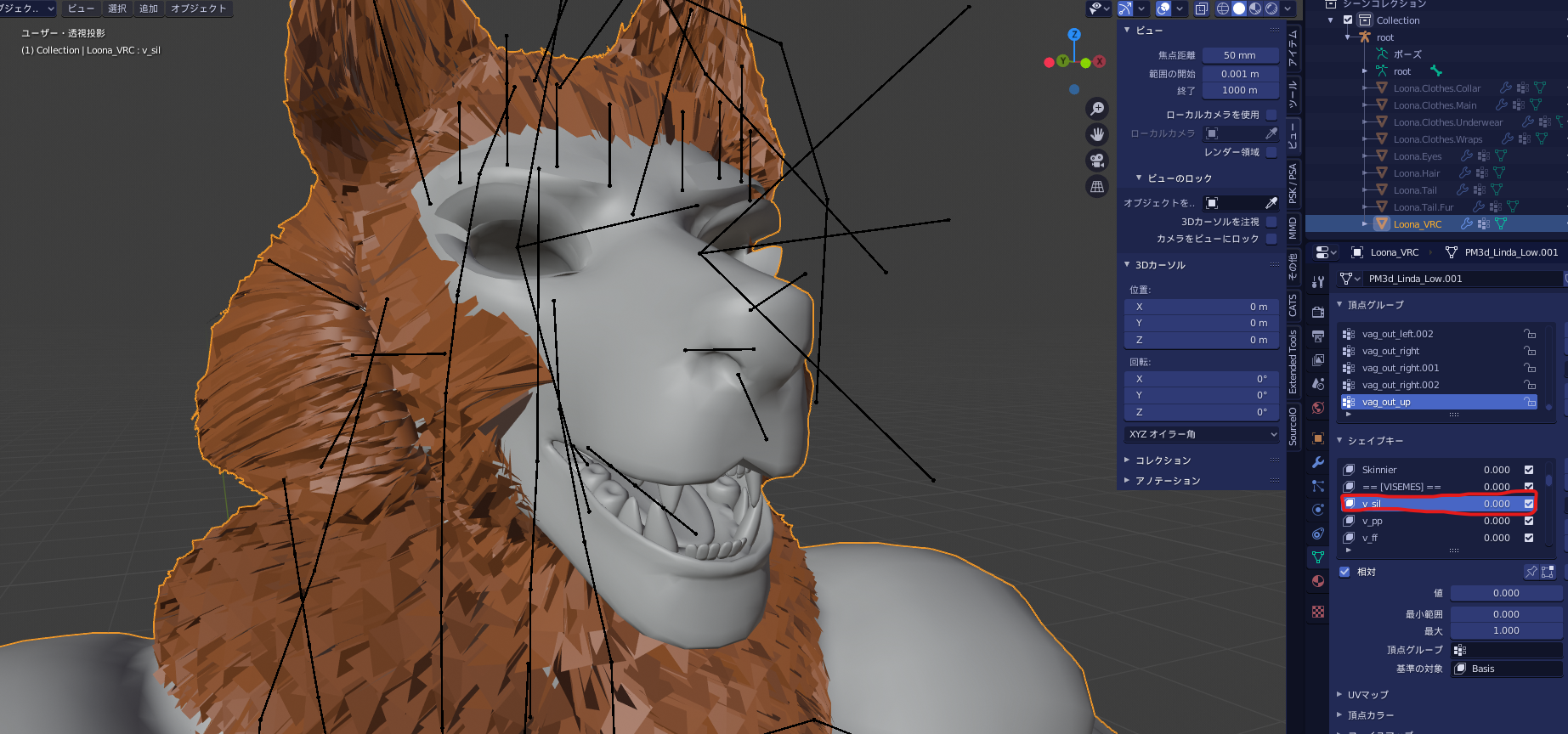
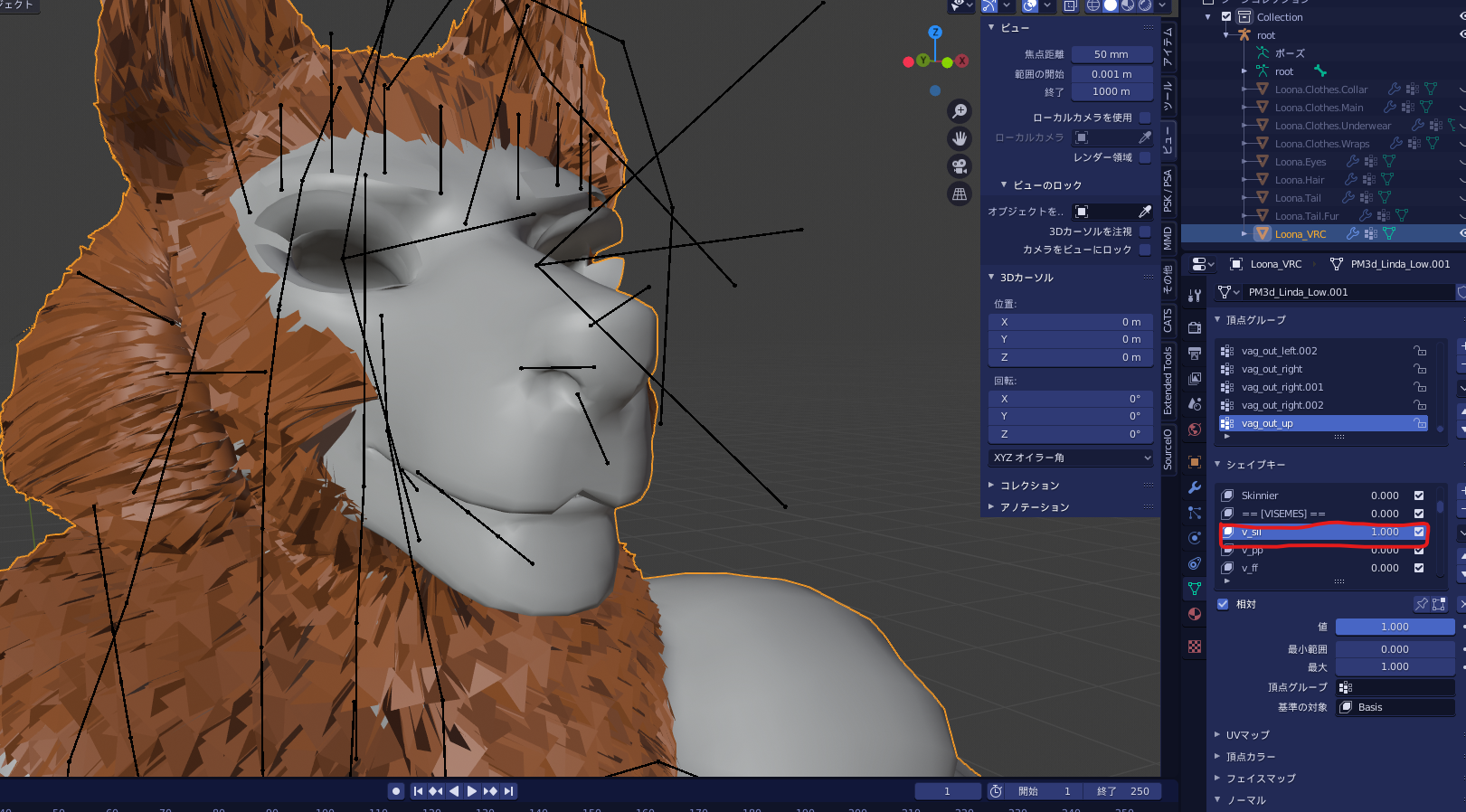
The shape key [v_sil] was causing the problem, so I duplicated the model and baked it using this shape key as the base. Then I transferred it to the duplicated model using [join as shapes] and replaced it. This should work, but it may not work if you have [VisemeControl] in the FX layer, so if necessary, you may want to use a tool like FaseEmo.
Share the modified FBX file. You can copy the components using CopyComponentsByRegex etc.
-
The shape key [v_sil] was causing the problem, so I duplicated the model and baked it using this shape key as the base. Then I transferred it to the duplicated model using [join as shapes] and replaced it. This should work, but it may not work if you have [VisemeControl] in the FX layer, so if necessary, you may want to use a tool like FaseEmo.
Share the modified FBX file. You can copy the components using CopyComponentsByRegex etc.
Fixed eyelash shape keys
-
bump for Legacy
-
The shape key [v_sil] was causing the problem, so I duplicated the model and baked it using this shape key as the base. Then I transferred it to the duplicated model using [join as shapes] and replaced it. This should work, but it may not work if you have [VisemeControl] in the FX layer, so if necessary, you may want to use a tool like FaseEmo.
Share the modified FBX file. You can copy the components using CopyComponentsByRegex etc.
@kitune2323 much appreciated
-
Fixed eyelash shape keys
@kitune2323 hey could the extra fur on the face be removed? like on the cheeks and ears, make it like the original, only complaints ive had with the original is the main hair is too thin on the head
-
I fixed the weights etc., and made the extra fur around the head independent so that it can be removed if necessary (it would be a good idea to link shape keys using VRCFury etc.)
-
I fixed the weights etc., and made the extra fur around the head independent so that it can be removed if necessary (it would be a good idea to link shape keys using VRCFury etc.)
@kitune2323 thank ya kitune, this is really great



Hello! It looks like you're interested in this conversation, but you don't have an account yet.
Getting fed up of having to scroll through the same posts each visit? When you register for an account, you'll always come back to exactly where you were before, and choose to be notified of new replies (either via email, or push notification). You'll also be able to save bookmarks and upvote posts to show your appreciation to other community members.
With your input, this post could be even better 💗
Register Login