
Can someone optimize her for me? SO MANY ALERTS, i am not mentally prepared for this
-
i give up. i actually give the fuck up
here, take it
i cant do it unity is gonna boil my already deep fried brain
Can someone please, for the sake of my own incredibly fragile sanity, pretty please with a cherry on top optimize this vrchat model?

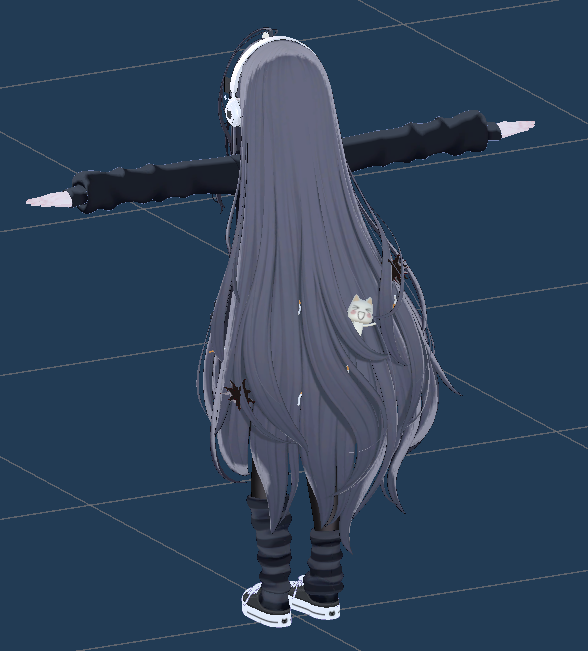
WARNING: shes really fucking busted.


take her. dear god TAKE HER. TAKE HER AWAY AND FIX HER I CANT IM JUST NOT STRONG ENOUGH
i hope this link works let me know if it doesnt, im going to fucking bed but you guys already know ill be back in the mines tomorrow T_T
I'm gonna be honest I'm kinda looking for someone to just do it for me, but advice on how to fix it myself is also appreciated, literally man at this point anything helps. this could be an awesome learning experience im just actually losing my shit over this
-
yk those arent actually alerts right? alerts are red triangles with !. She should upload fine
-
yk those arent actually alerts right? alerts are red triangles with !. She should upload fine
@Reisiah. OH FUCK damn im an idiot!! thanks, this means a ton to me, classic stress induced panic at it again
idfk what a money is im an eternal being of concept and i yearn to create but alas, eternity is a long time so i'm stuck in the computer...
ⓥ ᴛʜᴇᴍᴇsᴏɴɢ ᴏғ ʙᴜɢɢᴀᴍᴀɢᴜɢ.
https://www.youtube.com/watch?v=kapLbLwlgSM -
@Reisiah. OH FUCK damn im an idiot!! thanks, this means a ton to me, classic stress induced panic at it again
@buggamagug ur welcome!!<3
-
For some additional optimization, I'd recommend getting tools like:
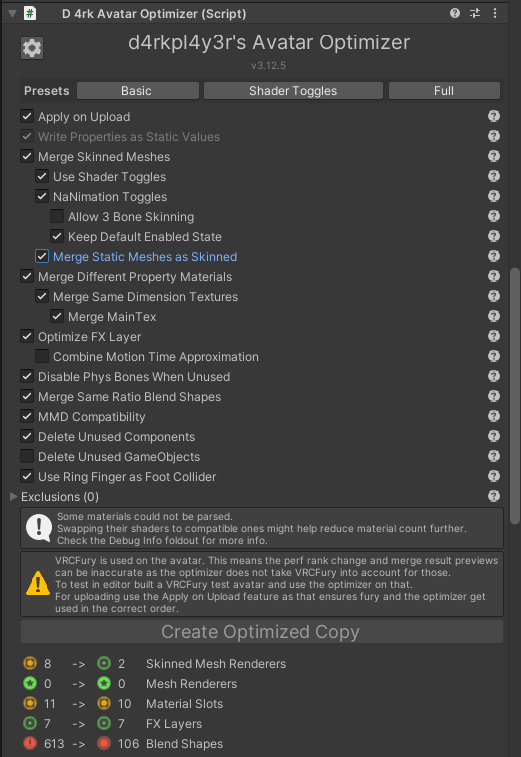
- D4rk Avatar Optimizer off their github (There's Lazy's Optimizer, but that one seems more limited in options, despite feeling like it does the same).
This one is useful for reducing mesh counts, material counts, total bone counts, etc.
This is a script that gets added to the avatar itself, under avatar descriptor. It's non-destructive, so you can remove if you don't like it. Should help with adding a few more frames, for you or for others, without changing how the avatar looks.
-
Meshia Mesh Simplification, also can be found on github. This one "decimates/simplifies" meshes to reduce poly count in real time within Unity, and you can adjust what you want simplified and by how much. I've taken avatars from 140k poly to just under 70k with this. Though I'm unsure how much of a help it would be with a 300k poly avi like this one.
It is non-destructive as well.
Turn auto adjust off if you want to just simplify a few meshes instead of the entire avatar. -
Cooki's Avatar Texture optimizer (for quick texture downsizing if you need/want it).
Any downsizing that gets applied is irreversable, other than reuploading the assets back into unity or returning original sizes by hand.
https://forum.ripper.store/post/864448
- D4rk Avatar Optimizer off their github (There's Lazy's Optimizer, but that one seems more limited in options, despite feeling like it does the same).



Hello! It looks like you're interested in this conversation, but you don't have an account yet.
Getting fed up of having to scroll through the same posts each visit? When you register for an account, you'll always come back to exactly where you were before, and choose to be notified of new replies (either via email, or push notification). You'll also be able to save bookmarks and upvote posts to show your appreciation to other community members.
With your input, this post could be even better 💗
Register Login