Skip to content
  • Categories
  • Recent
  • Tags
  • Popular
Skins
  • Light
  • Brite
  • Cerulean
  • Cosmo
  • Flatly
  • Journal
  • Litera
  • Lumen
  • Lux
  • Materia
  • Minty
  • Morph
  • Pulse
  • Sandstone
  • Simplex
  • Sketchy
  • Spacelab
  • United
  • Yeti
  • Zephyr
  • Dark
  • Cyborg
  • Darkly
  • Quartz
  • Slate
  • Solar
  • Superhero
  • Vapor

  • Default (Zephyr)
  • No Skin
Collapse
RipperStore Logo
  1. Home
  2. Assets
  3. Gifts / Downloads
  4. GIFT: live2d cubism 5.2+ crack

GIFT: live2d cubism 5.2+ crack

Scheduled Pinned Locked Moved Gifts / Downloads
live2dgiftrig tools
128 Posts 100 Posters 58.1k Views 80 Watching
  • Oldest to Newest
  • Newest to Oldest
  • Most Votes
Reply
  • Reply as topic
Log in to reply
This topic has been deleted. Only users with topic management privileges can see it.
  • pinktaffyP
    pinktaffyP
    pinktaffy
    wrote on last edited by
    #45

    Thank you so much!, this worked like a charm!

    1 Reply Last reply
    0
    • A
      A
      avx
      wrote on last edited by
      #46

      Ok so I managed to get this work on both my windows and mac machines. If anyone is wondering how to do it inside macos, follow the guides until step 6:
      Step 6 : in this place, if you install it inside "Applications" folder, go to "~/Applications/Live2D Cubism 5.2/res", and place your file there ("rlm1603_crack.jar" or whatever you named it)
      Step 7 : while inside the res folder (the folder you put your .jar in), find 2 files :

      • CubismEditor.cfg
      • CubismViewer.cfg
        then find an app like textEdit or in my case, I use vscode, and find rlm1603.jar inside it (cmd+f if you want to bring up the find box), replace the rlm1603.jar with your .jar file (in my case I named it "rlm1603_crack.jar")

      And you can now open your Live2D Cubism!

      1 Reply Last reply
      šŸ‘
      1
      • ChildOfLithaC
        ChildOfLithaC
        ChildOfLitha
        wrote on last edited by
        #47

        this worked like a charm!! bless you!! ā¤

        1 Reply Last reply
        0
        • J Jayboomshakalaka

          i did everything right, even doubled checked if I spelled it incorrectly. it's still giving me the error message.

          W
          W
          wanderveil
          wrote on last edited by
          #48
          This post is deleted!
          1 Reply Last reply
          0
          • KokokanoK
            KokokanoK
            Kokokano
            wrote on last edited by
            #49

            worked perfectly fine , no issues encountered šŸ˜„ tysm


            (ā€¾ā—”ā—) joypilled

            1 Reply Last reply
            0
            • hironoflanH hironoflan

              hello everyone! there is a way to crack the live2d cubism program but its only for 5.0 version, since we're now on 5.2, i've been looking around for a way to crack it. fortunately, very recently, someone did managed to find a way to crack it and shared the method! but since the og guide is kinda outdated and the file required to use for the crack was taken down, i'm updating the guide and sharing it here!

              keep in mind this is specifically made for 5.2+ version, idk if this will work for older (before 5.0) and future version (before and when 6.0 releases)...

              consider upvoting this post to increase my rep pls ^^

              live2d cubism 5.2+ crack guide:

              1. download/update l2d cubism from the official website, you can use either the latest release version (currently 5.2.02) or the beta version (currently 5.2.03 beta2), i'm using the release version

              2. setup the program

              3. download this rlm1603.zip zipped folder

              4. extract the zipped folder which contains a .jar file called rlm1603.jar

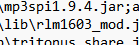
              5. you must rename the .jar file by adding whatever word you want! for example, you can add "_mod" or "_crack" at the end so it's called "rlm1603_mod.jar" (i will be using this as example) or "rlm1603_crack.jar" instead, this will be crucial in a later step

              6. find your "live2d cubism" folder in your "program files" (C:\Program Files\Live2D Cubism 5.2), go to "apps" folder, and then "lib" folder (C:\Program Files\Live2D Cubism 5.2\app\lib)

              7. move your renamed "rlm1603.jar" file (aka rlm1603_mod.jar) into the "lib" folder, you may need to provide administrator permission (important note: in the "lib" folder, there's already a "rlm1603.jar" file inside which is from live2d cubism, but you must not replace/delete it!!!)

              8. return to the "live2d cubism" folder (C:\Program Files\Live2D Cubism 5.2) and look at these four .bat files (CubismEditor5.bat, CubismEditor5_d3d.bat, CubismViewer5.bat, & CubismViewer5_d3d.bat [not including ProxyConfig.bat!!!])

              9. for each of these .bat files, right-click them to edit them in notepad

              10. ctrl+f and search "rlm", you will see it highlighted with "rlm1603.jar", rename it to whatever you had named in step 5 (for example, rlm1603_mod.jar) and repeat this for each .bat files (you might not be able to save the edited files, so just save them somewhere else then drag them back to the "live2d cubism" folder to replace them, you may need to provide administrator permission again)

              note: idk if some of you are being blind, but i clearly stated that you may need to provide administrator permission for certain things when you're moving files & saving the .bat files elsewhere and moving them back to replace the unedited .bat files... also i will make a vid tutorial on this soon for visual learners

              finally, the editor should work now!

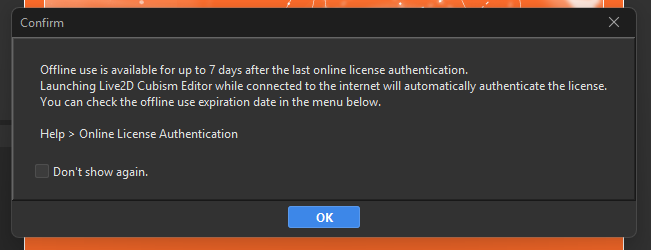
              fyi, you will get a popup saying about online use authentication, but you don't have to worry, you can use it just fine while online!

              also in future updates (like 5.3+), as long as live2d cubism's .jar file is "rlm1603.jar", this guide may still be able to work! if not, then we will have to wait for an updated crack ver of the .jar file! but you cannot reuse the four edited .bat files as the files inside 5.2 will be different in future updates, so just redo the final step!

              M
              M
              mikel3d
              wrote on last edited by
              #50

              @hironoflan the rm1603 file I can't download it, whenever I click there's nothing or error site?

              1 Reply Last reply
              0
              • I
                I
                introducenombre
                wrote on last edited by
                #51

                Thanks!!!!

                1 Reply Last reply
                0
                • DehavenD
                  DehavenD
                  Dehaven
                  wrote on last edited by
                  #52

                  confirmed works in 5.3 alpha & 5.2.03!!

                  just mention @Dehaven me if any link is broken, will respond in a few daysšŸ‘€

                  M 1 Reply Last reply
                  šŸ‘
                  0
                  • DehavenD
                    DehavenD
                    Dehaven
                    wrote on last edited by
                    #53

                    [register or login to view this hidden content]

                    just mention @Dehaven me if any link is broken, will respond in a few daysšŸ‘€

                    1 Reply Last reply
                    šŸ‘
                    1
                    • G
                      G
                      gg123
                      wrote on last edited by
                      #54

                      sankyuuuu

                      1 Reply Last reply
                      0
                      • G
                        G
                        gg123
                        wrote on last edited by
                        #55

                        sankyuuuu

                        1 Reply Last reply
                        0
                        • G
                          G
                          GuasmeƱo99
                          wrote on last edited by
                          #56

                          Captura de pantalla 2025-10-23 133642.png
                          Captura de pantalla 2025-10-23 133719.png
                          Captura de pantalla 2025-10-23 133743.png
                          I have followed all the steps correctly, but unfortunately I keep getting this error.

                          S 1 Reply Last reply
                          0
                          • G GuasmeƱo99

                            Captura de pantalla 2025-10-23 133642.png
                            Captura de pantalla 2025-10-23 133719.png
                            Captura de pantalla 2025-10-23 133743.png
                            I have followed all the steps correctly, but unfortunately I keep getting this error.

                            S
                            S
                            stickynote
                            wrote on last edited by stickynote
                            #57

                            @GuasmeƱo99 Did you edit 4 of the bat files? Make sure you didn't delete the original rlm1603.jar file. You need both the rlm1603.jar and rlm1603_mod.jar in the lib folder. What I did was move the 4 bat files to my desktop and edited them with notepad++ then moved them back to there original directory. Also just to clarify you don't rename the original rlm1603.jar file only the cracked jar file.

                            G 1 Reply Last reply
                            0
                            • S stickynote

                              @GuasmeƱo99 Did you edit 4 of the bat files? Make sure you didn't delete the original rlm1603.jar file. You need both the rlm1603.jar and rlm1603_mod.jar in the lib folder. What I did was move the 4 bat files to my desktop and edited them with notepad++ then moved them back to there original directory. Also just to clarify you don't rename the original rlm1603.jar file only the cracked jar file.

                              G
                              G
                              GuasmeƱo99
                              wrote on last edited by
                              #58

                              @stickynote Oh man, you're a lifesaver! I was deleting the original RLM all this time. Thank you so much!

                              1 Reply Last reply
                              0
                              • W
                                W
                                wosunnyow
                                wrote on last edited by
                                #59

                                Screenshot 2025-10-27 155735.png hey i have this problem what do i do???

                                R 1 Reply Last reply
                                0
                                • R
                                  R
                                  Ryuz
                                  wrote on last edited by
                                  #60

                                  Hello I wanted to ask if this try may work for Mac systems?

                                  1 Reply Last reply
                                  0
                                  • W wosunnyow

                                    Screenshot 2025-10-27 155735.png hey i have this problem what do i do???

                                    R
                                    R
                                    Ryuz
                                    wrote on last edited by
                                    #61

                                    @wosunnyow I say go back and do everything step by step and make sure the changes in the files you are editing or being correct save and change.

                                    W 1 Reply Last reply
                                    0
                                    • A
                                      A
                                      anj979
                                      wrote on last edited by
                                      #62

                                      Screenshot 2025-10-28 000507.png

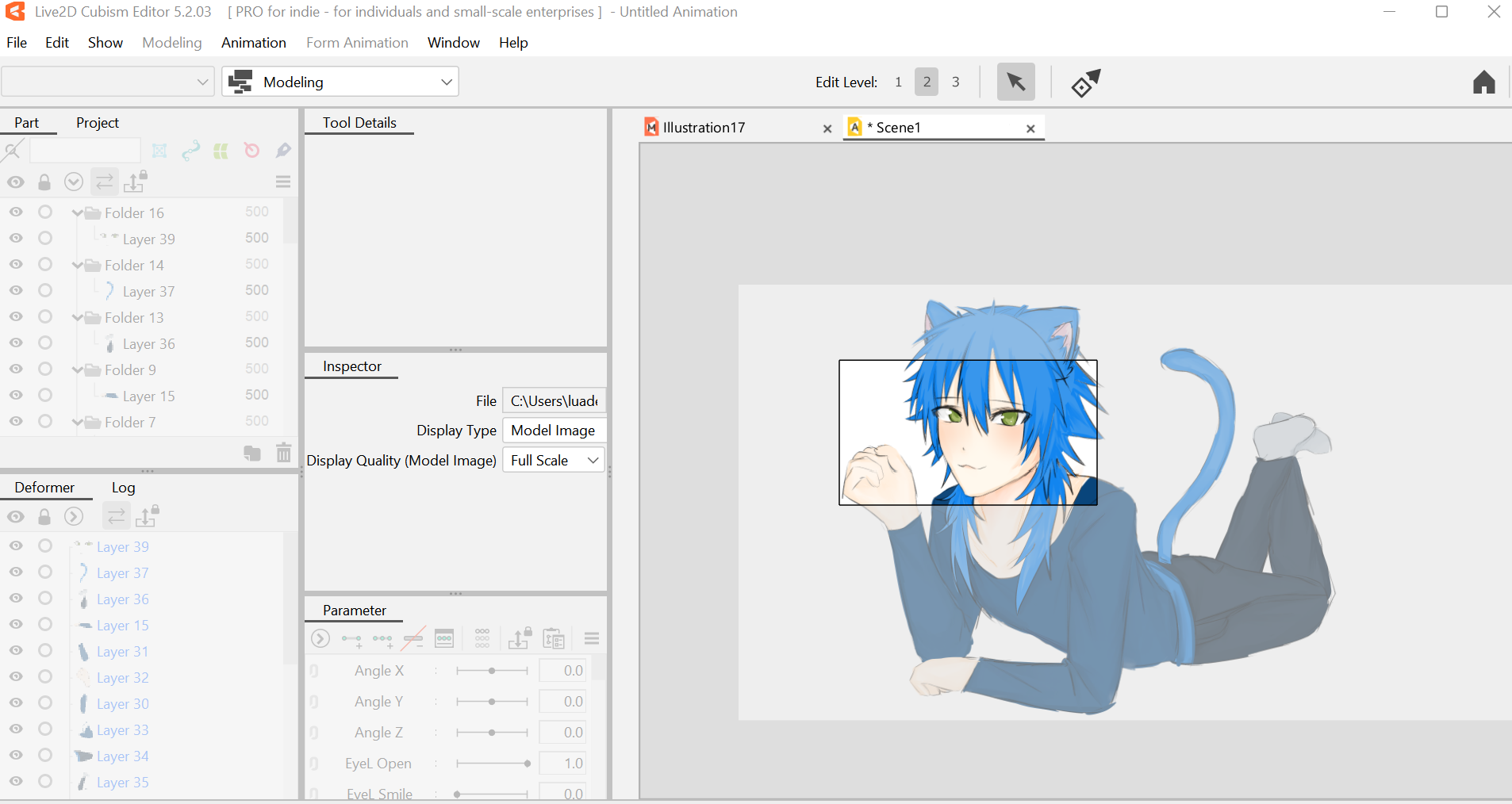
                                      Hi! Don't mind the drawing but how do i fix this????? I think it has something to do with the download maybe? Theres a black border and its bothering me and doesn't let me do anything.

                                      R 1 Reply Last reply
                                      0
                                      • A anj979

                                        Screenshot 2025-10-28 000507.png

                                        Hi! Don't mind the drawing but how do i fix this????? I think it has something to do with the download maybe? Theres a black border and its bothering me and doesn't let me do anything.

                                        R
                                        R
                                        Ryuz
                                        wrote on last edited by Ryuz
                                        #63

                                        @anj979 This thread is more to making the software work not how to fix it. šŸ˜„

                                        1 Reply Last reply
                                        0
                                        • R Ryuz

                                          @wosunnyow I say go back and do everything step by step and make sure the changes in the files you are editing or being correct save and change.

                                          W
                                          W
                                          wosunnyow
                                          wrote on last edited by
                                          #64

                                          @Ryuz Hello! I did and it still shows up. Do I just ignore it or...? I don't know what to do about it-

                                          1 Reply Last reply
                                          0

                                          Hello! It looks like you're interested in this conversation, but you don't have an account yet.

                                          Getting fed up of having to scroll through the same posts each visit? When you register for an account, you'll always come back to exactly where you were before, and choose to be notified of new replies (either via email, or push notification). You'll also be able to save bookmarks and upvote posts to show your appreciation to other community members.

                                          With your input, this post could be even better šŸ’—

                                          Register Login
                                          Reply
                                          • Reply as topic
                                          Log in to reply
                                          • Oldest to Newest
                                          • Newest to Oldest
                                          • Most Votes


                                          • Login

                                          • Login or register to search.
                                          • First post
                                            Last post
                                          0
                                          • Categories
                                          • Recent
                                          • Tags
                                          • Popular