
GIFT: 【セール中】【多機能カメラ】Gesture Cam
-
it didn't work

Pressing the trigger only displays the UI but not the photo.
does anyone know how to fix it?
-
it didn't work
Pressing the trigger only displays the UI but not the photo.
does anyone know how to fix it?@OOOAAA third this
-
-
-
At least we all share the same issue lol. For the most part, it's not what we're doing; it's most likely the asset creator not testing the package before selling it. Because we all know how to drag and drop. It's modular for a reason. Even tested the original prefab, and that too has the issue.
Happy hunting
-
Apparently
"Thank you very much for your purchase, and I sincerely apologize for the inconvenience caused by this issue.
From what you described, the most likely cause is that Write Defaults is set to ON.
This gimmick is designed to work with Write Defaults set to OFF.
Please check in Modular Avatar that the option [Match Avatar Write Defaults] is turned OFF.
Additionally, if you are using VRCFury, I’ve heard that it has a feature to unify the avatar’s Write Defaults settings, so please make sure that such features are not enabled." -
Apparently
"Thank you very much for your purchase, and I sincerely apologize for the inconvenience caused by this issue.
From what you described, the most likely cause is that Write Defaults is set to ON.
This gimmick is designed to work with Write Defaults set to OFF.
Please check in Modular Avatar that the option [Match Avatar Write Defaults] is turned OFF.
Additionally, if you are using VRCFury, I’ve heard that it has a feature to unify the avatar’s Write Defaults settings, so please make sure that such features are not enabled."@Tena Ill def try that to see if that fixes it and post an update
UPDATE: I've tried everything that was given and had zero luck with it. turned off WD, turned on WD, overrode the animator defaults, turned on/off Match Avatar defaults, got rid of vrcfury, forced defaults on/off, and nothing—same issue out of the 6-7 years of Unity. I've never had an issue with an asset till now. wow
Happy hunting
-
-
-
Apparently
"Thank you very much for your purchase, and I sincerely apologize for the inconvenience caused by this issue.
From what you described, the most likely cause is that Write Defaults is set to ON.
This gimmick is designed to work with Write Defaults set to OFF.
Please check in Modular Avatar that the option [Match Avatar Write Defaults] is turned OFF.
Additionally, if you are using VRCFury, I’ve heard that it has a feature to unify the avatar’s Write Defaults settings, so please make sure that such features are not enabled." -
-
-
Y'all imma be honest theres a steam vr overlay that is 100x better than this and does the same thing plus more
https://store.steampowered.com/app/2324090/VRHandsFrame/ -
-
-
-
@Account @Tena Thank you for the excellent information and for your support in updating to ver.1.7.1!

Your kindness is truly appreciated!Corrupted File After Extraction?💻 Virus Detected?👾
of easy fixes you can try right away. I hope you’ll give it a read!🛠Is Booth avatar's default body type a bit too slender for your taste?
Worry not! You can use Unity alone to transform her into a voluptuous, alluring Venus—plump and perfectly curved! 🥰I eagerly await the benevolent deity who will bless us with the latest version, including the profile picture costume!
I would be delighted if you could take a look at my Profile & Topic List💖 -
-
bump update
-



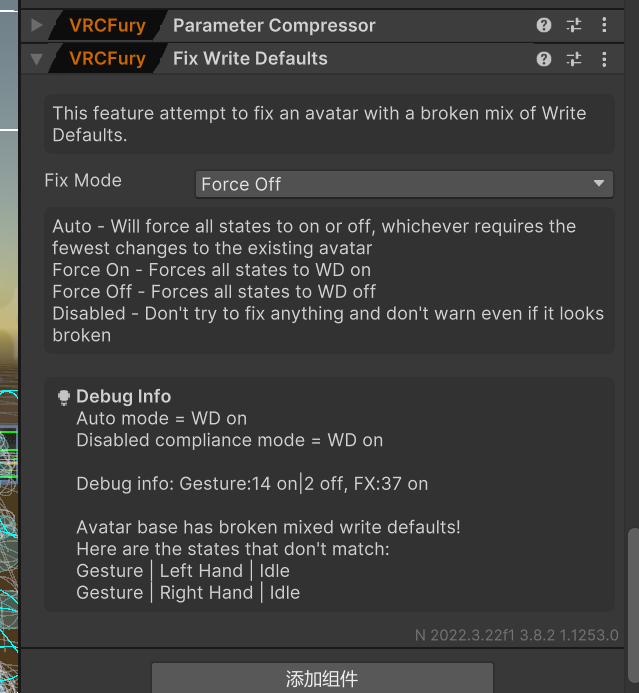
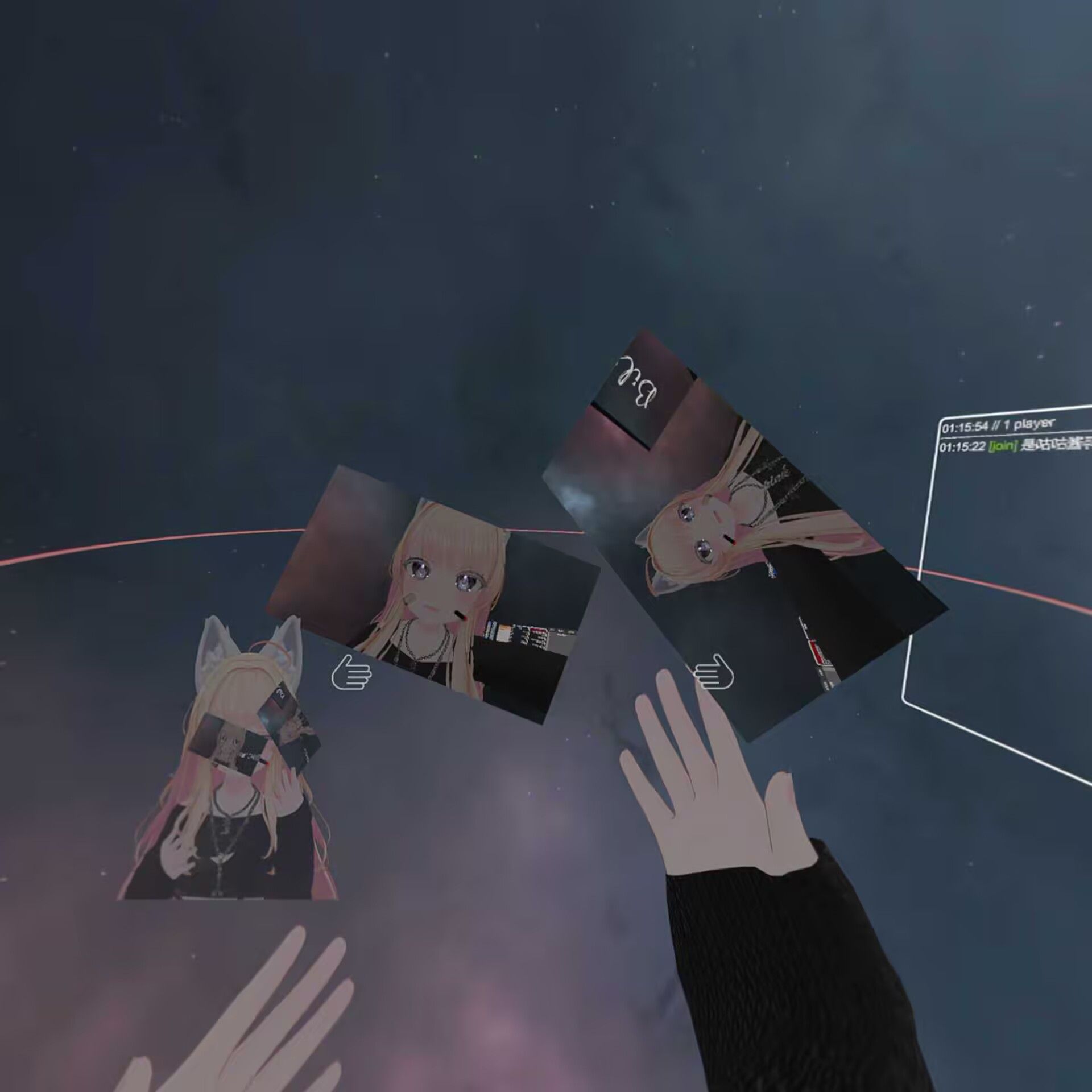 使avatar里VRCFury Fix Write Defaults选项为Force off就可以正常工作了。



Hello! It looks like you're interested in this conversation, but you don't have an account yet.
Getting fed up of having to scroll through the same posts each visit? When you register for an account, you'll always come back to exactly where you were before, and choose to be notified of new replies (either via email, or push notification). You'll also be able to save bookmarks and upvote posts to show your appreciation to other community members.
With your input, this post could be even better 💗
Register Login