
LF: tohru ! by mawfi
-
Does anyone have the files or could rip it? i really like this avi but it doesnt have much and id love to add my own stuff ><
https://vrchat.com/home/avatar/avtr_755f92aa-e583-451b-8be1-2c9502f09b79

-
@terew really?? id love to get the unity package,so i can import it and add more stuffs if thats okay ^^ thank you so much btw

@Yunan8412
Since I ripped it it was a bit broken but I fixed most of the stuff like shaders, scripts and animations. If it had GoGoLoco on just replace the FX with default gogoloco files, otherwise your default animations like standing will look wrong. Here's the project, should be usable I think:
🌙 I WILL MAKE THE PROJECT MOON ASSETS FREE FOR EVERYONE
EASY AVI OPTIMIZATION GUIDE BY ME: CLICK!
My Project Moon avi cosplay tutorial: CLICK!
Please @ tag me if there's an update/link is broken/you have a suggestion about a Project Moon related item that I should share
Giving back to the community that allowed me to build numerous fantastic avatars for free
-
-
I'm pretty sure I can get it for you since its public, do you need the .vrca or a whole unity project
🌙 I WILL MAKE THE PROJECT MOON ASSETS FREE FOR EVERYONE
EASY AVI OPTIMIZATION GUIDE BY ME: CLICK!
My Project Moon avi cosplay tutorial: CLICK!
Please @ tag me if there's an update/link is broken/you have a suggestion about a Project Moon related item that I should share
Giving back to the community that allowed me to build numerous fantastic avatars for free
-
I'm pretty sure I can get it for you since its public, do you need the .vrca or a whole unity project
-
@terew really?? id love to get the unity package,so i can import it and add more stuffs if thats okay ^^ thank you so much btw
@Yunan8412
Since I ripped it it was a bit broken but I fixed most of the stuff like shaders, scripts and animations. If it had GoGoLoco on just replace the FX with default gogoloco files, otherwise your default animations like standing will look wrong. Here's the project, should be usable I think:
🌙 I WILL MAKE THE PROJECT MOON ASSETS FREE FOR EVERYONE
EASY AVI OPTIMIZATION GUIDE BY ME: CLICK!
My Project Moon avi cosplay tutorial: CLICK!
Please @ tag me if there's an update/link is broken/you have a suggestion about a Project Moon related item that I should share
Giving back to the community that allowed me to build numerous fantastic avatars for free
-
@Yunan8412
Since I ripped it it was a bit broken but I fixed most of the stuff like shaders, scripts and animations. If it had GoGoLoco on just replace the FX with default gogoloco files, otherwise your default animations like standing will look wrong. Here's the project, should be usable I think:
-
@Yunan8412
Since I ripped it it was a bit broken but I fixed most of the stuff like shaders, scripts and animations. If it had GoGoLoco on just replace the FX with default gogoloco files, otherwise your default animations like standing will look wrong. Here's the project, should be usable I think:
@terew hey so ive run into a few problems,didnt know its gonna be a whole folder instead of a unity file,maybe i imported it wrong but it gave me a few errors
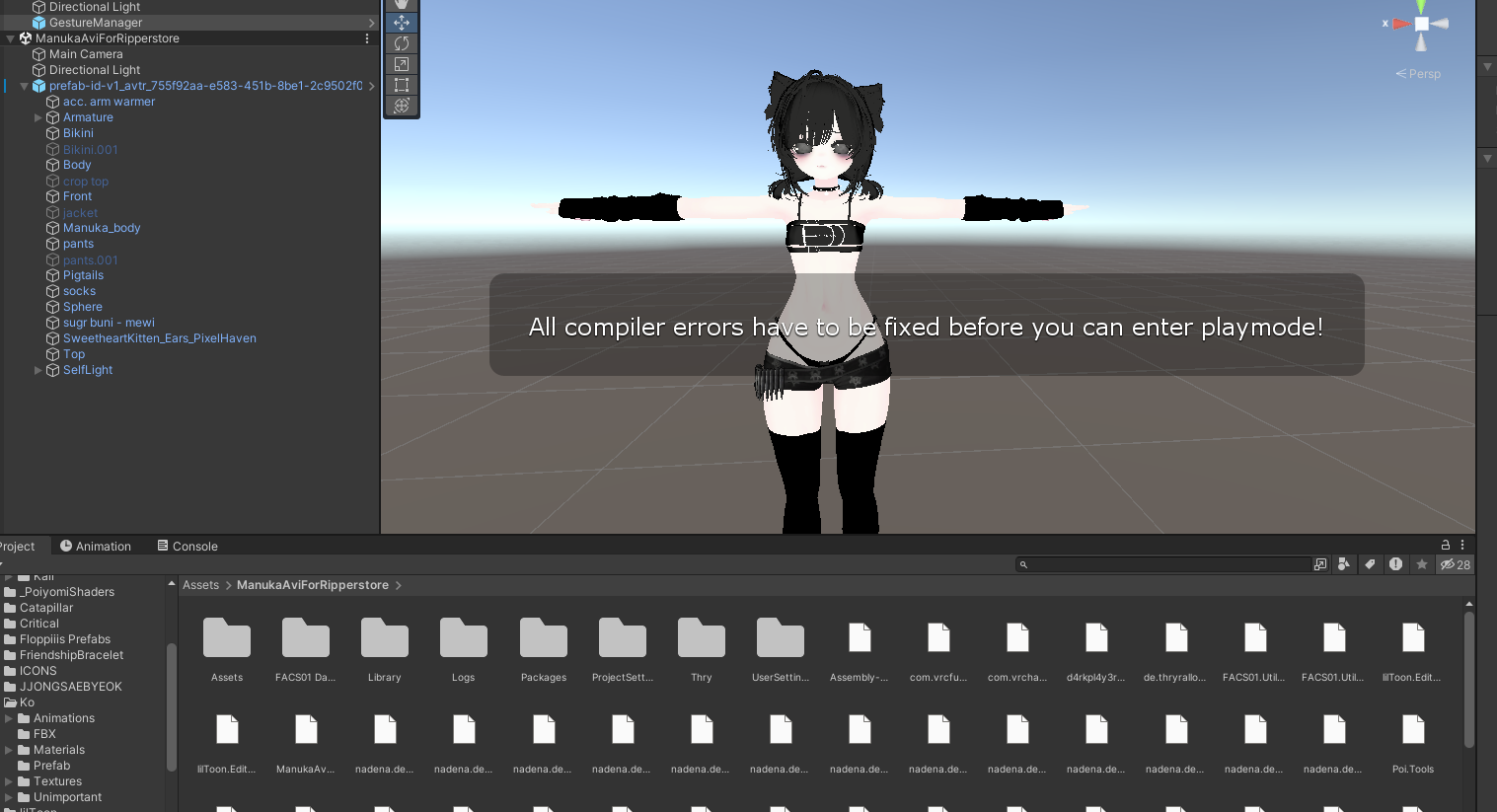
not sure how to fix that

ive checked the path and deleted the audio plugin but nothing changed -
@terew hey so ive run into a few problems,didnt know its gonna be a whole folder instead of a unity file,maybe i imported it wrong but it gave me a few errors
not sure how to fix that
ive checked the path and deleted the audio plugin but nothing changed -
@terew hey so ive run into a few problems,didnt know its gonna be a whole folder instead of a unity file,maybe i imported it wrong but it gave me a few errors
not sure how to fix that
ive checked the path and deleted the audio plugin but nothing changed@Yunan8412 also did you delete the plugin in ManukaAviForRipperstore/Packages/com.vrchat.base/Integrations/OculusSpatializer/x64/?
I think you need to delete this one and keep the one in Packages/com.vrchat.base/Integrations/OculusSpatializer/x64/AudioPluginOculusSpatializer.dll
Or try vice versa
-
 S Skydoms has marked this topic as solved on
-


Hello! It looks like you're interested in this conversation, but you don't have an account yet.
Getting fed up of having to scroll through the same posts each visit? When you register for an account, you'll always come back to exactly where you were before, and choose to be notified of new replies (either via email, or push notification). You'll also be able to save bookmarks and upvote posts to show your appreciation to other community members.
With your input, this post could be even better 💗
Register Login