Skip to content
  • Categories
  • Recent
  • Tags
  • Popular
Skins
  • Light
  • Brite
  • Cerulean
  • Cosmo
  • Flatly
  • Journal
  • Litera
  • Lumen
  • Lux
  • Materia
  • Minty
  • Morph
  • Pulse
  • Sandstone
  • Simplex
  • Sketchy
  • Spacelab
  • United
  • Yeti
  • Zephyr
  • Dark
  • Cyborg
  • Darkly
  • Quartz
  • Slate
  • Solar
  • Superhero
  • Vapor

  • Default (Zephyr)
  • No Skin
Collapse
RipperStore Logo
  1. Home
  2. Assets
  3. Looking for...
  4. Gumroad/Payhip Avatars
  5. FOUND: Zomi the Rave Zombie by Woofles

FOUND: Zomi the Rave Zombie by Woofles

Scheduled Pinned Locked Moved Solved Gumroad/Payhip Avatars
zombiewooflesvrcft
28 Posts 16 Posters 3.5k Views 15 Watching
  • Oldest to Newest
  • Newest to Oldest
  • Most Votes
Reply
  • Reply as topic
Log in to reply
This topic has been deleted. Only users with topic management privileges can see it.
  • N Nimbda
    [[topic:post-is-deleted]]
    avicollectorA
    avicollectorA
    avicollector
    wrote on last edited by
    #17

    @Nimbda

    It is NOT a ripper.store rule though. Only applied if the owner or co-owner states to not leak for a set period.

    ⊱ ────── {⋆♥⋆} ────── ⊰
    Please do NOT leave unnecessary comments about the appearance of the models I choose to post.
    ⊱ ────── {⋆♥⋆} ────── ⊰

    1 Reply Last reply
    1
    • N Nimbda
      [[topic:post-is-deleted]]
      D4ddyLemonD
      D4ddyLemonD
      D4ddyLemon
      wrote on last edited by
      #18

      @Nimbda From all I've seen this is ONLY for torinyan's Stuff/Avis (correct me if I'm wrong) because if we follow that rule C0de will typically post updated files for all of us here. I have no doubt if other avatar creators did the same the "rule" would be followed.

      Jinkies! Doing my best to help when I can~

      I rip clothing off of avatars and add it to others. I also add face tracking if the avatar doesn't have it. DM me if you need either :D

      Typically after -
      RevCorp, Apyr, Remys, NPC, Xero, Heartmarksman and Kimchis avis<3

      L 1 Reply Last reply
      0
      • D4ddyLemonD D4ddyLemon

        @Nimbda From all I've seen this is ONLY for torinyan's Stuff/Avis (correct me if I'm wrong) because if we follow that rule C0de will typically post updated files for all of us here. I have no doubt if other avatar creators did the same the "rule" would be followed.

        L
        L
        LegacyOfLebron
        wrote on last edited by admin
        #19

        @D4ddyLemon Nah I seen apply this rule to Bambi & Eternal Memories, or well some avatars with that style.

        1 Reply Last reply
        0
        • G
          G
          Gushy_08
          wrote on last edited by
          #20

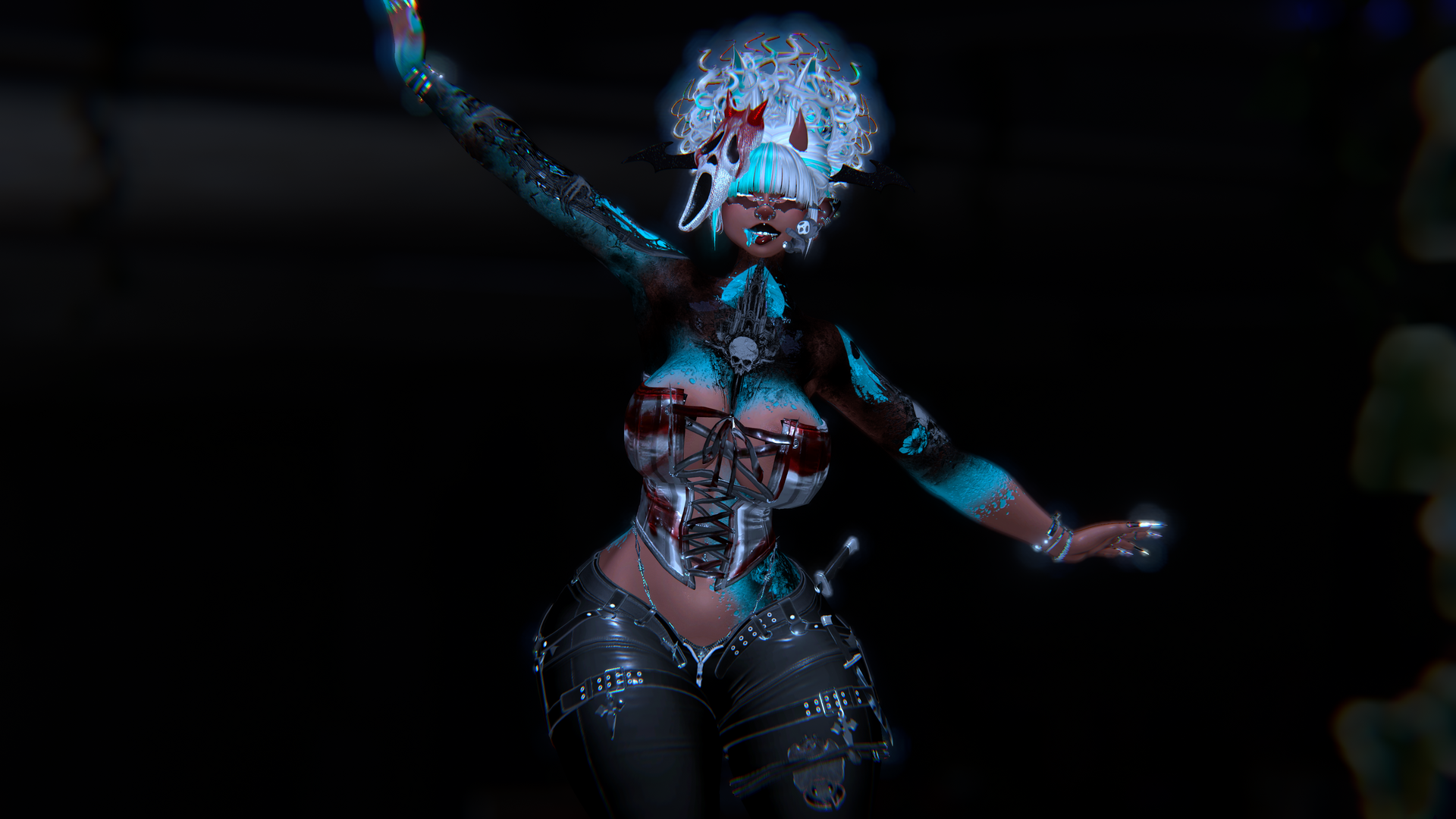
          @avicollector or anyone at that tbh would u want to split on a avi?? its called Slasher by Mommyin i have a preorder code and willing to give out the files idrc as long as i can get her somehow yk idk how to make post yet but ive gotten alot of avis from people on here now so just putting this out here
          rsz_image.png rsz_vrchat_2025-09-22_21-07-11188_3840x2160.png rsz_1vrchat_2025-09-22_23-57-56909_3840x2160.png

          avicollectorA 1 Reply Last reply
          0
          • SerakiiS
            SerakiiS
            Serakii
            wrote on last edited by
            #21

            Does anyone have the quest Hueshift version?

            RuriruR 1 Reply Last reply
            0
            • SerakiiS Serakii

              Does anyone have the quest Hueshift version?

              RuriruR
              RuriruR
              Ruriru
              wrote on last edited by
              #22

              @Saki_. the optimized version has it

              1 Reply Last reply
              0
              • RuriruR
                RuriruR
                Ruriru
                wrote on last edited by
                #23

                The shaders on this creator’s Quest avatars are very flat by default. I tried replacing them and adding matcaps or other effects to make the models look better, but it doesn’t seem to work — they still look flat. Does anyone know if there’s a way to fix this? It’s the same issue on all of her Quest avatars.....

                pic 1 - creator's version, pic 2 - questtool

                image.png

                2da32d4a-1a86-48f0-b246-6d99678e2f65-image.png

                N 1 Reply Last reply
                0
                • G Gushy_08

                  @avicollector or anyone at that tbh would u want to split on a avi?? its called Slasher by Mommyin i have a preorder code and willing to give out the files idrc as long as i can get her somehow yk idk how to make post yet but ive gotten alot of avis from people on here now so just putting this out here
                  rsz_image.png rsz_vrchat_2025-09-22_21-07-11188_3840x2160.png rsz_1vrchat_2025-09-22_23-57-56909_3840x2160.png

                  avicollectorA
                  avicollectorA
                  avicollector
                  wrote on last edited by
                  #24

                  @Gushy_08 make a LF post for this model so more ppl can see

                  ⊱ ────── {⋆♥⋆} ────── ⊰
                  Please do NOT leave unnecessary comments about the appearance of the models I choose to post.
                  ⊱ ────── {⋆♥⋆} ────── ⊰

                  G 1 Reply Last reply
                  0
                  • avicollectorA avicollector

                    @Gushy_08 make a LF post for this model so more ppl can see

                    G
                    G
                    Gushy_08
                    wrote on last edited by
                    #25

                    how do i do so?

                    1 Reply Last reply
                    0
                    • RuriruR Ruriru

                      The shaders on this creator’s Quest avatars are very flat by default. I tried replacing them and adding matcaps or other effects to make the models look better, but it doesn’t seem to work — they still look flat. Does anyone know if there’s a way to fix this? It’s the same issue on all of her Quest avatars.....

                      pic 1 - creator's version, pic 2 - questtool

                      image.png

                      2da32d4a-1a86-48f0-b246-6d99678e2f65-image.png

                      N
                      N
                      Nimbda
                      wrote on last edited by
                      #26
                      This post is deleted!
                      RuriruR 1 Reply Last reply
                      0
                      • N Nimbda
                        [[topic:post-is-deleted]]
                        RuriruR
                        RuriruR
                        Ruriru
                        wrote on last edited by
                        #27

                        @Nimbda I don’t really understand what the problem is - when you make Quest avatars yourself, everything works fine. It’s the same for other creators too - their Quest avatars work fine and all the materials display correctly. So why does this only happen with her avatars? It would be nice to understand how to fix it, so I can fix it myself...

                        1 Reply Last reply
                        0
                        • N
                          N
                          nota_croissant
                          wrote on last edited by
                          #28

                          wtf do i need for the quest version

                          1 Reply Last reply
                          0
                          • ministarzM ministarz marked this topic as a question on
                          • ministarzM ministarz has marked this topic as solved on
                          Hello! It looks like you're interested in this conversation, but you don't have an account yet.

                          Getting fed up of having to scroll through the same posts each visit? When you register for an account, you'll always come back to exactly where you were before, and choose to be notified of new replies (either via email, or push notification). You'll also be able to save bookmarks and upvote posts to show your appreciation to other community members.

                          With your input, this post could be even better 💗

                          Register Login
                          Reply
                          • Reply as topic
                          Log in to reply
                          • Oldest to Newest
                          • Newest to Oldest
                          • Most Votes


                          • Login

                          • Login or register to search.
                          • First post
                            Last post
                          0
                          • Categories
                          • Recent
                          • Tags
                          • Popular