
[FOUND] This picture eye?(Post by TyeXO)
-
-
@mxp927z The eye comes with the makeup. The whole look is a "makeover" for the model. So buy just lime and you will get the eyes you want.
@TyeXO Hmm, someone shared this makeup asset, so I checked it out, but it seems the eye textures aren't included.
If you notice any issues, please let me know via DM or by mentioning me. I’ll update the link as soon as I see it.
Please excuse my imperfect English — I’m still learning.
Thank you for your understanding and cooperation! -
M mxp927z has marked this topic as solved on
-
@TyeXO Hmm, someone shared this makeup asset, so I checked it out, but it seems the eye textures aren't included.
-
@mxp927z Yes, It can be very misleading when a product doesnt provide much information on what youre getting, but im confident that the eyes are included. Its only 350 jpy anyways so luckily youre not loosing hundreds even if the eyes arent included.
@TyeXO At the bottom of the booth page,
it read:
EYES TEXTURE X
Looks like the eye texture isn't included after all.If you notice any issues, please let me know via DM or by mentioning me. I’ll update the link as soon as I see it.
Please excuse my imperfect English — I’m still learning.
Thank you for your understanding and cooperation! -
@TyeXO At the bottom of the booth page,
it read:
EYES TEXTURE X
Looks like the eye texture isn't included after all. -
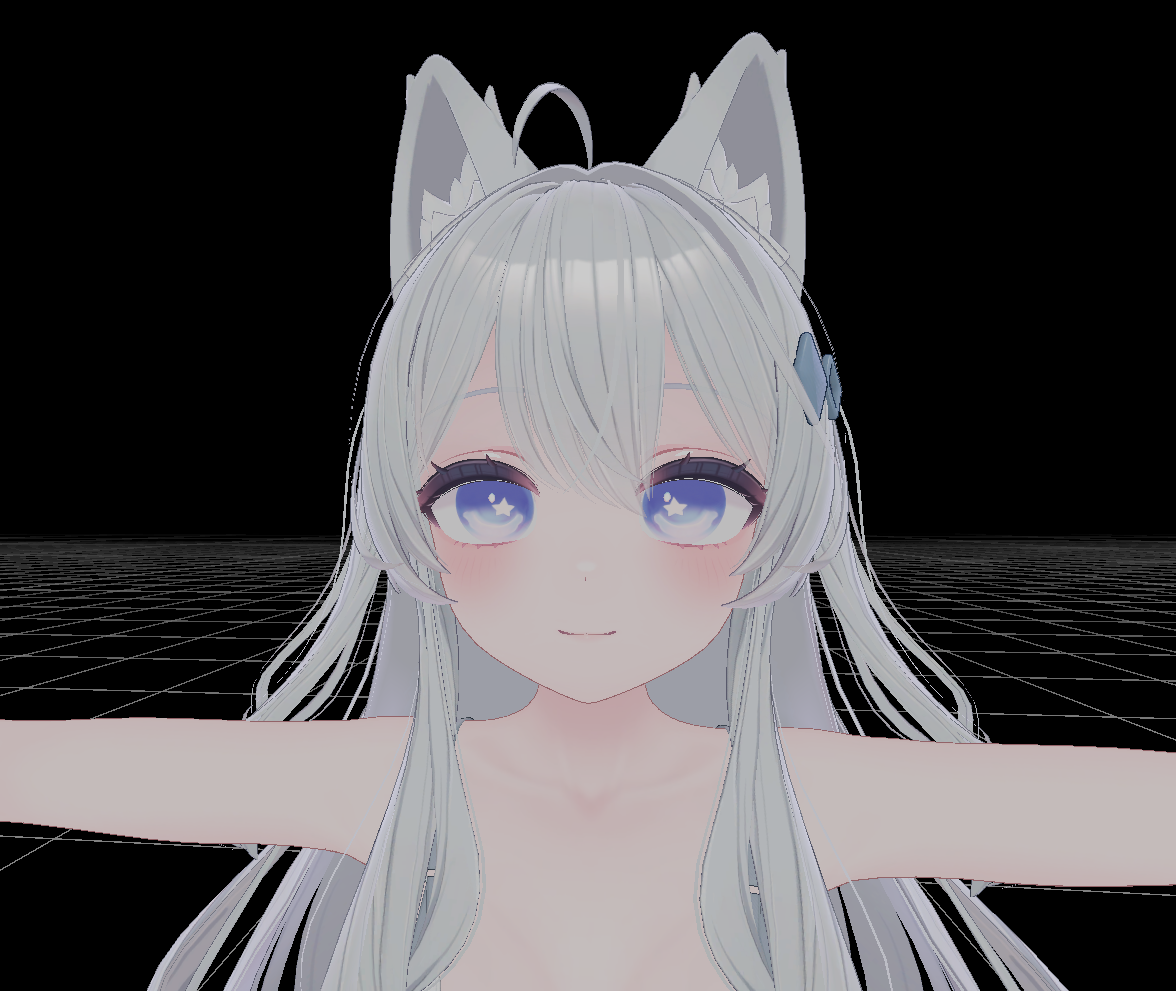
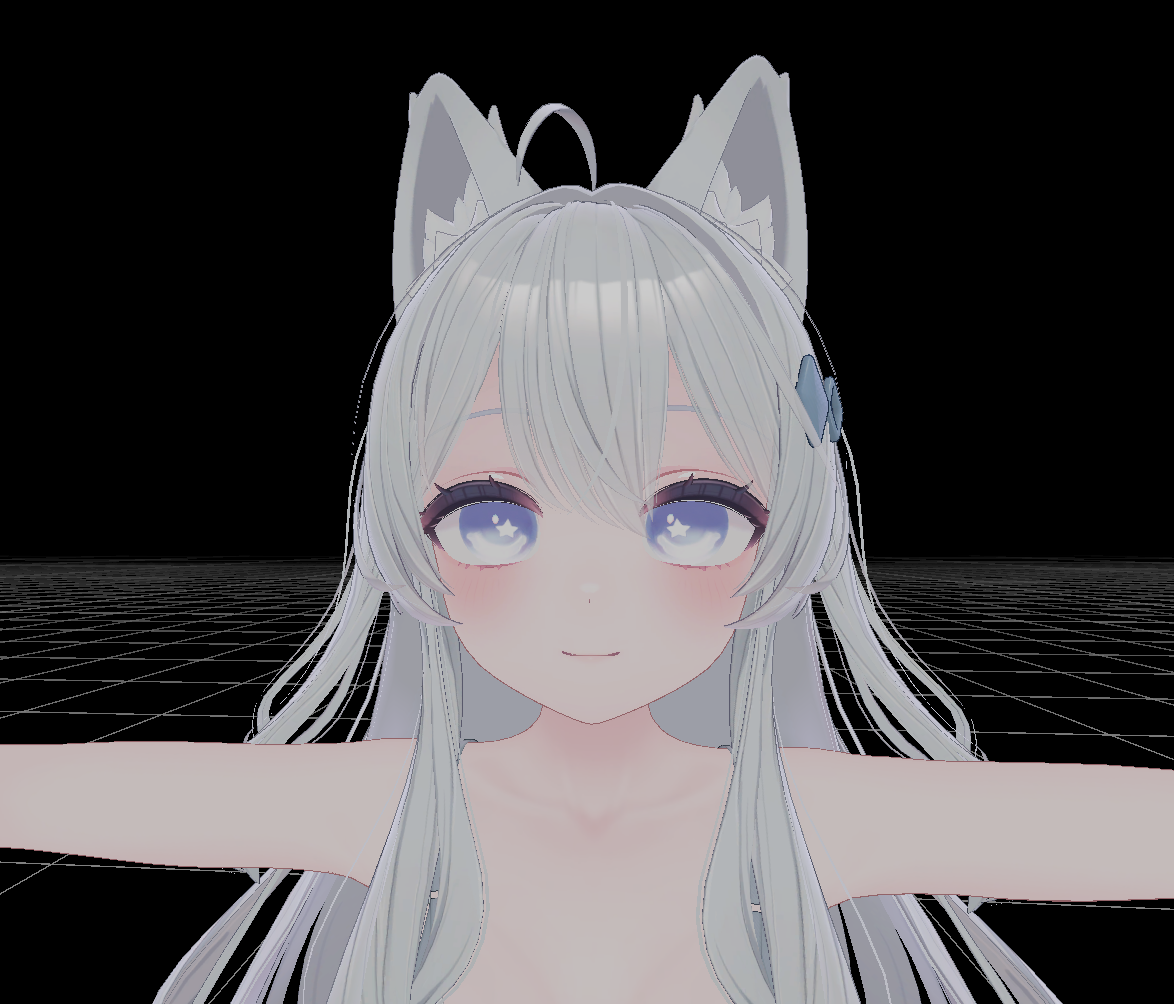
Well, I made em for lime, but eyes can easily be fit to another model. Made a saturated one and a lighter one. I also made a simple blendshape anim (For lime) so that it will work with the eyes. Hope this helps ^^
I collect shit and I share shit, lets all shit together :D
-
Well, I made em for lime, but eyes can easily be fit to another model. Made a saturated one and a lighter one. I also made a simple blendshape anim (For lime) so that it will work with the eyes. Hope this helps ^^
@TyeXO Wow! Amazing! It's incredibly accurate!
Thank you so much!
How did you make it?If you notice any issues, please let me know via DM or by mentioning me. I’ll update the link as soon as I see it.
Please excuse my imperfect English — I’m still learning.
Thank you for your understanding and cooperation! -
M mxp927z has marked this topic as solved on
-
@mxp927z You're most welcome ^^. As for how I did it, my method isnt the most efficient or replicable. Its a whole process. I use my Ipad for texture work, so I take the 2D image of the face of whatever model{in this case, Lime}, then I took the 2D image with the eye texture you wanted{the image at the top of this forum}, erased everything but one the eyes, manipulated it to fit the 2D face texture, blurred it a bit to soften the pixelated look away, then added some harsh touch ups to make it look intentionally drawn rather than just a blurred image, then I redid the star, added lines on the edges, filled in the top with purple, and then tested it in unity on the actual model and fixed what needed to be fixed. Loosely matched the blendshapes by eye, and it was done. took about- 2 1/2 hours tops.
-
@mxp927z You're most welcome ^^. As for how I did it, my method isnt the most efficient or replicable. Its a whole process. I use my Ipad for texture work, so I take the 2D image of the face of whatever model{in this case, Lime}, then I took the 2D image with the eye texture you wanted{the image at the top of this forum}, erased everything but one the eyes, manipulated it to fit the 2D face texture, blurred it a bit to soften the pixelated look away, then added some harsh touch ups to make it look intentionally drawn rather than just a blurred image, then I redid the star, added lines on the edges, filled in the top with purple, and then tested it in unity on the actual model and fixed what needed to be fixed. Loosely matched the blendshapes by eye, and it was done. took about- 2 1/2 hours tops.
-
Well, I made em for lime, but eyes can easily be fit to another model. Made a saturated one and a lighter one. I also made a simple blendshape anim (For lime) so that it will work with the eyes. Hope this helps ^^
@TyeXO TYSM!


Hello! It looks like you're interested in this conversation, but you don't have an account yet.
Getting fed up of having to scroll through the same posts each visit? When you register for an account, you'll always come back to exactly where you were before, and choose to be notified of new replies (either via email, or push notification). You'll also be able to save bookmarks and upvote posts to show your appreciation to other community members.
With your input, this post could be even better 💗
Register Login