
LF: [NULL] "The Runner"
-
Okay so basically for anyone still having issues with the avi, you ONLY need to put the "FX N" Animator controller into the FX layer on the avatar descriptor just like the image on this answer.
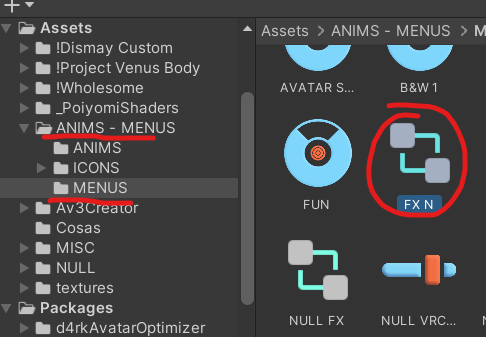
The FX layer can be found in Assets -> ANIMS - MENUS -> MENUS -> (FX N) as @Regrets said.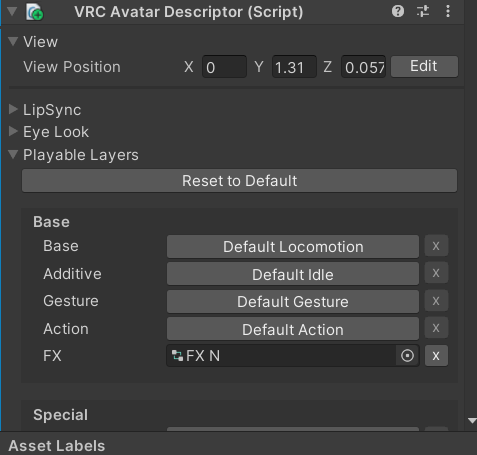
-
@Sskitar You need to have VRCFury installed, alongside Poiyomi shaders, and the "Jerry's FT Template" even if you don't use face tracking. VRCFury will fix the "mask" issue, basically the gesture controller is set up only for the right hand but VRC duplicates it and puts the same gestures on the left hand, that is all. You can upload even with that error showing up, VRCFury will take care of it when the avi is building. Hope that helps.
-
+1
-
I come with a gift, I adored the model, so why not
 Download Link (workupload.com)
@senpai-actual2 hi! can u upload the fix? please and ty!
-
bump fix
-
-
updated
@senpai-actual2 thank you!
-
Anyone got the gun that comes with this avatar?
-
updated
@senpai-actual2 Thank you very much
-
@notyourclown so bascially..
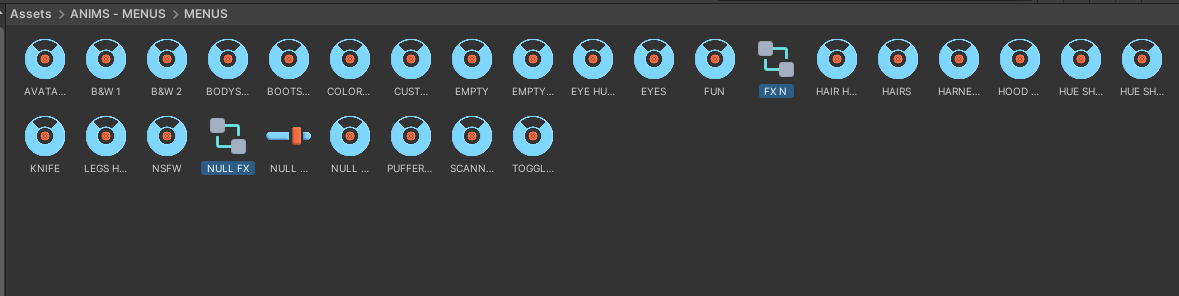
go to this folder

Look for the 2 highlighted FX Layers
Select the model on the top left and on the right located under VRC Avatar Descriptor
Place the FX layers accordingly
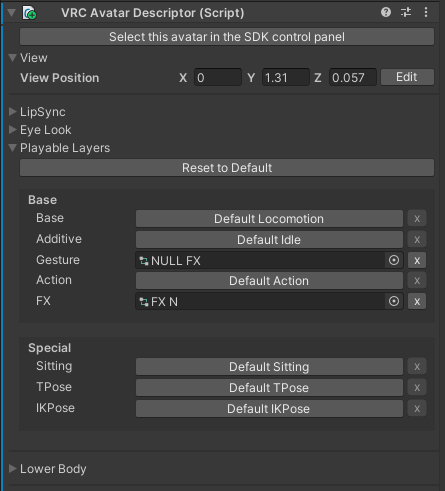
And your done!!!


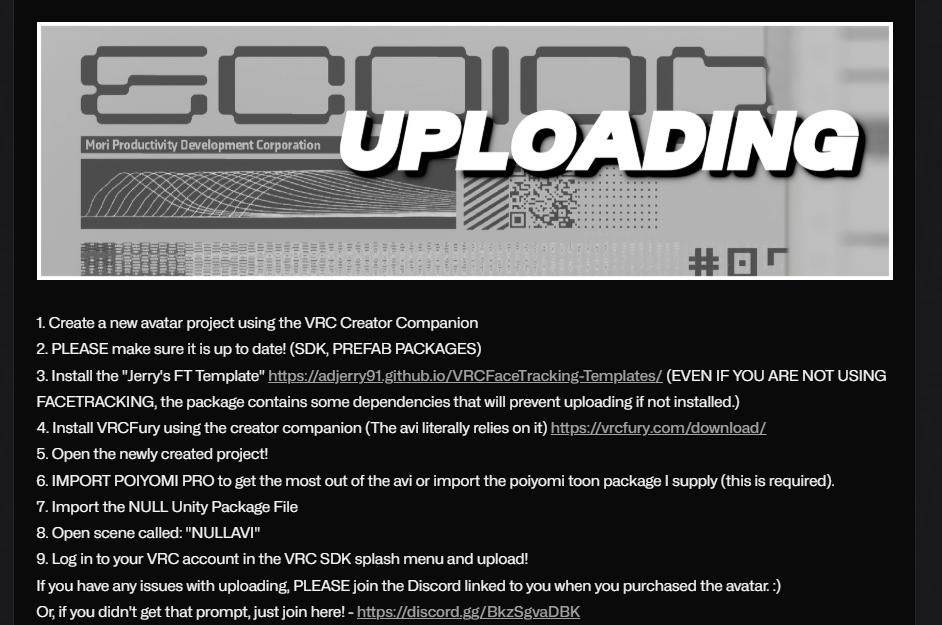 they wrote how to upload it on their jinxy






Hello! It looks like you're interested in this conversation, but you don't have an account yet.
Getting fed up of having to scroll through the same posts each visit? When you register for an account, you'll always come back to exactly where you were before, and choose to be notified of new replies (either via email, or push notification). You'll also be able to save bookmarks and upvote posts to show your appreciation to other community members.
With your input, this post could be even better 💗
Register Login