Skip to content
  • Categories
  • Recent
  • Tags
  • Popular
Skins
  • Light
  • Brite
  • Cerulean
  • Cosmo
  • Flatly
  • Journal
  • Litera
  • Lumen
  • Lux
  • Materia
  • Minty
  • Morph
  • Pulse
  • Sandstone
  • Simplex
  • Sketchy
  • Spacelab
  • United
  • Yeti
  • Zephyr
  • Dark
  • Cyborg
  • Darkly
  • Quartz
  • Slate
  • Solar
  • Superhero
  • Vapor

  • Default (Zephyr)
  • No Skin
Collapse
RipperStore Logo
  1. Home
  2. Assets
  3. Looking for...
  4. Other Assets
  5. LF: Demonically Yours - Succubus DLC Clothing

LF: Demonically Yours - Succubus DLC Clothing

Scheduled Pinned Locked Moved Unsolved Other Assets
looking-forunsolvedasset-hunterjinxxyclothing
125 Posts 48 Posters 3.5k Views 50 Watching
  • Oldest to Newest
  • Newest to Oldest
  • Most Votes
Reply
  • Reply as topic
Log in to reply
This topic has been deleted. Only users with topic management privileges can see it.
  • AtroposA Atropos

    @projectkouki Would you be a love and add Auri's DLC ❀

    ProjectkoukiP
    ProjectkoukiP
    Projectkouki
    wrote last edited by
    #121

    @Atropos ill add a seperate link for that one

    1 Reply Last reply
    1
    • uwumonsterzU uwumonsterz

      Yes please for Auri, and TYSM projectkouki!

      ProjectkoukiP
      ProjectkoukiP
      Projectkouki
      wrote last edited by
      #122

      @uwumonsterz here you are password is the same just separated and is a personal permanent link [register or login to view this hidden content]

      1 Reply Last reply
      3
      • AtroposA
        AtroposA
        Atropos
        wrote last edited by
        #123

        @projectkouki Thank youuu! ❀

        1 Reply Last reply
        πŸ™‚
        0
        • IdonthaveanassI
          IdonthaveanassI
          Idonthaveanass
          wrote last edited by
          #124

          how do we add it on it broke on my avi any instructions?

          ProjectkoukiP 1 Reply Last reply
          0
          • IdonthaveanassI Idonthaveanass

            how do we add it on it broke on my avi any instructions?

            ProjectkoukiP
            ProjectkoukiP
            Projectkouki
            wrote last edited by
            #125

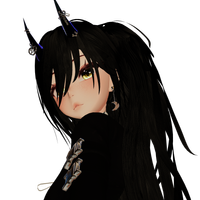
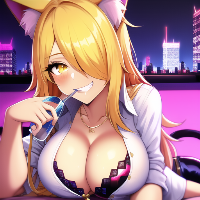
            @Idonthaveanass Import the files into Unity by placing them in the Assets folder. Once the import is complete, locate the folder named after the creator (typically something like β€œPawesomeVRChat” or similar). Open your avatar in the Hierarchy, then drag and drop the prefab onto the avatar. The prefab already includes its own menu. When uploading the avatar, use the default outfit. The DLC will disable the default outfit in VRChat while keeping the default outfit available on the main avatar alongside the DLC. It automatically prevents both outfits from clashing with each other as much as possible.
            1 Reply Last reply
            0

            Hello! It looks like you're interested in this conversation, but you don't have an account yet.

            Getting fed up of having to scroll through the same posts each visit? When you register for an account, you'll always come back to exactly where you were before, and choose to be notified of new replies (either via email, or push notification). You'll also be able to save bookmarks and upvote posts to show your appreciation to other community members.

            With your input, this post could be even better πŸ’—

            Register Login
            Reply
            • Reply as topic
            Log in to reply
            • Oldest to Newest
            • Newest to Oldest
            • Most Votes


            • Login

            • Login or register to search.
            • First post
              Last post
            0
            • Categories
            • Recent
            • Tags
            • Popular