Skip to content
  • Categories
  • Recent
  • Tags
  • Popular
Skins
  • Light
  • Brite
  • Cerulean
  • Cosmo
  • Flatly
  • Journal
  • Litera
  • Lumen
  • Lux
  • Materia
  • Minty
  • Morph
  • Pulse
  • Sandstone
  • Simplex
  • Sketchy
  • Spacelab
  • United
  • Yeti
  • Zephyr
  • Dark
  • Cyborg
  • Darkly
  • Quartz
  • Slate
  • Solar
  • Superhero
  • Vapor

  • Default (Zephyr)
  • No Skin
Collapse
RipperStore Logo
  1. Home
  2. Assets
  3. Found Avatars and Assets
  4. Moe Touch Plus

Moe Touch Plus

Scheduled Pinned Locked Moved Found Avatars and Assets
10 Posts 9 Posters 3.7k Views 6 Watching
  • Oldest to Newest
  • Newest to Oldest
  • Most Votes
Reply
  • Reply as topic
Log in to reply
This topic has been deleted. Only users with topic management privileges can see it.
  • link2432L
    link2432L
    link2432
    wrote on last edited by
    #1

    https://jj-shop.booth.pm/items/5044250
    I got this and figured I'd share since I didn't see it yet ^^
    [[register or login to view this hidden content]]
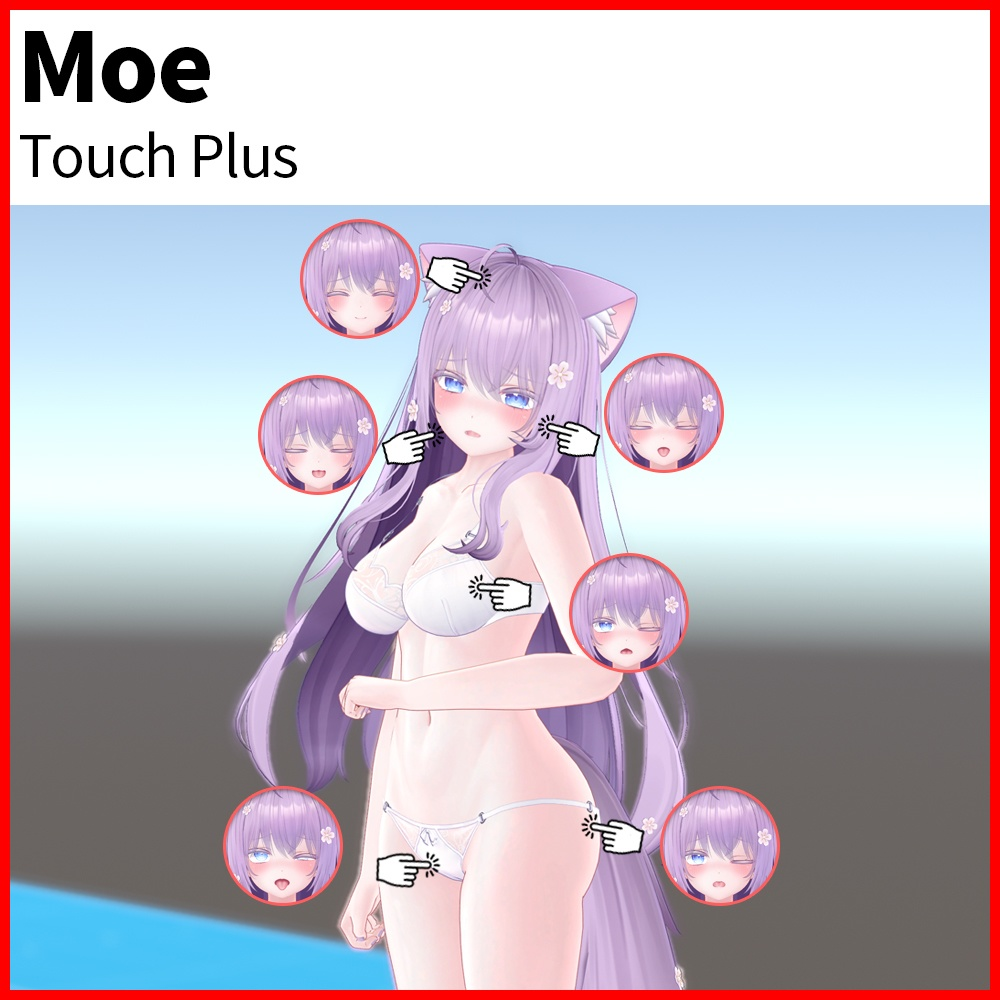
    c3074ae6-33b0-4a2e-b495-8d7d3ef2d8fa-image.png

    1 Reply Last reply
    👍
    4
    • ?
      ?
      A Former User
      wrote on last edited by
      #2

      thank you ! ❤

      1 Reply Last reply
      0
      • resonanceR
        resonanceR
        resonance
        wrote on last edited by
        #3

        Thanks

        1 Reply Last reply
        0
        • meowM
          meowM
          meow
          wrote on last edited by
          #4

          but how to add it ><

          1 Reply Last reply
          0
          • K
            K
            Kitsu0000
            wrote on last edited by
            #5
            This post is deleted!
            1 Reply Last reply
            0
            • TwinkLover69T
              TwinkLover69T
              TwinkLover69
              wrote on last edited by
              #6

              how do you set this up?

              1 Reply Last reply
              0
              • N
                N
                nyfen
                wrote on last edited by
                #7

                Can someone guide a dumb dumb like me how to add it? TwT

                1 Reply Last reply
                0
                • U
                  U
                  username11111
                  wrote on last edited by username11111
                  #8

                  I believe this is how you can add it:
                  Add Avatars 3.0 manager via the Creator Companion.

                  Place Moe into your Hierarchy
                  Find the Touch Plus folder under: Kyubi Closet - Moe - Touch Plus
                  Drag the Prefab into your hierarchy.
                  Drag it into the Moe hierarchy.
                  Unpack the prefab completely.
                  Drag the Touch Plus items under the correct bone as they are listed under the prefab.
                  Head items under the Head bone and so forth.
                  Next locate VRLabs at the top and Avatars 3.0 Manager.
                  Drag Moe into the top tab.
                  Scroll down to FX - Add animator to merge
                  Find the animator under: Kyubi Closet - Moe - Touch Plus - Animator.
                  Drag that into the animator tab.
                  Merge on current.

                  Select the second menu within AV3 Manager.
                  Locate the file Touch Plus_Parameters.asset within:
                  Kyubi Closet - Moe - Touch Plus - Parameters.
                  Copy Parameters.

                  Select Moe within the Hierarchy on the left.
                  Click the Inspector at the top right.
                  Scroll down to "Expressions".
                  Double click Moe_Menu.
                  Locate where you want these toggles to be.
                  Click "Add Control".
                  Set a name, picture, and set the type to Sub Menu.
                  Under Sub Menu Select "Touch Plus".

                  I haven't fully tested this out in VR.

                  .

                  B 1 Reply Last reply
                  0
                  • U username11111

                    I believe this is how you can add it:
                    Add Avatars 3.0 manager via the Creator Companion.

                    Place Moe into your Hierarchy
                    Find the Touch Plus folder under: Kyubi Closet - Moe - Touch Plus
                    Drag the Prefab into your hierarchy.
                    Drag it into the Moe hierarchy.
                    Unpack the prefab completely.
                    Drag the Touch Plus items under the correct bone as they are listed under the prefab.
                    Head items under the Head bone and so forth.
                    Next locate VRLabs at the top and Avatars 3.0 Manager.
                    Drag Moe into the top tab.
                    Scroll down to FX - Add animator to merge
                    Find the animator under: Kyubi Closet - Moe - Touch Plus - Animator.
                    Drag that into the animator tab.
                    Merge on current.

                    Select the second menu within AV3 Manager.
                    Locate the file Touch Plus_Parameters.asset within:
                    Kyubi Closet - Moe - Touch Plus - Parameters.
                    Copy Parameters.

                    Select Moe within the Hierarchy on the left.
                    Click the Inspector at the top right.
                    Scroll down to "Expressions".
                    Double click Moe_Menu.
                    Locate where you want these toggles to be.
                    Click "Add Control".
                    Set a name, picture, and set the type to Sub Menu.
                    Under Sub Menu Select "Touch Plus".

                    I haven't fully tested this out in VR.

                    B
                    B
                    boegg
                    wrote on last edited by
                    #9

                    @melissadick
                    Tested this out in VR, works like a charm. Thanks for figuring this out

                    U 1 Reply Last reply
                    0
                    • B boegg

                      @melissadick
                      Tested this out in VR, works like a charm. Thanks for figuring this out

                      U
                      U
                      username11111
                      wrote on last edited by
                      #10

                      @boegg
                      I'm glad it works, I figured it would be similar to other items I've used.

                      .

                      1 Reply Last reply
                      0

                      Hello! It looks like you're interested in this conversation, but you don't have an account yet.

                      Getting fed up of having to scroll through the same posts each visit? When you register for an account, you'll always come back to exactly where you were before, and choose to be notified of new replies (either via email, or push notification). You'll also be able to save bookmarks and upvote posts to show your appreciation to other community members.

                      With your input, this post could be even better 💗

                      Register Login
                      Reply
                      • Reply as topic
                      Log in to reply
                      • Oldest to Newest
                      • Newest to Oldest
                      • Most Votes


                      • Login

                      • Login or register to search.
                      • First post
                        Last post
                      0
                      • Categories
                      • Recent
                      • Tags
                      • Popular