Skip to content
  • Categories
  • Recent
  • Tags
  • Popular
Skins
  • Light
  • Brite
  • Cerulean
  • Cosmo
  • Flatly
  • Journal
  • Litera
  • Lumen
  • Lux
  • Materia
  • Minty
  • Morph
  • Pulse
  • Sandstone
  • Simplex
  • Sketchy
  • Spacelab
  • United
  • Yeti
  • Zephyr
  • Dark
  • Cyborg
  • Darkly
  • Quartz
  • Slate
  • Solar
  • Superhero
  • Vapor

  • Default (Zephyr)
  • No Skin
Collapse
RipperStore Logo
  1. Home
  2. Assets
  3. General Assets
  4. how do i fix this on moe

how do i fix this on moe

Scheduled Pinned Locked Moved General Assets
11 Posts 6 Posters 3.5k Views 1 Watching
  • Oldest to Newest
  • Newest to Oldest
  • Most Votes
Reply
  • Reply as topic
Log in to reply
This topic has been deleted. Only users with topic management privileges can see it.
  • KittyPawzK
    KittyPawzK
    KittyPawz
    wrote on last edited by
    #1

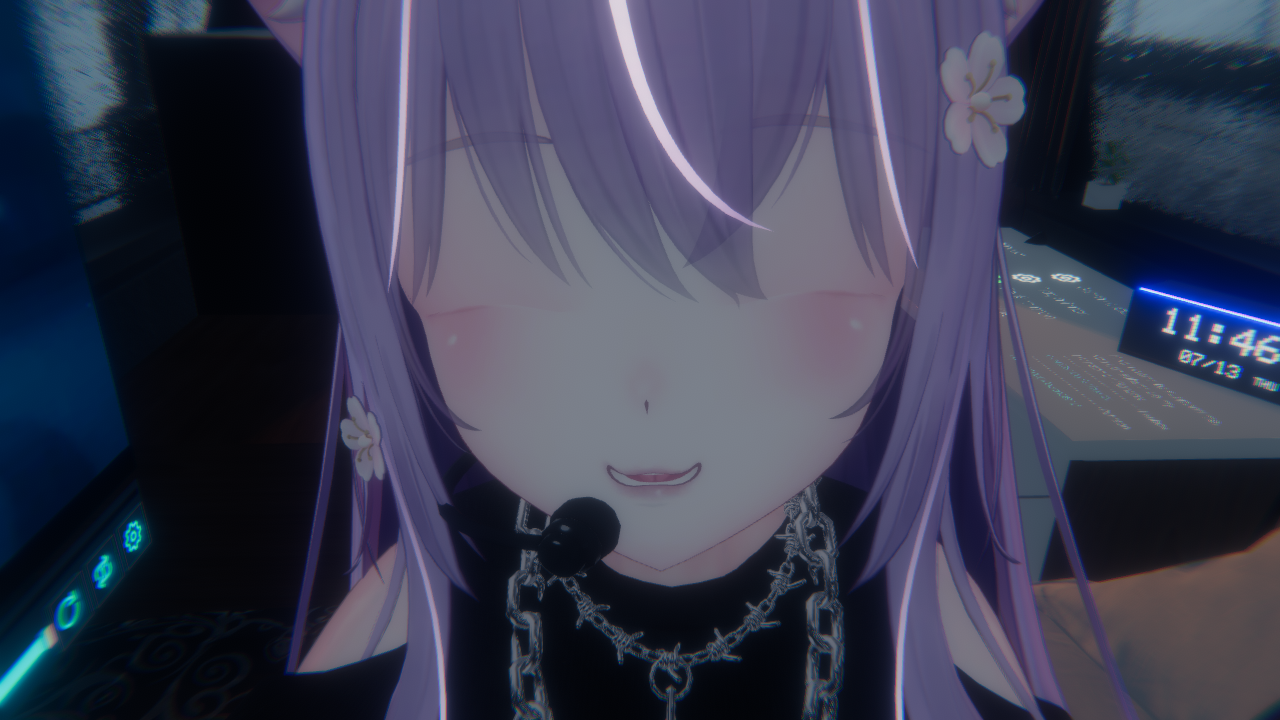
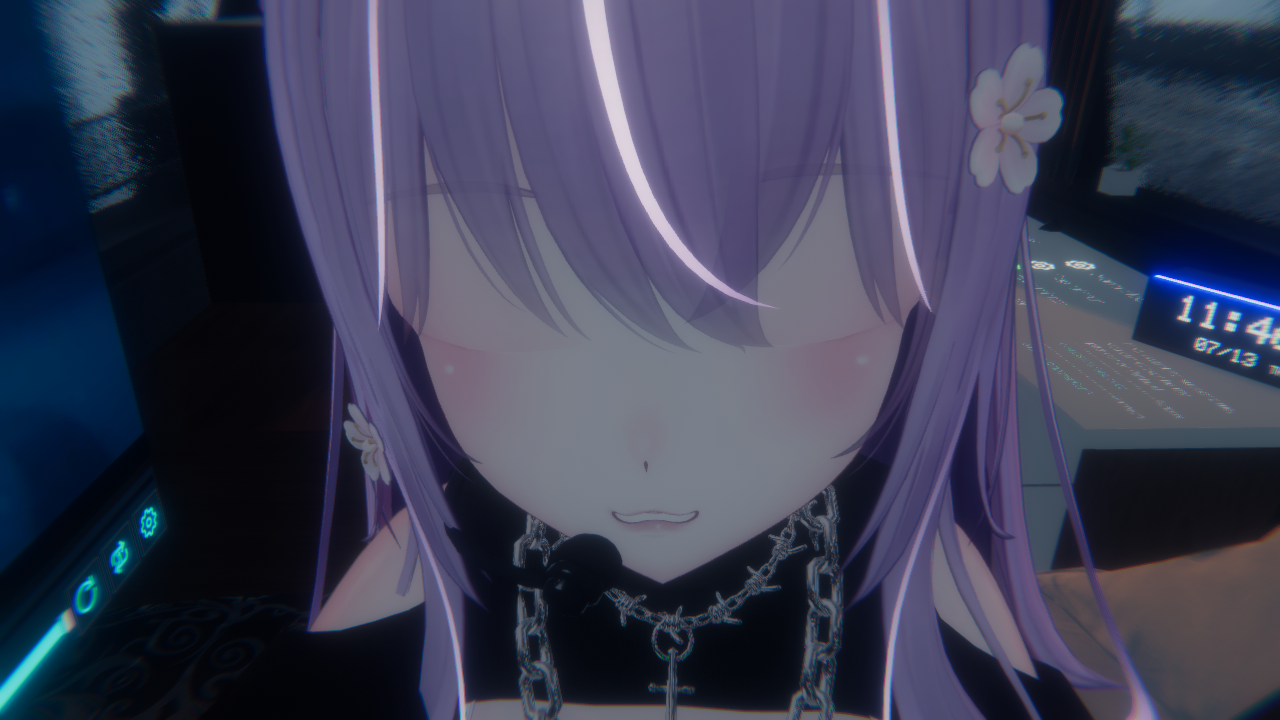
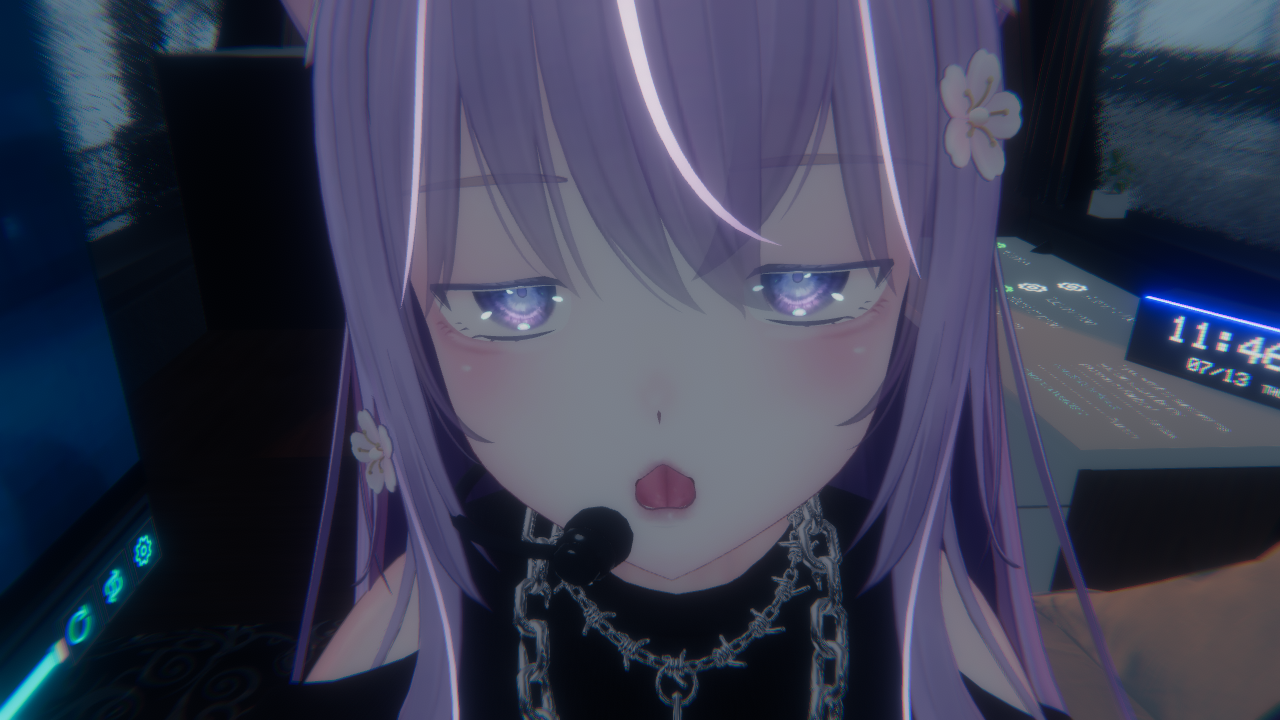
    i was changing the face animations for the gestures and i messed up help sVRChat_2023-07-13_11-46-04.678_1280x720.png VRChat_2023-07-13_11-46-02.497_1280x720.png VRChat_2023-07-13_11-46-06.604_1280x720.png

    1 Reply Last reply
    0
    • KittyPawzK
      KittyPawzK
      KittyPawz
      wrote on last edited by
      #2

      all the faces are messed up

      1 Reply Last reply
      0
      • NukeN
        NukeN
        Nuke
        wrote on last edited by
        #3

        To me it looks like you mixed animations, happens when you have in one hand one animation activated and another one in the second hand (like triggering "open hand" and "peace" at the same time, which activates two different faces). It's either that or an animator problem
        Could you show us a picture of the fx layer and the different face animations in it?

        1 Reply Last reply
        1
        • IdiaI
          IdiaI
          Idia
          wrote on last edited by
          #4

          I have this issue as well sometimes. Not to this extent however, but my facial gesture animations blending even though both hands have the same animations set up in the exact same hand gestures. So +1! for hoping you get the answer soon!

          If I share something please grab it within 4-5 days, after that I do not re-up!

          1 Reply Last reply
          0
          • VRCArchivistV
            VRCArchivistV
            VRCArchivist
            wrote on last edited by VRCArchivist
            #5

            The not so simple answer is that you'd need to make the facial expressions replace one another based on a hierarchy, or have the animation set all unused facial blendshapes to 0 while active to prevent expression overlap.

            The easiest fix is probably just using Combo Gesture Expressions and filling out each gesture with an animation so that each combo has its own specific animation and cannot overlap since it would technically fire a new animation based on the gesture made.

            By default the right hand also overrides the left hand for expressions so you could also set certain animations to the left hand and others to the right and sort of avoid that issue? But that's still pretty complicated, so I'd just recommend making expressions in CGE

            Your next-door archivist ♥

            KittyPawzK 1 Reply Last reply
            2
            • RynaaR
              RynaaR
              Rynaa
              wrote on last edited by
              #6

              It could also be because of the WD, I do everytime WD-All-ON over the Av3-Manager before I upload my avatars, because if I don't do this, most of the time all my Face-Expressions/Animations goes broken/weird.

              Who I am? I'm just Rynaa, a person who loves the Yugi/Miyo Model, I want everything from/for she!!

              1 Reply Last reply
              1
              • VRCArchivistV VRCArchivist

                The not so simple answer is that you'd need to make the facial expressions replace one another based on a hierarchy, or have the animation set all unused facial blendshapes to 0 while active to prevent expression overlap.

                The easiest fix is probably just using Combo Gesture Expressions and filling out each gesture with an animation so that each combo has its own specific animation and cannot overlap since it would technically fire a new animation based on the gesture made.

                By default the right hand also overrides the left hand for expressions so you could also set certain animations to the left hand and others to the right and sort of avoid that issue? But that's still pretty complicated, so I'd just recommend making expressions in CGE

                KittyPawzK
                KittyPawzK
                KittyPawz
                wrote on last edited by
                #7

                @VRCArchivist ill try this thanks!

                1 Reply Last reply
                1
                • VRCArchivistV
                  VRCArchivistV
                  VRCArchivist
                  wrote on last edited by VRCArchivist
                  #8

                  @KittyPawz What @Rynaa said is very true, VRChat wants most write defaults set to off and usually people disable them or leave them off. Facial animations usually break as a result of having WD disabled on them.

                  There was an old method (I think no longer works or just isn't popular anymore?) to have write defaults off and have expressions work regardless, however in most use cases you do want to ensure write defaults for expressions is on, the exception being when you get further into avatar optimization as WD is a fairly complex topic. Cams Avi's gives a pretty surface level explanation with examples on WD if needed. Definitely do check or have a program like AVC3 automate that for you since it can cause issues!

                  In the case of CGE, I believe it creates a controller on its own that is set up with everything as needed, so it may not be a concern, but I did want to say checking Write Defaults is a valid troubleshooting method as well!

                  Your next-door archivist ♥

                  1 Reply Last reply
                  2
                  • IdiaI
                    IdiaI
                    Idia
                    wrote on last edited by
                    #9

                    Be careful of turning write defaults off IF you frequent the MMD worlds. All write defaults in the FX controller will need to be on if you want your avatar to lipsync, and emote with the songs.

                    If I share something please grab it within 4-5 days, after that I do not re-up!

                    1 Reply Last reply
                    2
                    • IdiaI
                      IdiaI
                      Idia
                      wrote on last edited by
                      #10

                      Okay! I figured this out, and wanted to share it incase you weren't able to fix it!
                      Any facial anim file you make or plug into to your fx hand gesture layers must have all of the avatar's face blendshapes in it, regardless if you're using them or not, so that they know whether or not to trigger on that expression. EXCEPT the vrc ones like this:
                      Screenshot 2023-09-22 044459.png

                      If I share something please grab it within 4-5 days, after that I do not re-up!

                      G 1 Reply Last reply
                      0
                      • IdiaI Idia

                        Okay! I figured this out, and wanted to share it incase you weren't able to fix it!
                        Any facial anim file you make or plug into to your fx hand gesture layers must have all of the avatar's face blendshapes in it, regardless if you're using them or not, so that they know whether or not to trigger on that expression. EXCEPT the vrc ones like this:
                        Screenshot 2023-09-22 044459.png

                        G
                        G
                        gayboysupreme
                        wrote on last edited by
                        #11

                        @Idia where do you find this?

                        1 Reply Last reply
                        0

                        Hello! It looks like you're interested in this conversation, but you don't have an account yet.

                        Getting fed up of having to scroll through the same posts each visit? When you register for an account, you'll always come back to exactly where you were before, and choose to be notified of new replies (either via email, or push notification). You'll also be able to save bookmarks and upvote posts to show your appreciation to other community members.

                        With your input, this post could be even better 💗

                        Register Login
                        Reply
                        • Reply as topic
                        Log in to reply
                        • Oldest to Newest
                        • Newest to Oldest
                        • Most Votes


                        • Login

                        • Login or register to search.
                        • First post
                          Last post
                        0
                        • Categories
                        • Recent
                        • Tags
                        • Popular